NGT
Back to the case study

Full walkthrough · NGT · producto propio · 2026

Cobrá al Día

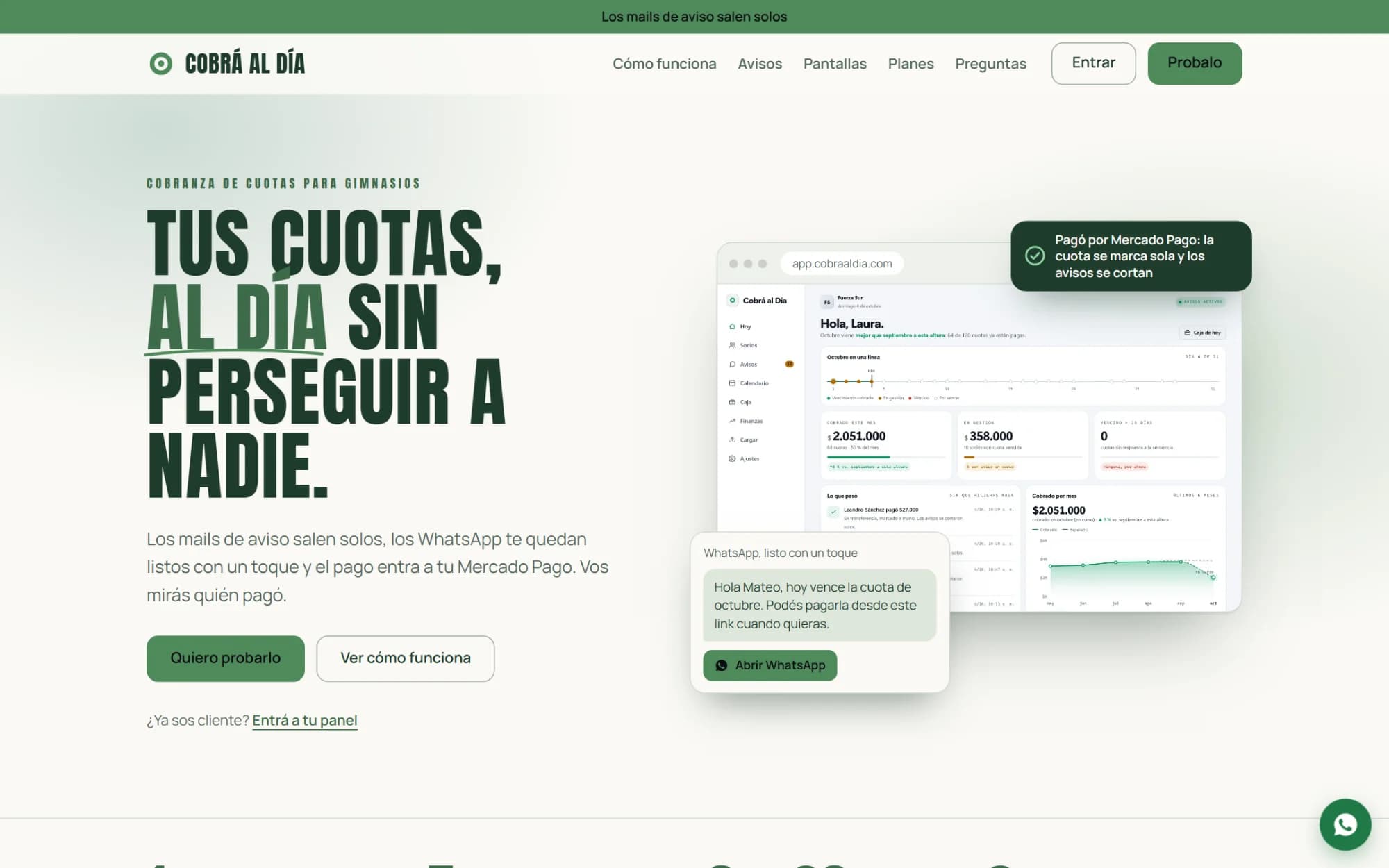
Membership fee collection for gyms: reminder emails go out on their own, WhatsApp messages are ready with one tap, and payments land in the gym's own Mercado Pago account. What follows is the whole system, screen by screen.

cobraaldia.com
  • Node.js
  • PostgreSQL 18 · RLS
  • Mercado Pago
  • SMTP
  • 2FA (TOTP)
  • VPS · Docker
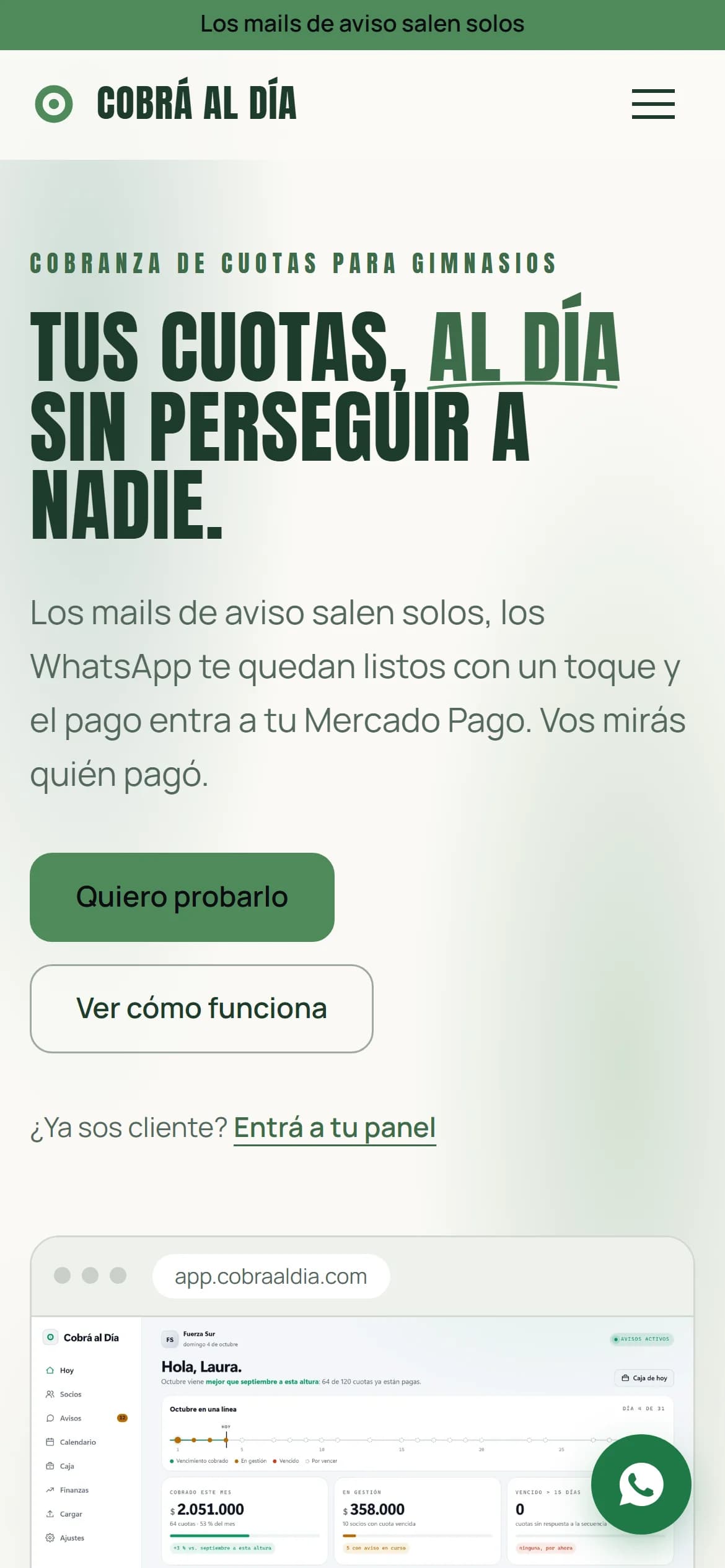
cobraaldia.com home page with the gym's panel and a WhatsApp reminder beside it
The site is the live one. Everything else comes from a copy of the real system loaded with an invented gym — Fuerza Sur, a hundred members and six months of fees, payments and check-ins —: a real gym's members are not shown in anyone's portfolio. In that copy Mercado Pago is simulated; what happens after the payment is the system as it always runs.

Today

The first thing on screen is how the month is going

The dashboard doesn't open with a list: it opens with a sentence saying how the month is going against the previous one. Below it, the month on a single line — each dot is a day with due dates, coloured by whether it was collected — what came in, what is being chased, and what has been overdue for more than fifteen days. And a column with what happened without anyone lifting a finger: every payment that came in on its own and every reminder sequence that stopped because the member paid.
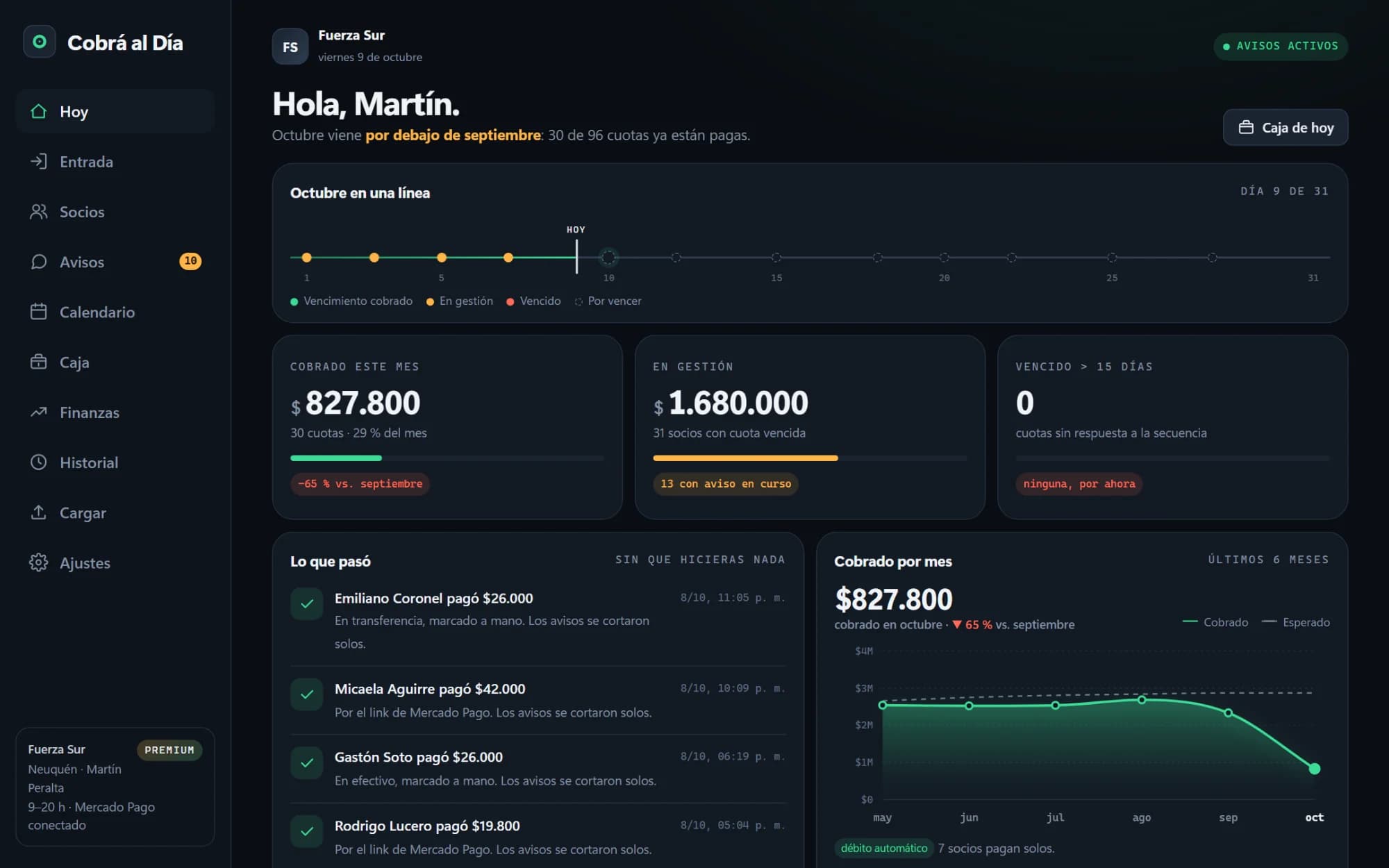
Cobrá al Día's “Today” dashboard: the month's timeline, three totals and the list of payments that came in on their own
The capture is from day 9: the month is “below” because it is being compared with one that has already closed.

Members

A hundred members, sorted by who owes

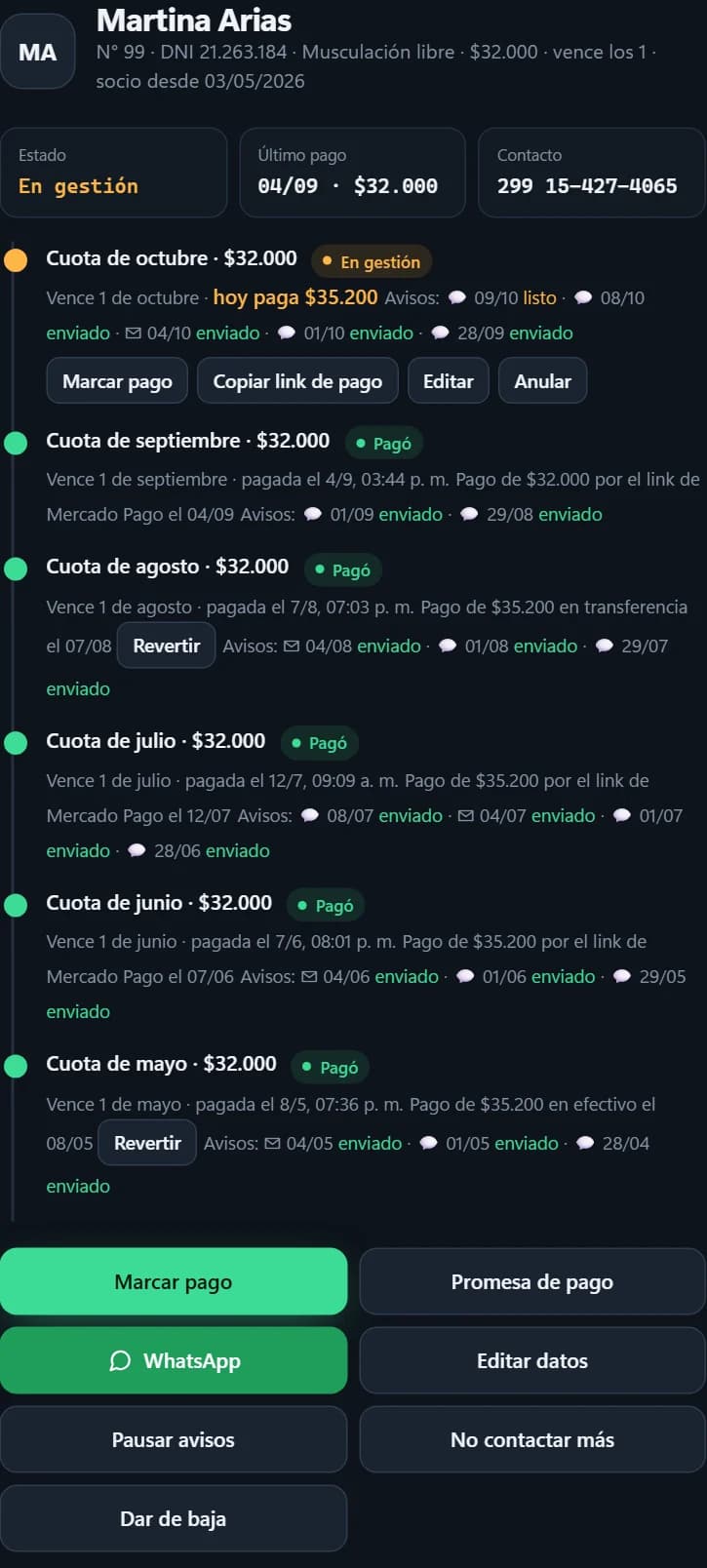
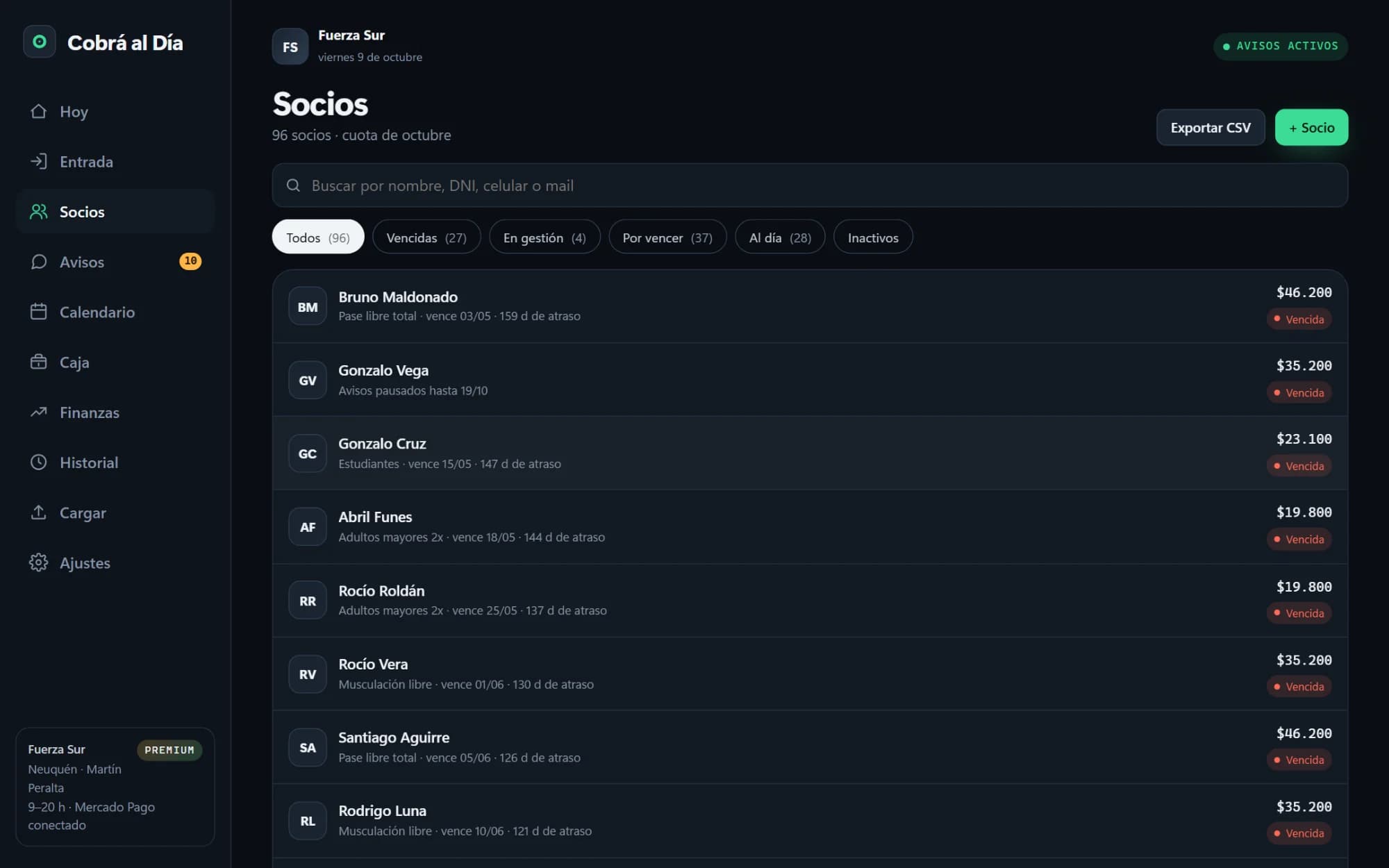
The list isn't alphabetical: those who owe come first, then those about to fall due, and the ones up to date last. Each row shows the plan, how much is owed today — with the late fee, if the grace period is over — and when they last paid. Each member's record tells their story fee by fee, in words: when it fell due, which reminders went out and through which channel, when and how they paid, and who recorded it. From there you mark a payment, log a promise (“I'll pay on Friday”, which holds the reminders until that date), pause reminders, or flag the member as not to be contacted again, which the law requires to be respected.

Member list with a search box, each member's status, what they owe and their last payment

Reminders

Emails go out on their own; WhatsApp messages, with one tap

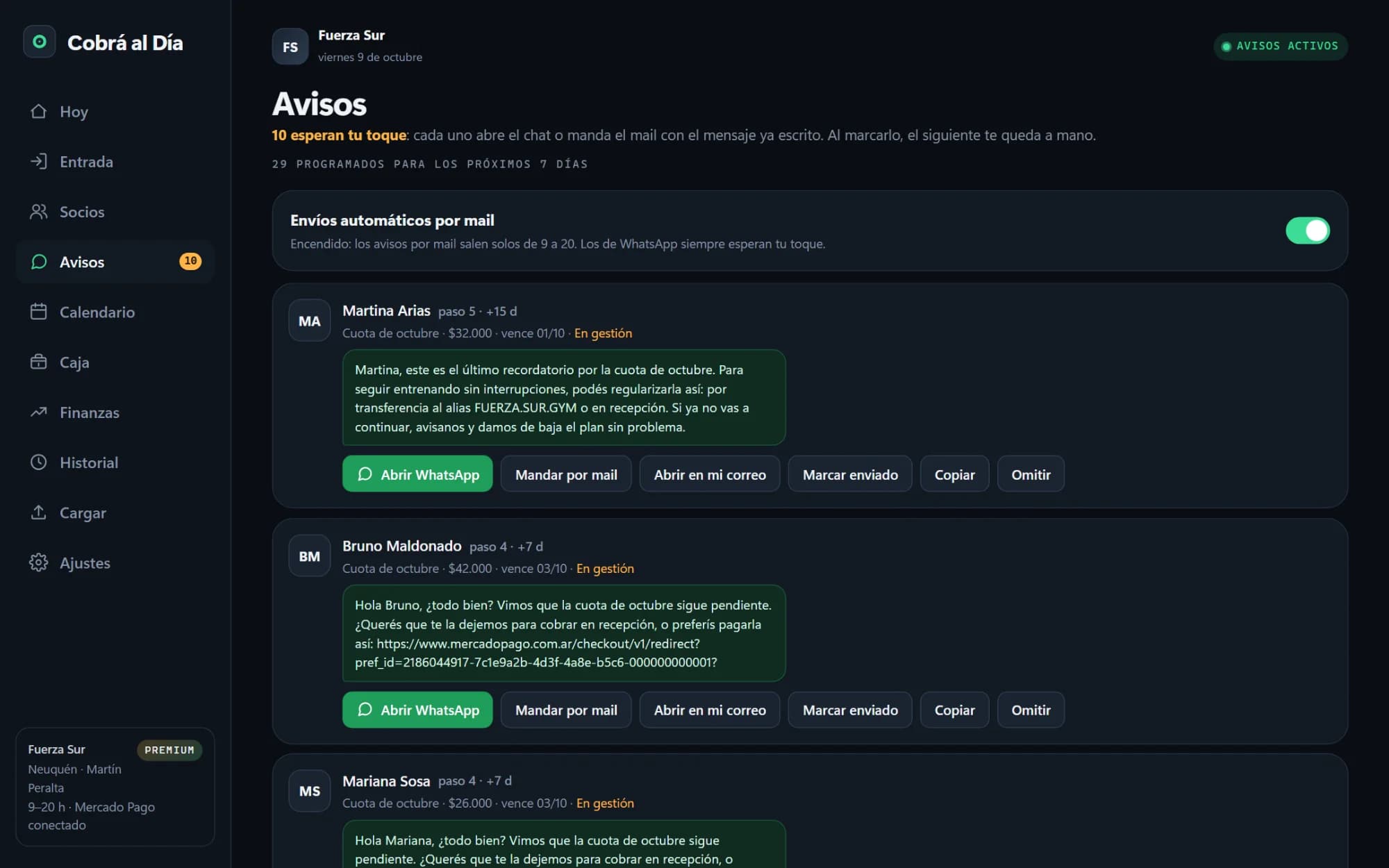
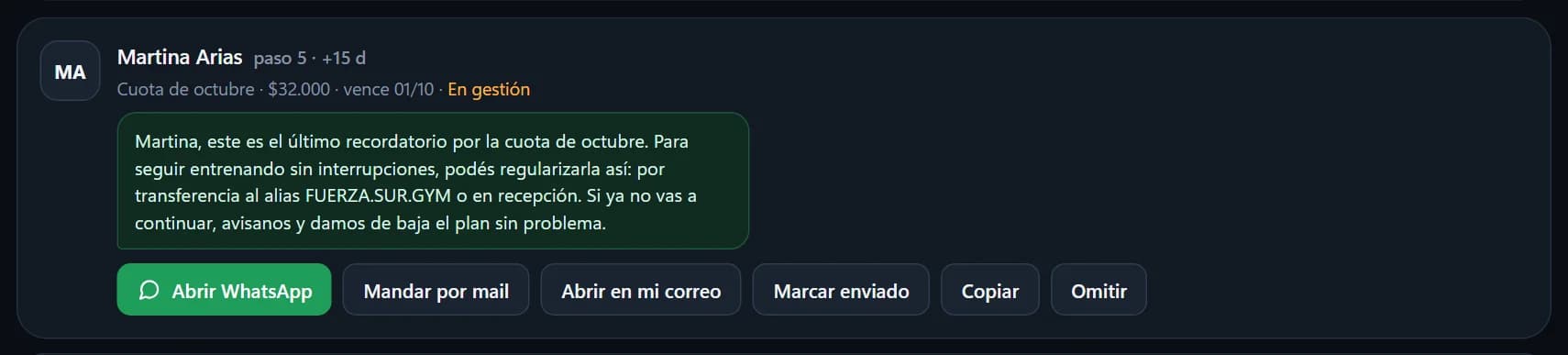
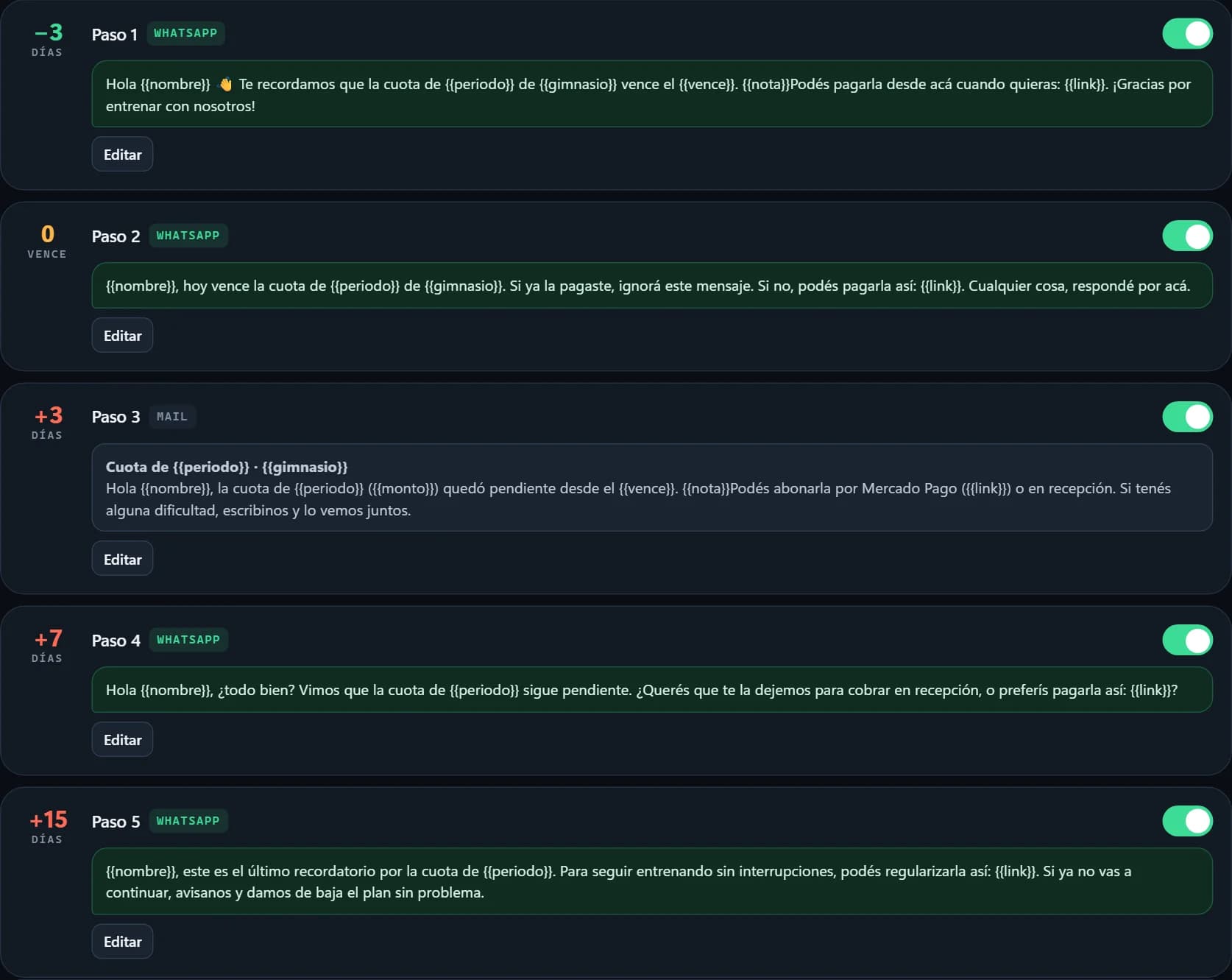
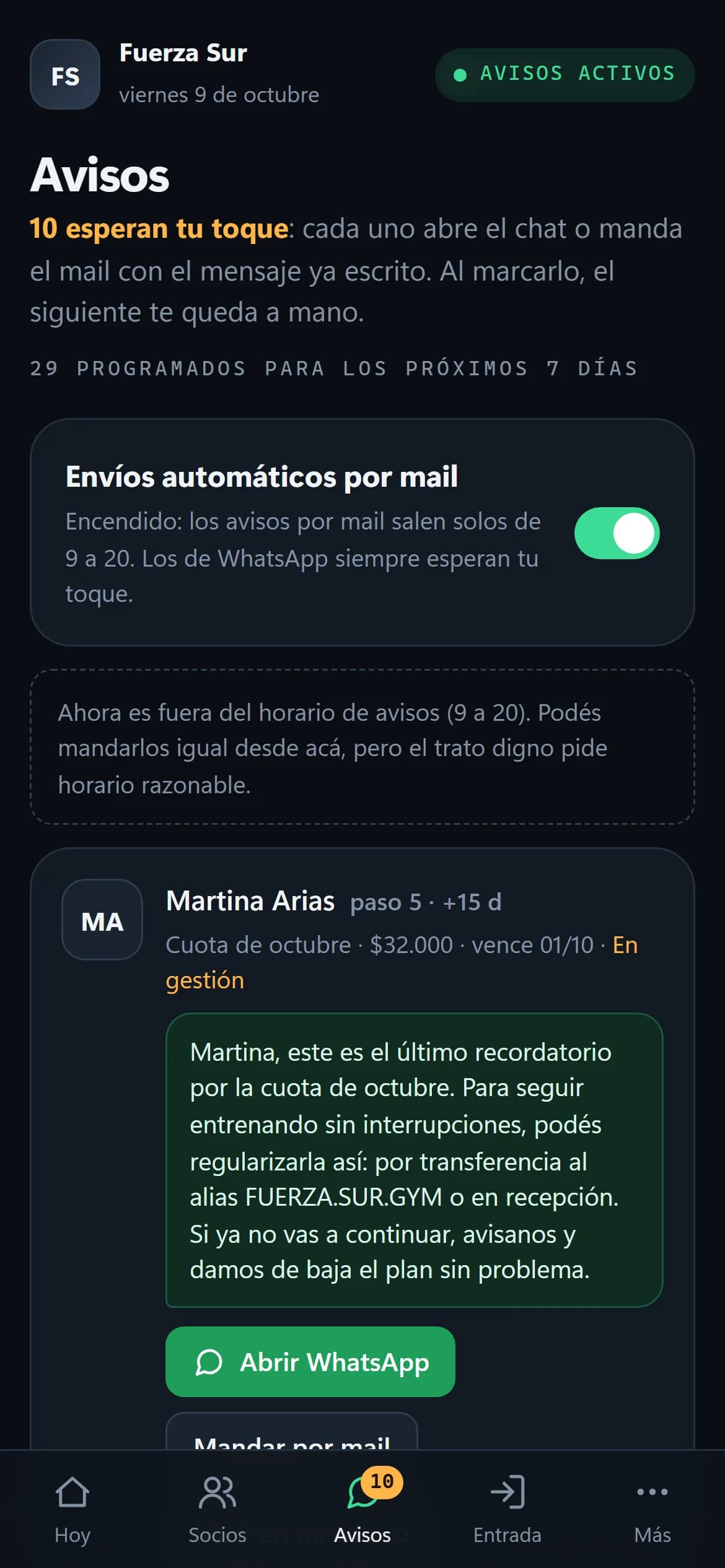
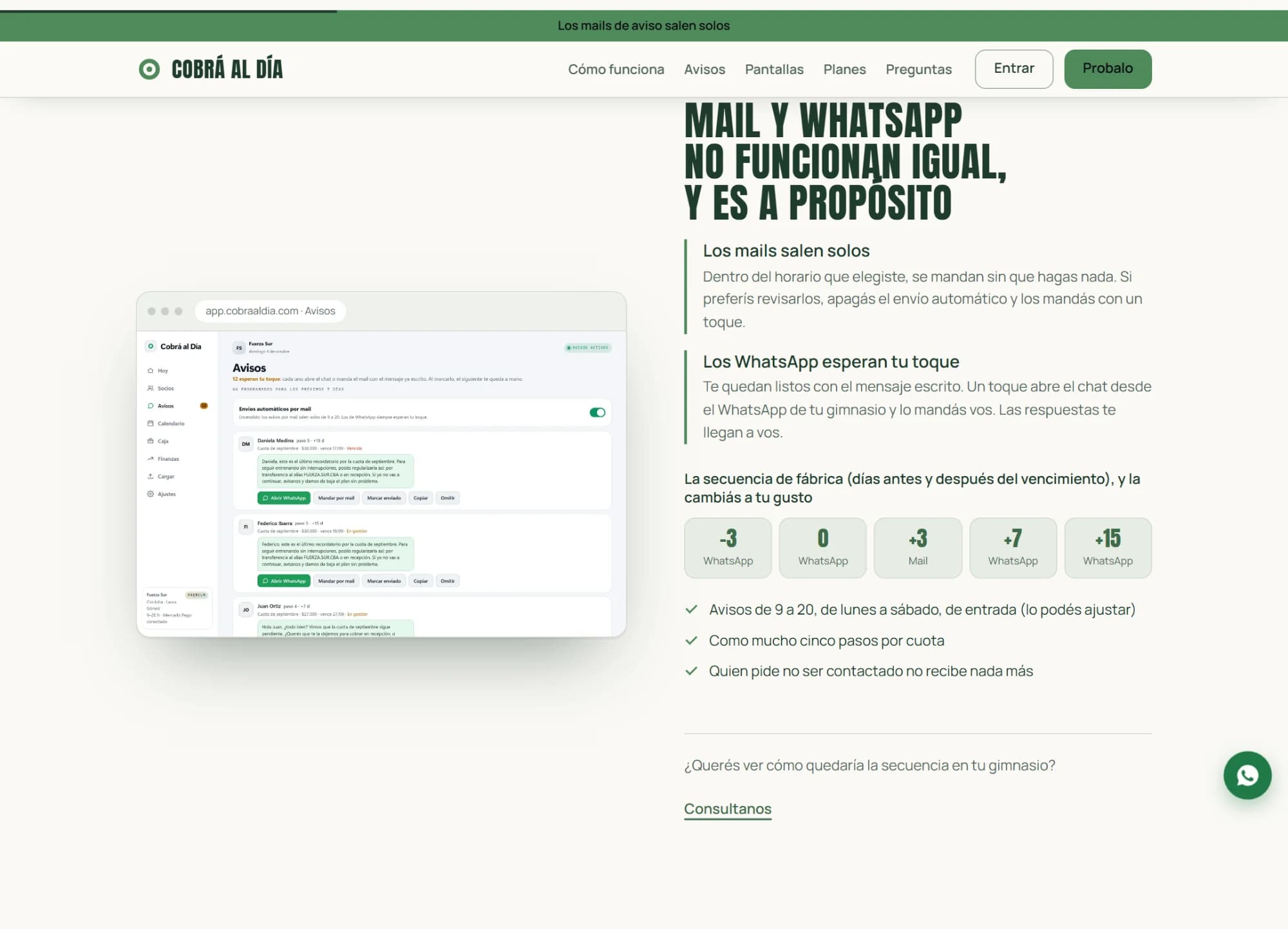
Each fee has a sequence of up to five steps — out of the box: three days before, on the due date, and 3, 7 and 15 days after — and each step goes by email or WhatsApp. Emails go out on their own within the gym's hours. WhatsApp messages don't: they wait on this screen with the message already written, and one tap opens the chat from the gym's own WhatsApp. That's a decision, not a limitation: the member gets the message from the number they know, and the replies reach the gym, not a system. Once one is marked, the next one is in focus: the day's work is as many taps as there are members. And nothing goes out after hours, to someone who asked not to be contacted, or to someone who has already paid.

The day's reminders screen: the automatic email switch and one card per member with the message written out and a button to open WhatsApp
A reminder card up close: the member, the sequence step, the amount and the message
The five-step sequence, with each step's channel, days relative to the due date and text
The gym writes the texts, with variables: the name, today's amount, the due date, the payment link.

What the member receives

One message, one amount, one link

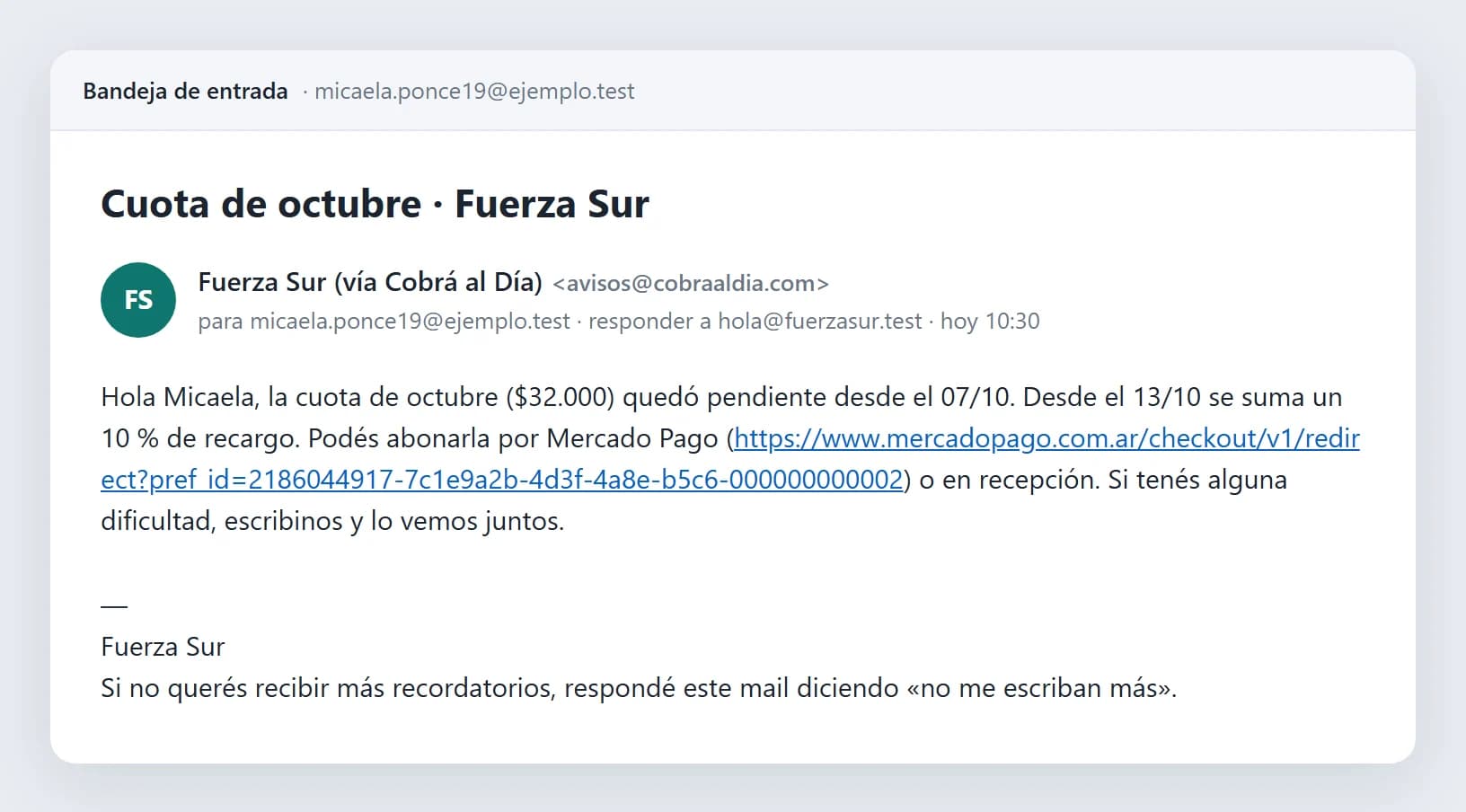
This is how reminders reach a member. The text is exactly what the system built for that reminder in the showcase; the frame — this inbox and the WhatsApp chat that opens the next block — is our own mock-up to show it. The email goes out in the gym's name, replies go to the gym's inbox, and the footer explains how to stop receiving them. The link is a Mercado Pago one, created with the gym's account and for that day's amount: if the late fee already applies, the link includes it; if they pay early, the discount.

Fuerza Sur reminder email with the fee due, the late-fee notice and the Mercado Pago link
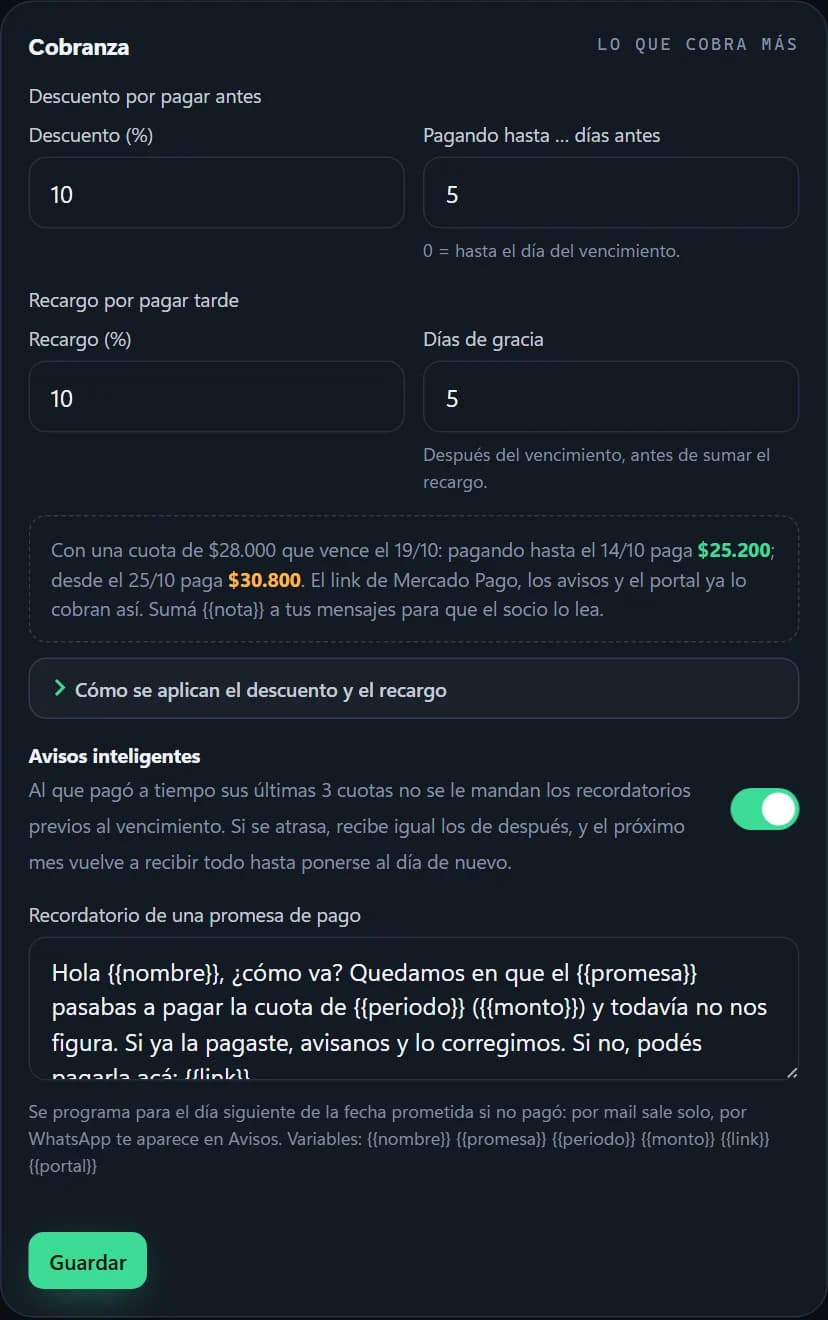
Nobody wrote the late-fee notice by hand: the gym has a 10% fee set up after five days of grace, and the system says so in the message.

The portal and the payment

Pays from the phone, and the fee closes itself

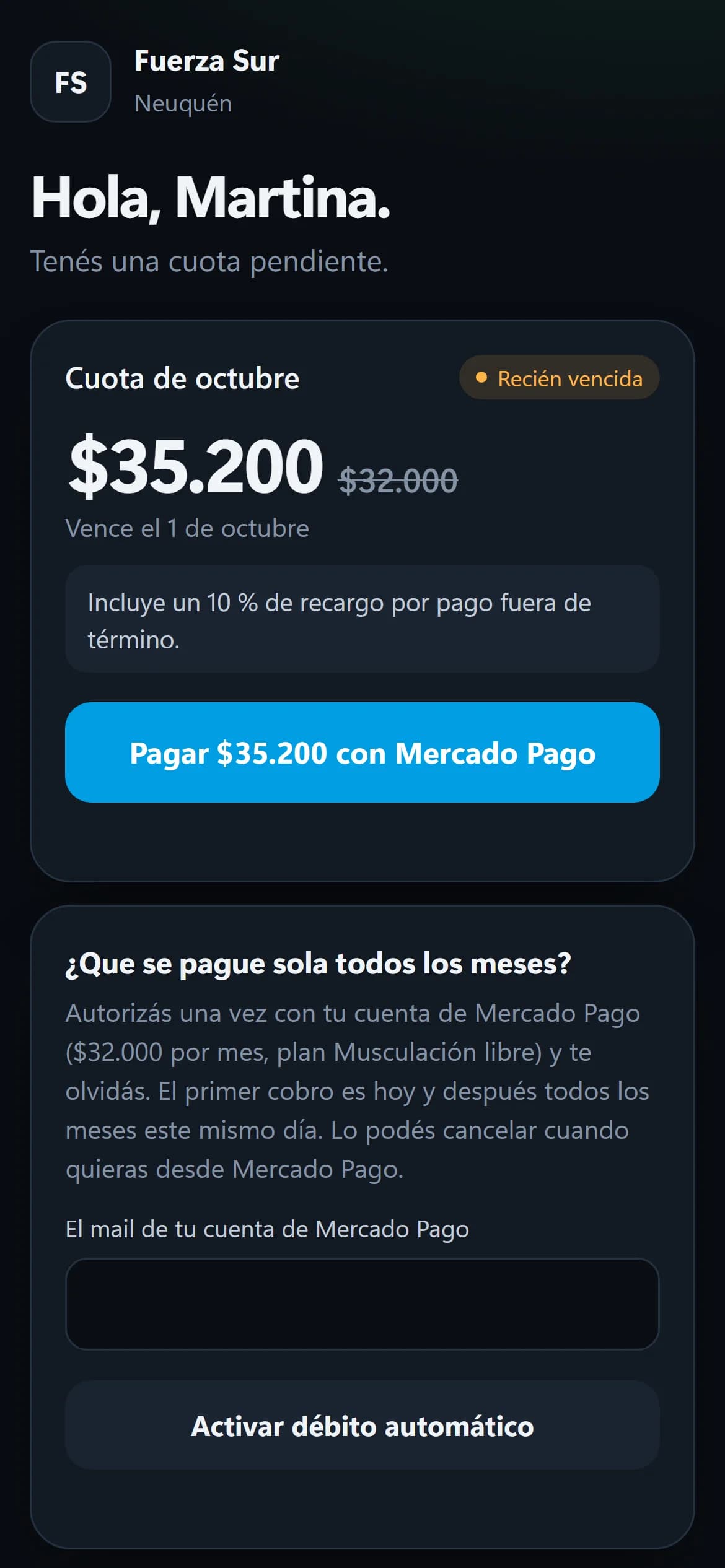
Each member has their own portal, no password: a signed link that shows what they owe, why it's that amount and a button to pay it. The money goes straight to the gym's Mercado Pago account: NGT never touches a peso. When Mercado Pago reports the payment, the system checks the notification's signature, asks the API for the amount and status — it doesn't trust what arrives in the message — and closes the fee. Any pending reminders cancel themselves. In the showcase, the Mercado Pago step is simulated; everything else is what actually runs.

  1. 01

    Taps “Pay”

    The portal requests a payment link for today's amount, using the gym's account.

  2. 02

    Pays on Mercado Pago

    With whatever they have in their account. They come back to a thank-you page.

  3. 03

    The signed notification arrives

    The signature is checked against the gym's key, and the amount is read from the API, not the notification.

  4. 04

    The fee closes

    It's marked paid, pending reminders are cancelled and the gym sees it in the history.

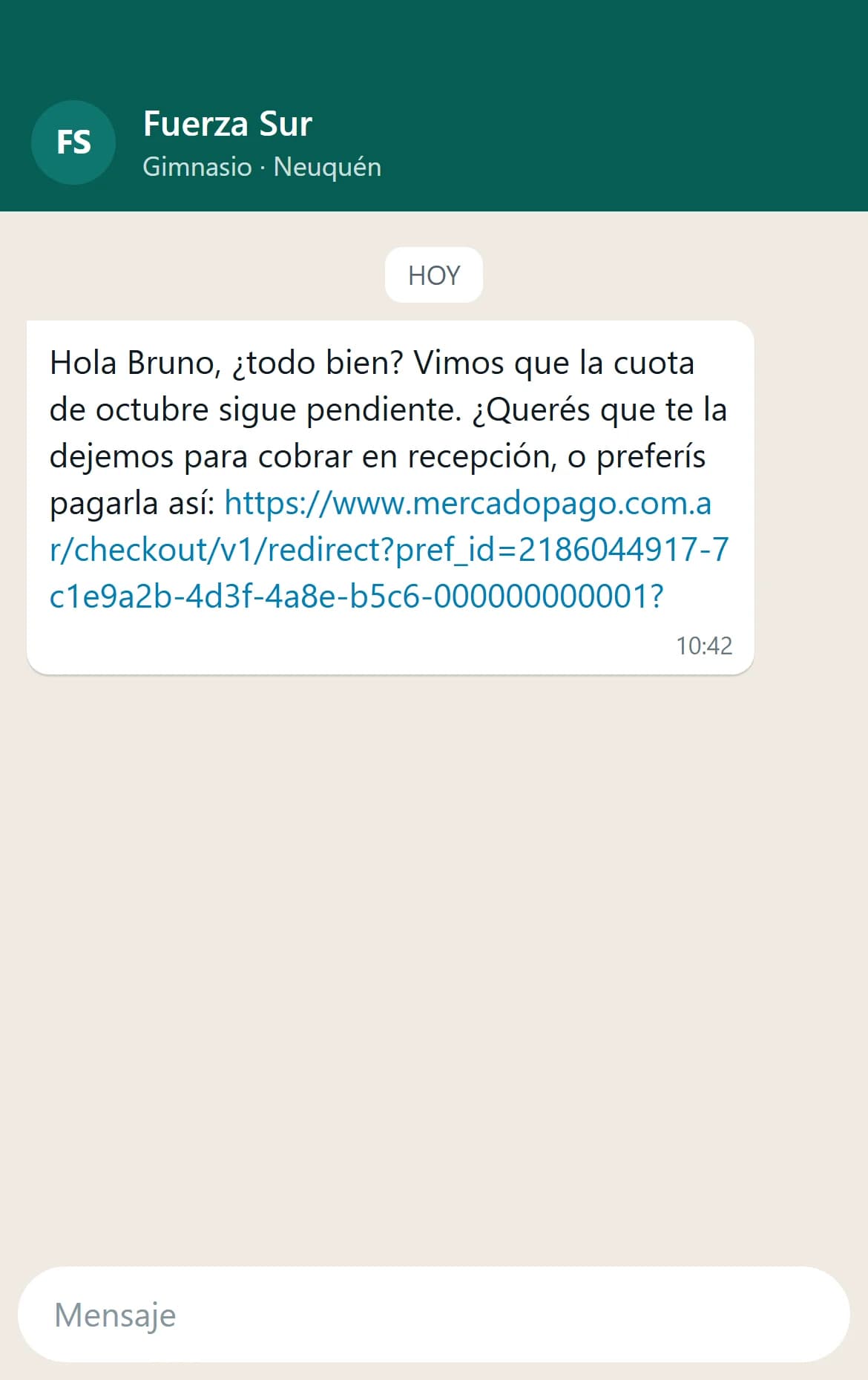
The same kind of reminder over WhatsApp, in the member's chat with the gym
This is how it arrives over WhatsApp: the link goes straight to the payment.
A member's portal: the overdue fee, today's amount including the late fee and the button to pay with Mercado Pago
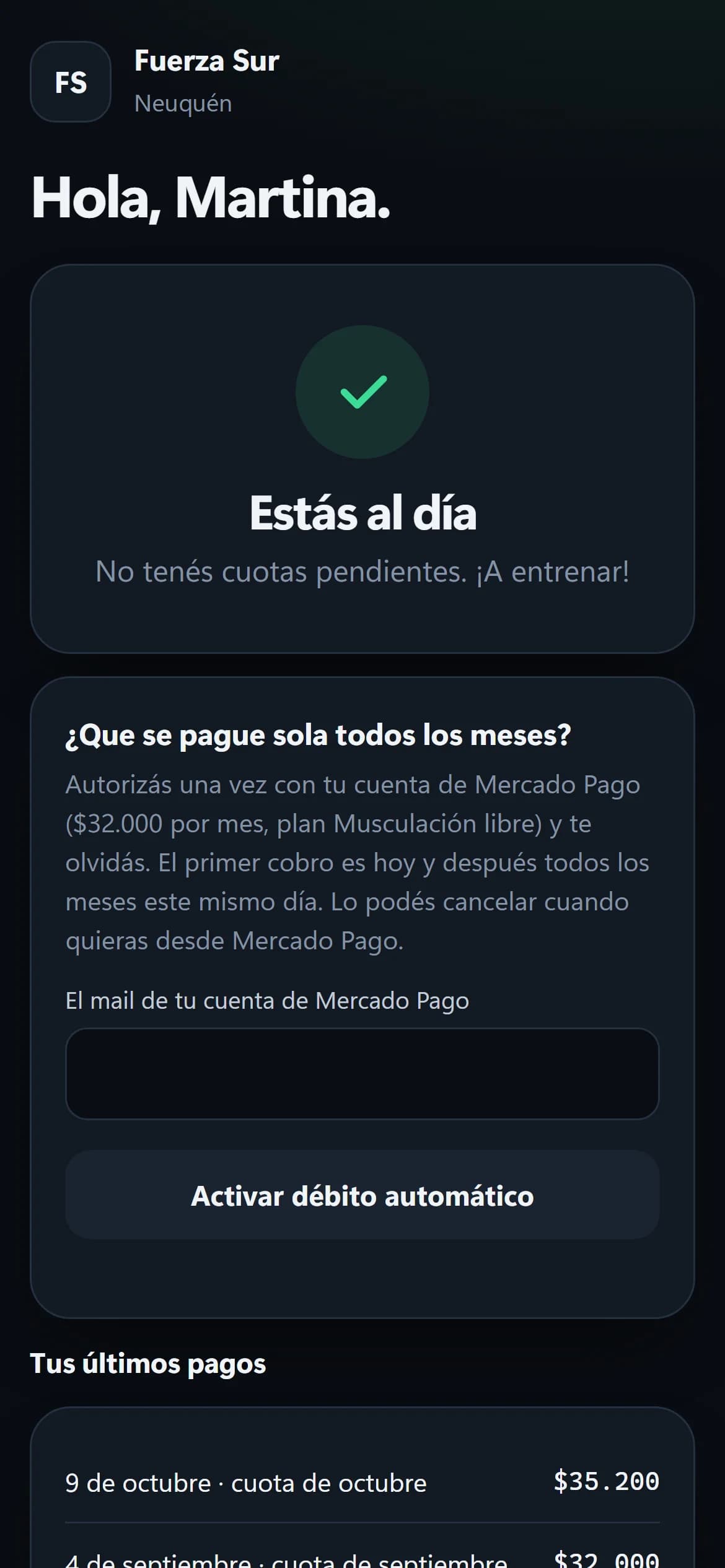
The thank-you page they return to after paying
The same portal after the payment, up to date and with the payment in the list

On the gym's side

Nobody entered that payment

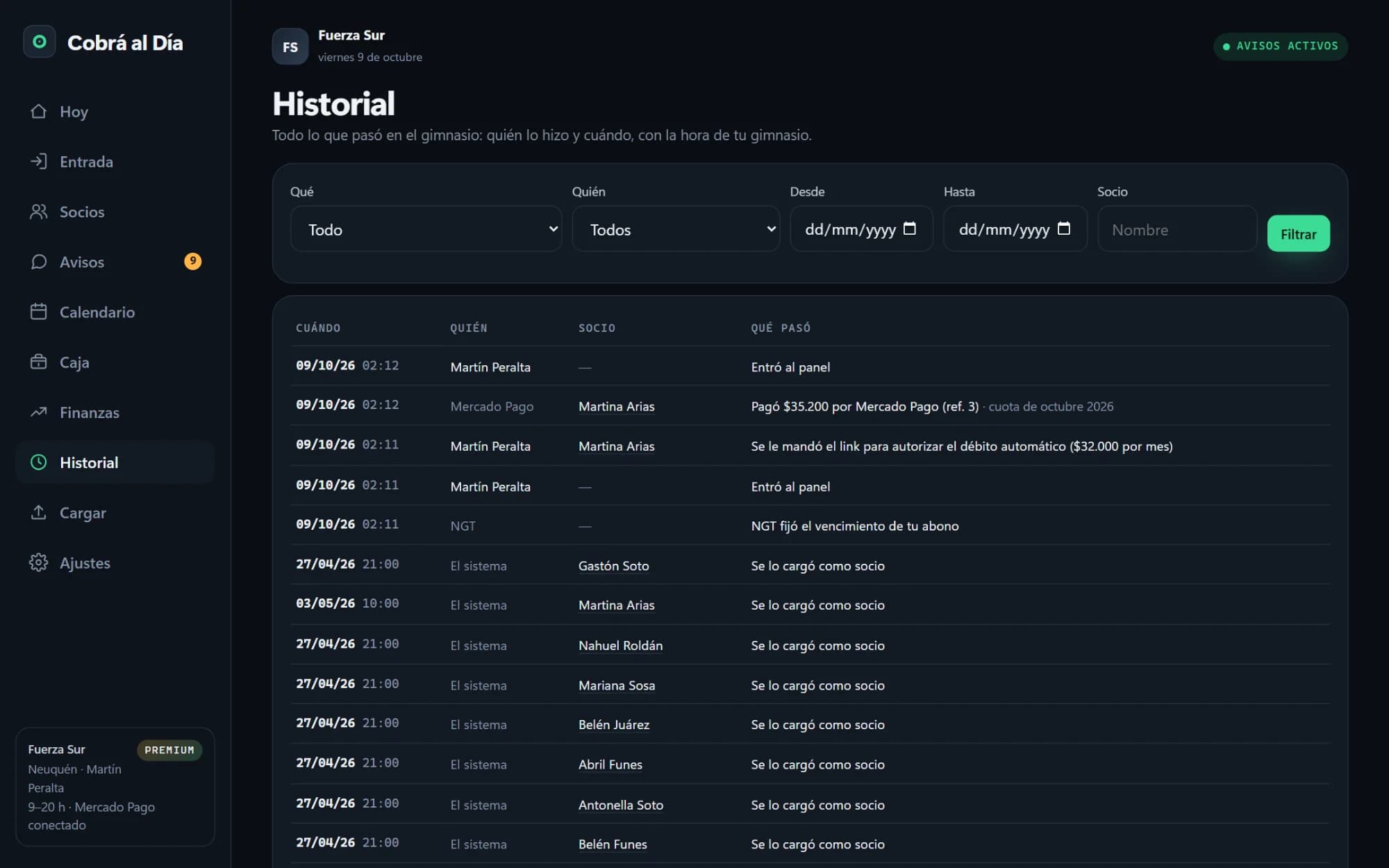
Meanwhile, in the gym's panel the payment is already there, with its Mercado Pago reference and the fee it covers. Nobody had to check online banking or ask the member for a receipt.

The gym's history: the payment shows as made by Mercado Pago, with its reference and the fee it covers
On the gym's side, the payment shows as made by Mercado Pago, not by a person: nobody entered it.

The member record

Each member's story, and direct debit for whoever wants it

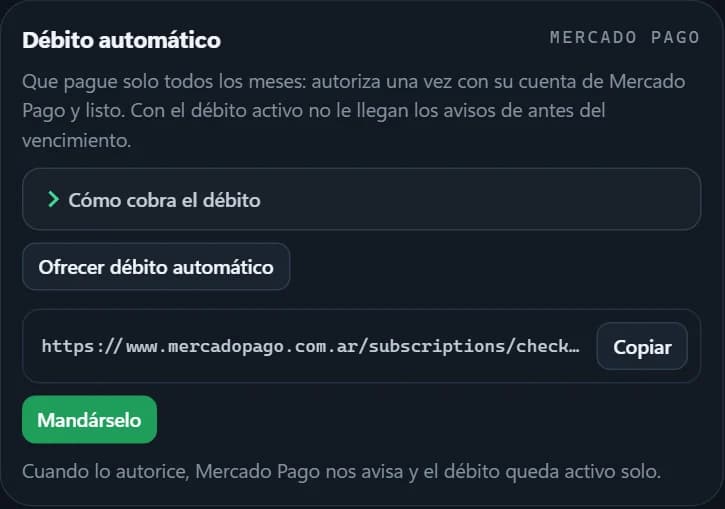
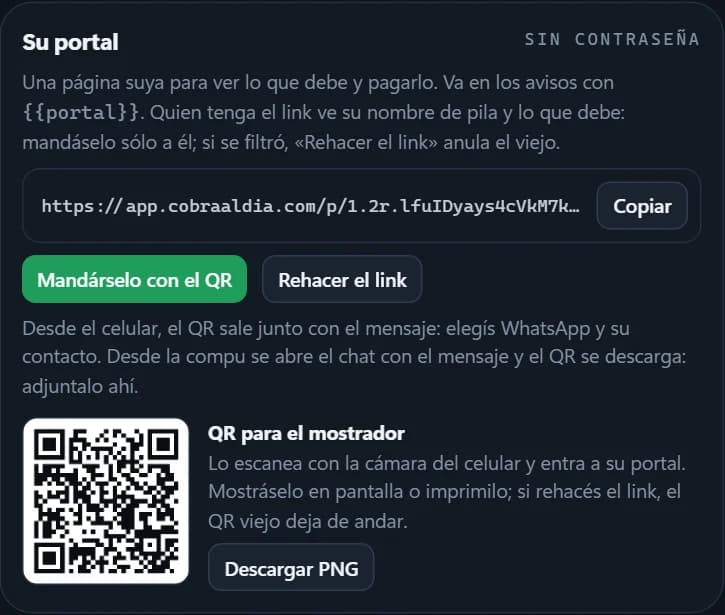
The record tells each fee's story in words, and from there the gym generates a link for the member to authorise direct debit with their Mercado Pago account: they authorise once and from then on they're charged automatically every month. The portal also has a QR code to print and leave at the front desk, or to send along with the message.

A member's record: her fees with their status, the reminders sent and how each one was paid, plus the action buttons
A payment entered by hand by mistake can be reversed, with a reason; one that came in through Mercado Pago can't.
Direct debit card in the member's record, with the generated link and the button to send it
The member's portal link, with its QR code for the front desk

Front desk

The front desk collects too

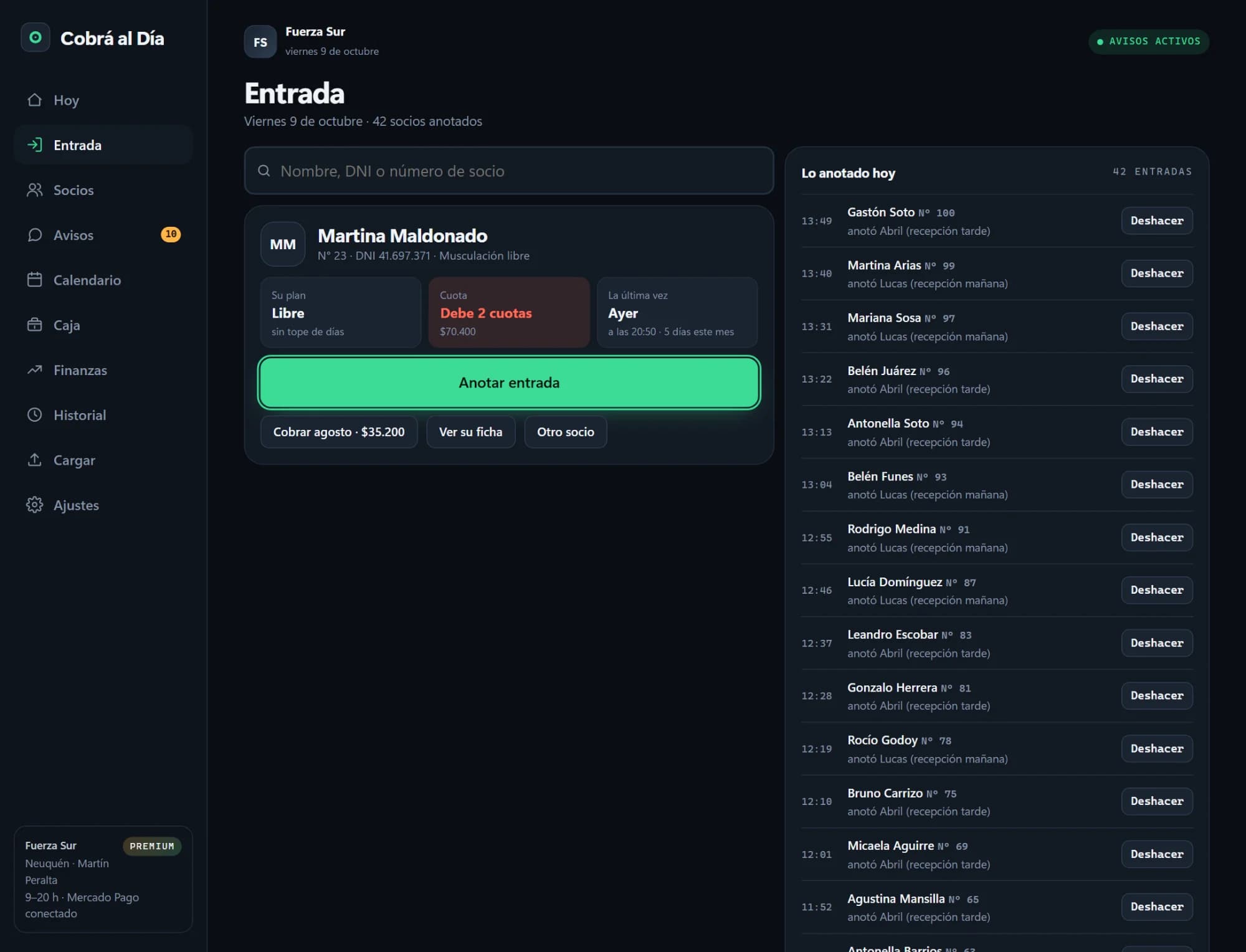
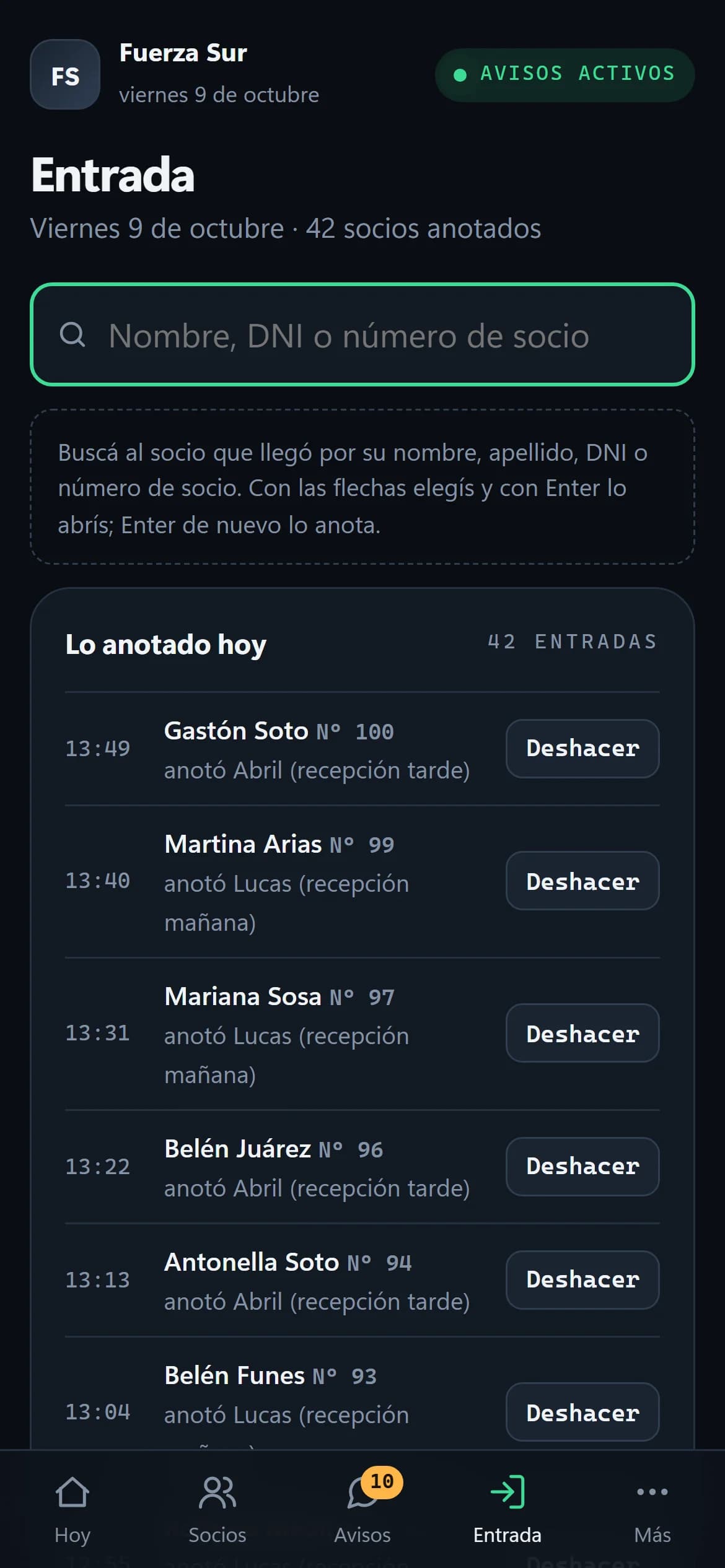
Whoever is at the desk looks the member up by name or ID number, and a single card shows whether they owe, how many days of their plan they have left and when they last came in. Logging the check-in is a press of Enter. If they owe, the button to charge them is right there, and that payment goes into the till of whoever took it.

Front desk screen: the card of a member who owes, with the buttons to log the check-in and to charge, and today's check-ins on the right

Calendar and till

What falls due each day, and what's in each till

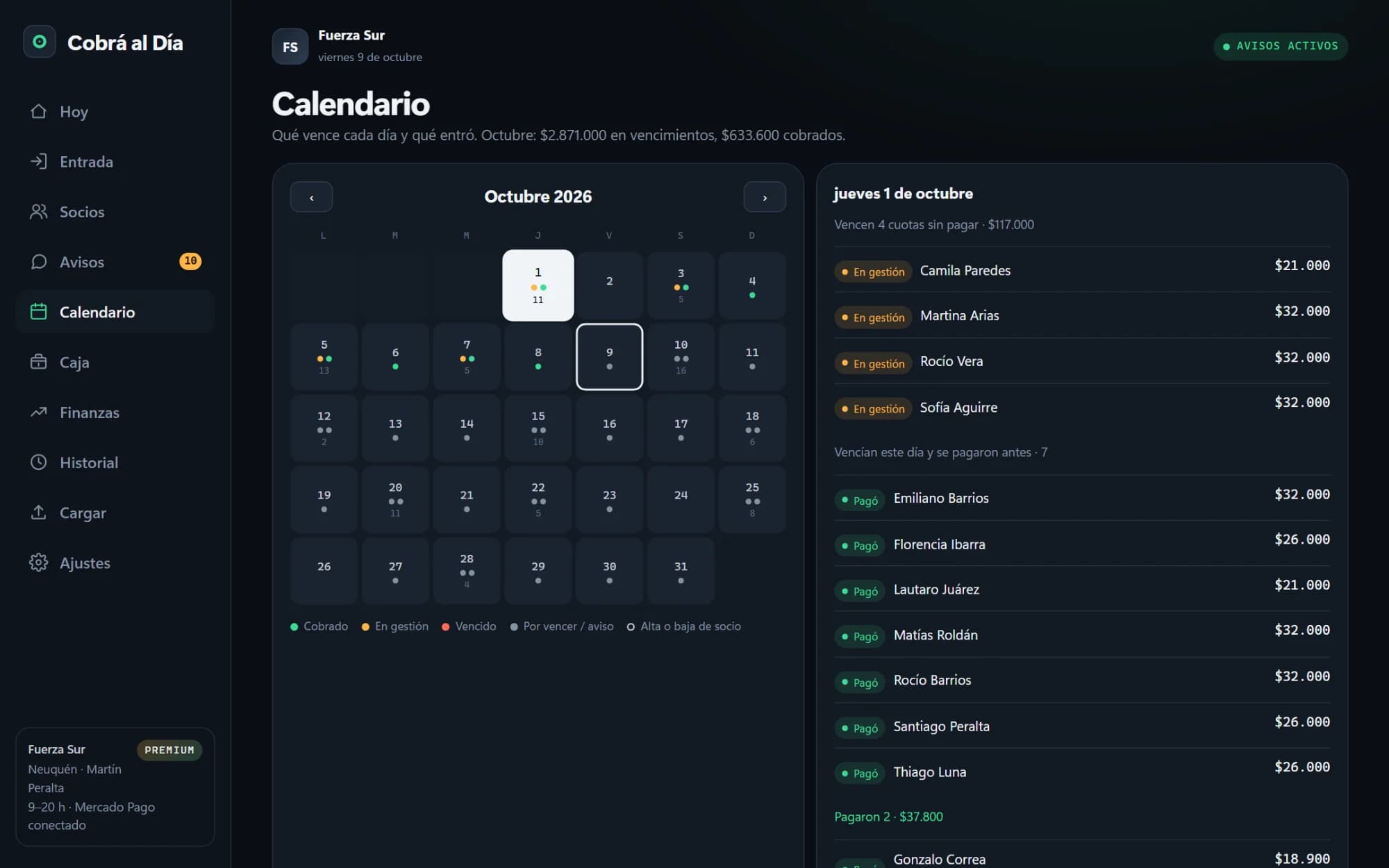
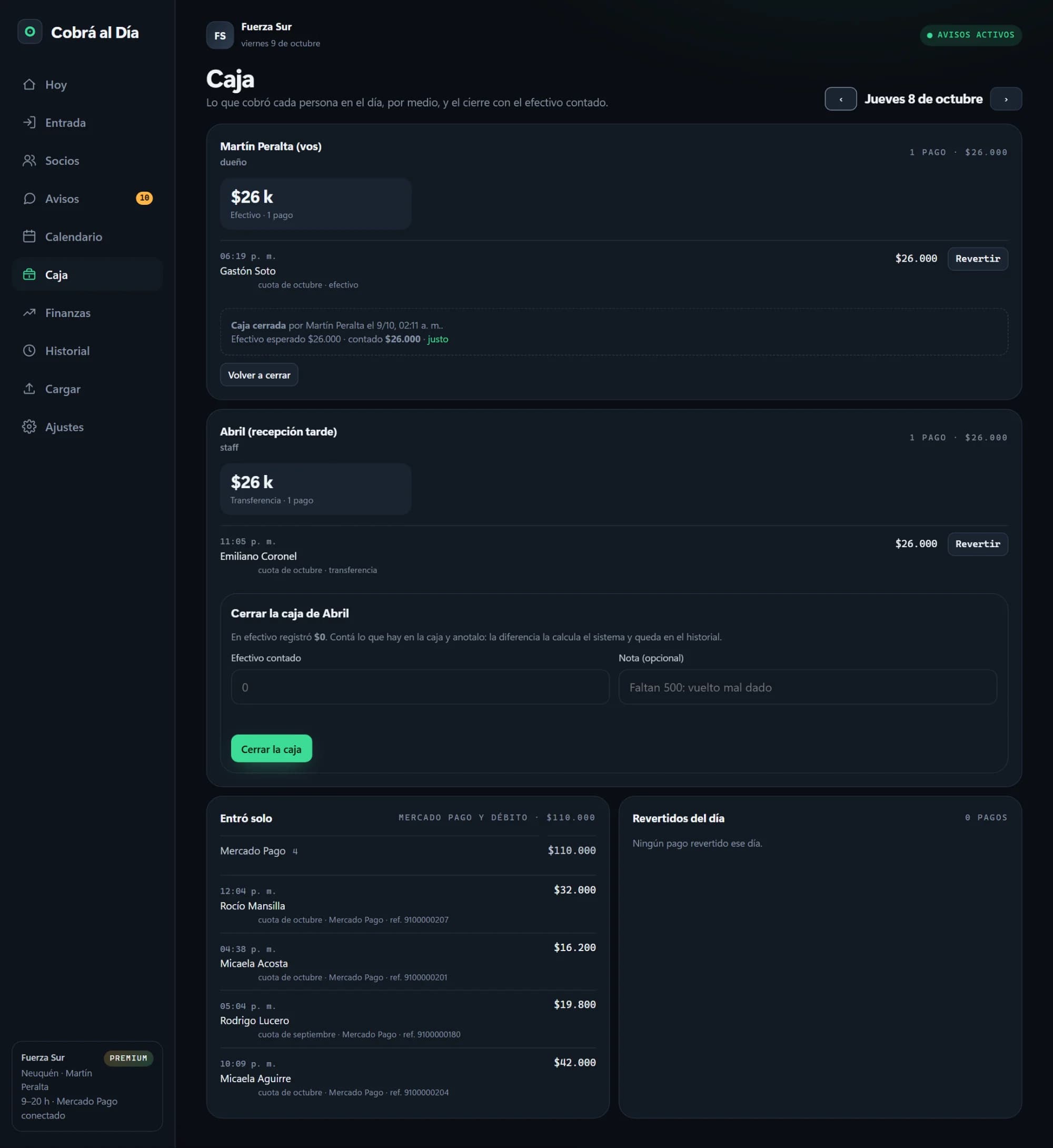
The calendar shows what falls due each day and what has already come in; tap a day for the breakdown of who paid and who is being chased. The till is per person and per day: what each one collected, through which method, and the closing with the cash counted. The system works out the difference and it's kept on record. Whatever came in through Mercado Pago or direct debit is kept apart: it didn't go through anyone's hands.

The month's calendar with status dots and, on the right, one day's breakdown
The previous day's till: what each person collected, the closing with the cash counted, and what came in on its own through Mercado Pago

Finances

Whether the month closes, and whether the fee fell behind inflation

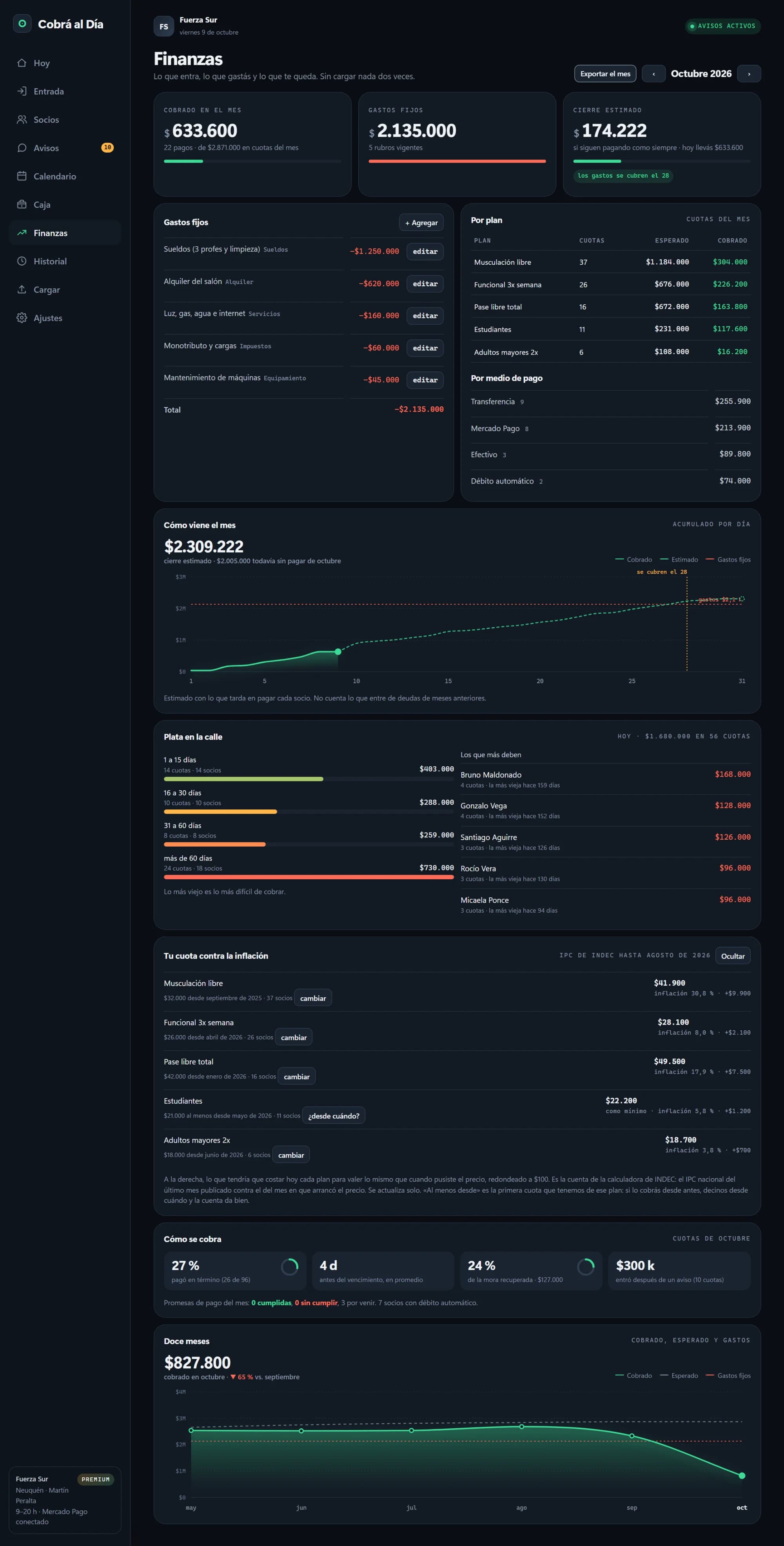
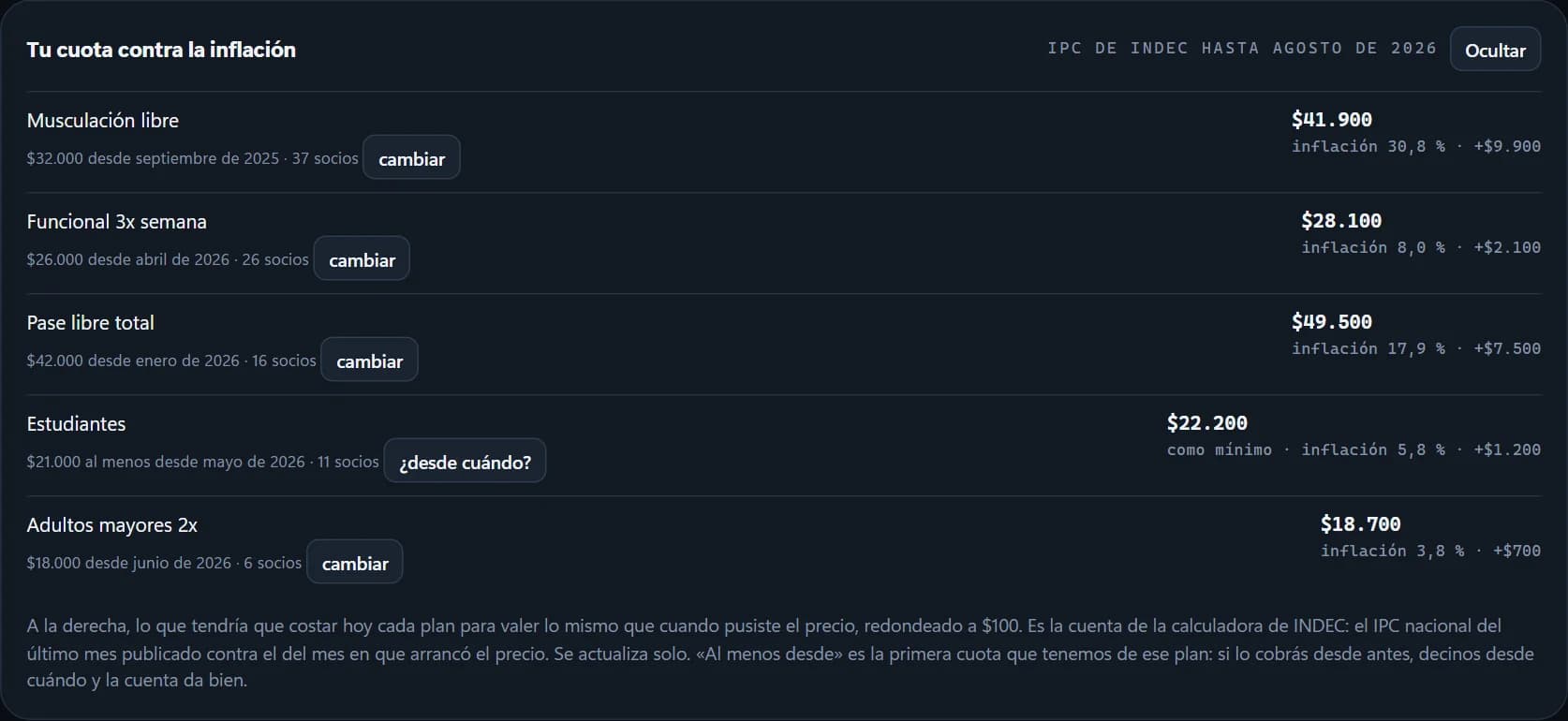
Money collected against fixed costs, the estimated month-end based on how each member pays, outstanding money by age, and who owes the most. And a card no competitor we surveyed has: what each plan should cost today to be worth the same as when its price was set, using INDEC's consumer price index, which the system checks by itself. The month for the accountant exports to a file.

The full Finances screen: totals, fixed costs, collection by plan and by method, the month's forecast, outstanding money and the fee against inflation
The fee-against-inflation card: each plan with its price, since when it applies and what it should cost today
Finances is owner-only: front-desk staff can't see it.

History and import

Who did what, and members from the spreadsheet that already exists

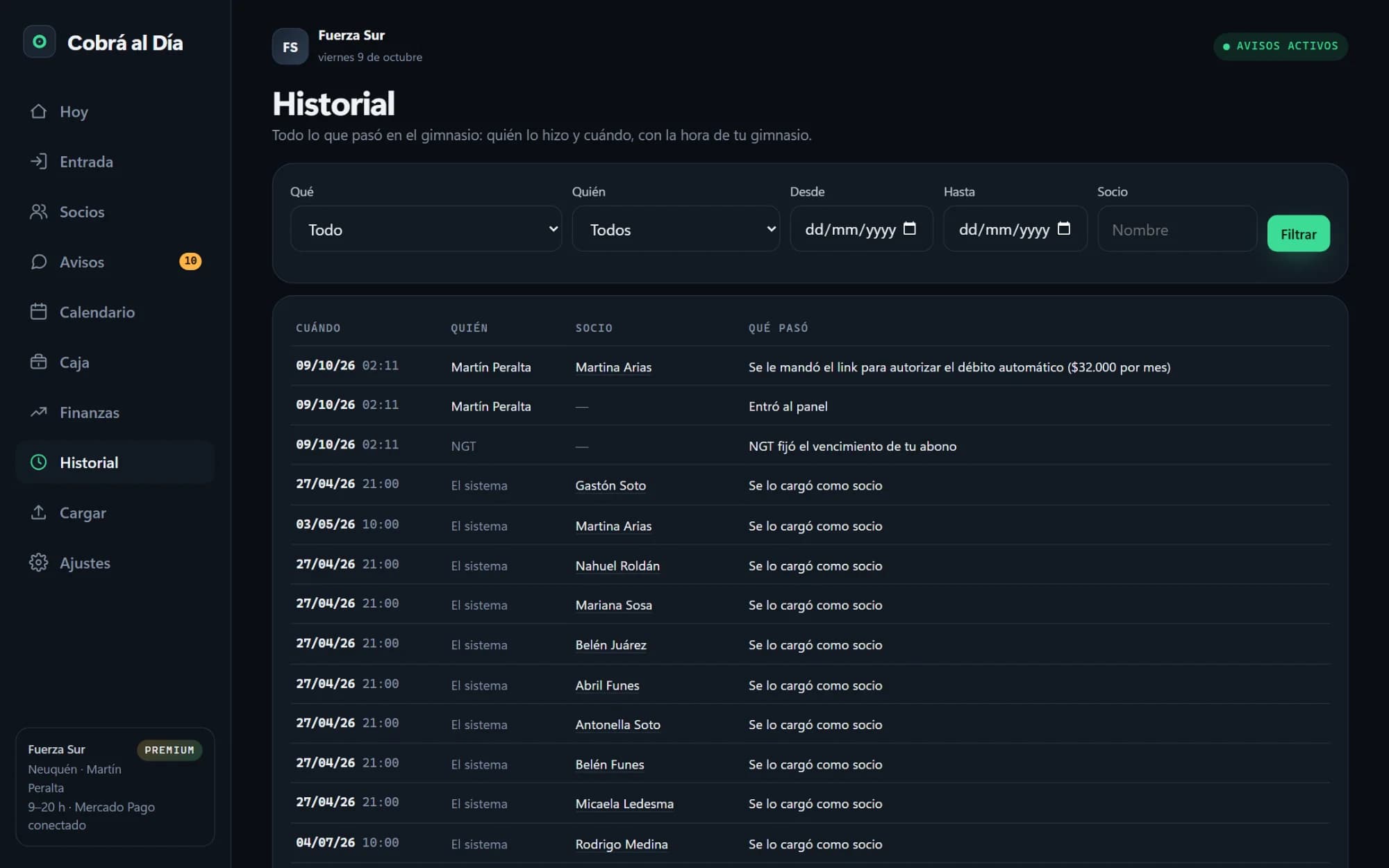
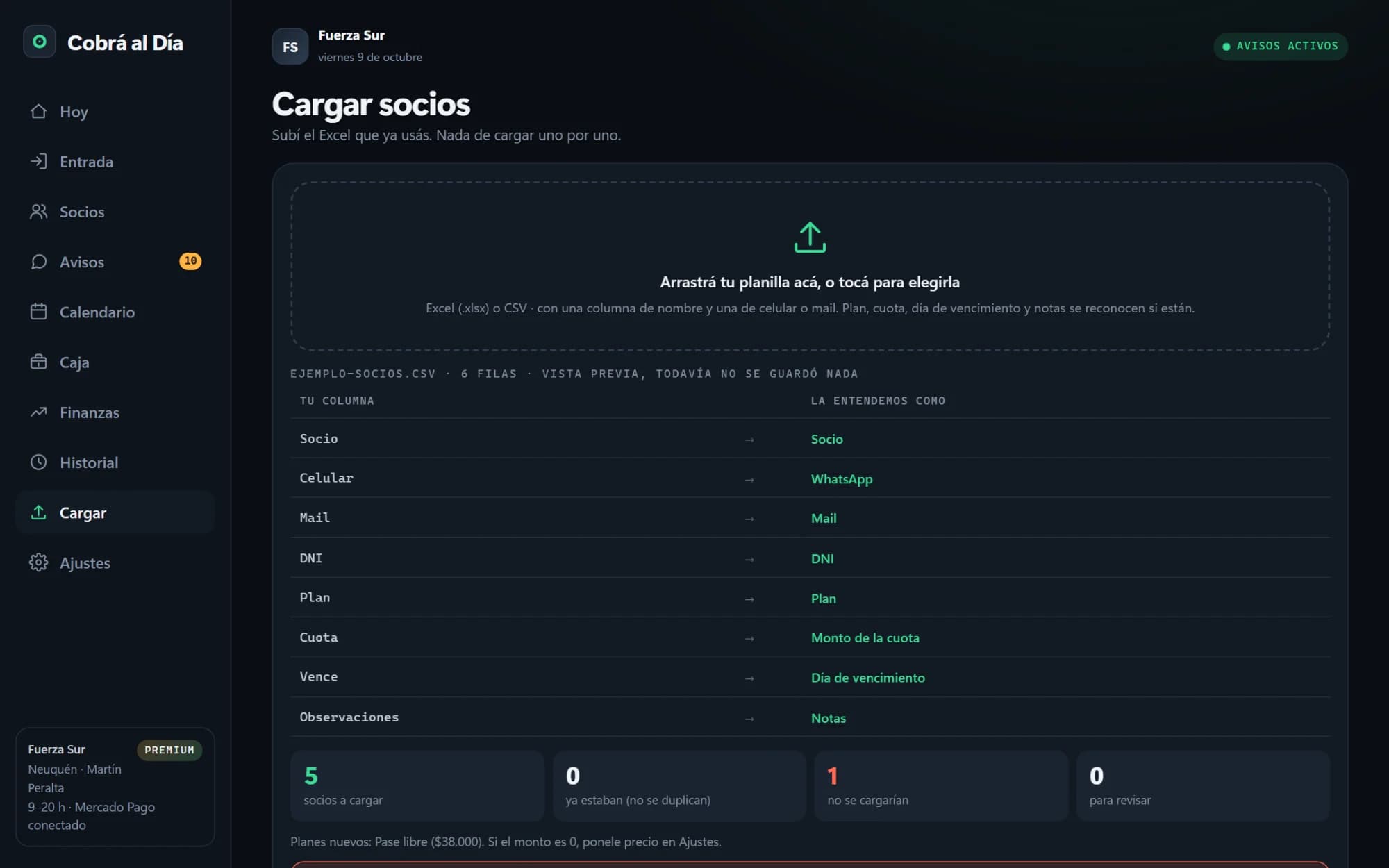
The history keeps what happened at the gym, with who did it and when: payments, promises, plan changes, new members and departures. And getting started doesn't mean typing anyone in by hand: you upload the spreadsheet the gym already uses, the system recognises the columns and shows in advance what it will load and what can't go in, saving nothing until you confirm.

History with filters by type, person, dates and member
Importing a spreadsheet: each column in the file with how the system understood it, and the summary of what would be loaded

Settings

Prices, late fees and Mercado Pago, in the owner's hands

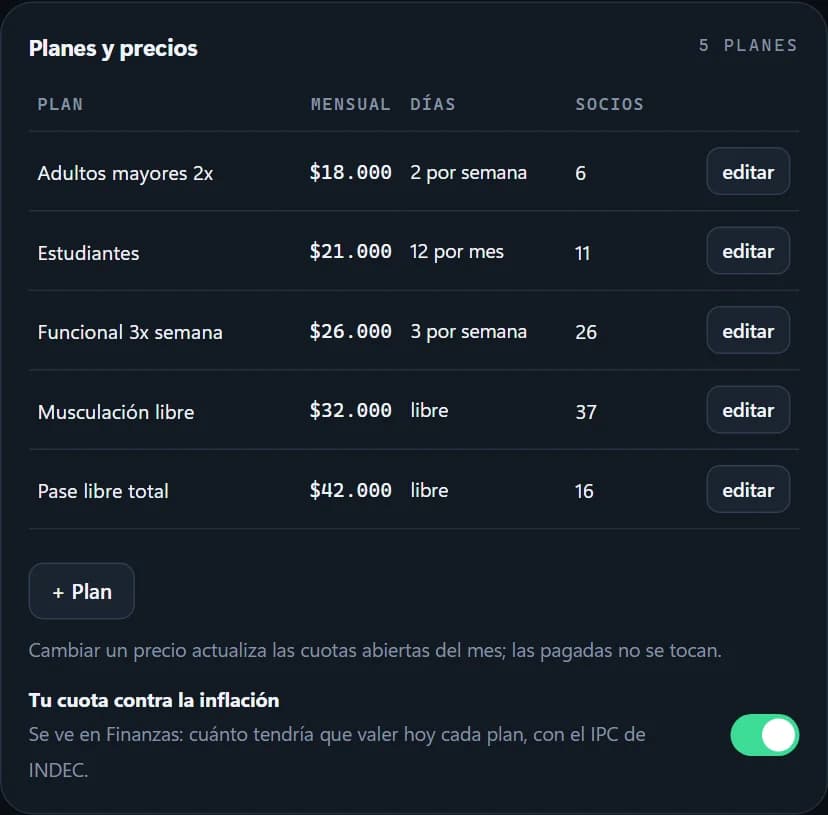
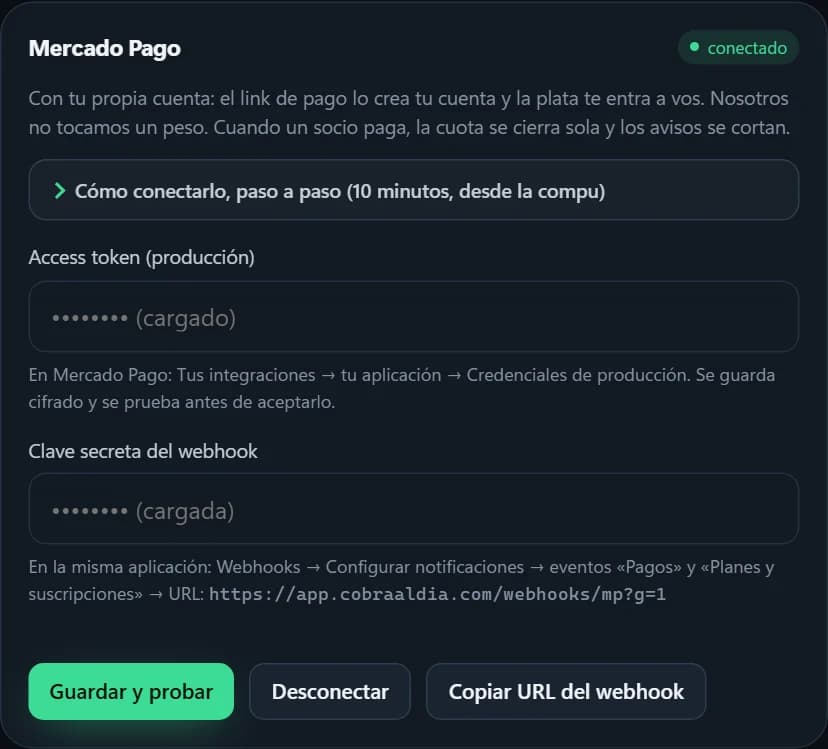
Plans with their price and day limit, the discount for paying early and the late fee and the connection to the gym's Mercado Pago account. None of it depends on NGT: if the rent goes up tomorrow, the owner sets the new price that same afternoon.

The gym's plans, with price and day limit
Discount, late fee and reminder settings
The connection to the gym's Mercado Pago account

The team

Everyone with their own login, and the till knows who collected

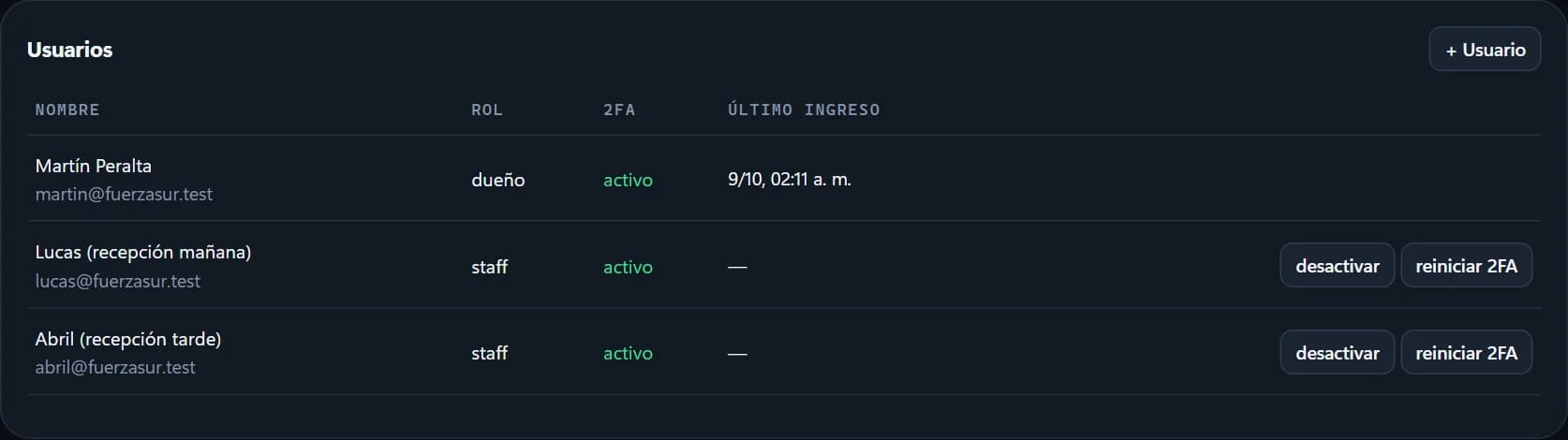
The owner adds the front-desk staff from Settings. Everyone signs in with their own user, a password and a code from their phone, every time. The front desk collects and logs check-ins; prices, finances and settings are owner-only. That's why the till and the history can say who did what.

The gym's users: the owner and two receptionists, with their roles

On a phone

It runs from the front-desk phone

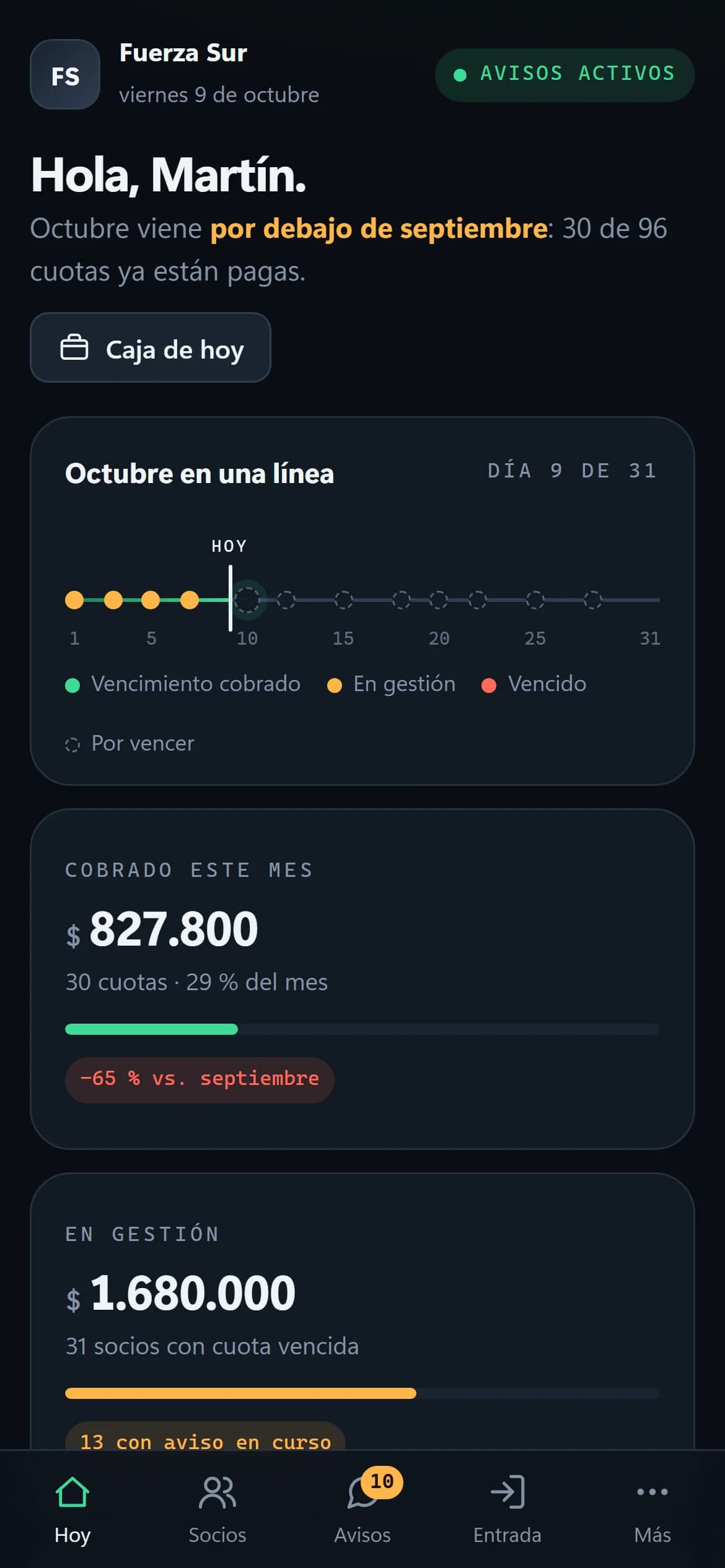
The panel is built for the owner's and the front desk's phones: the dashboard, the day's reminders and check-in fit the screen without zooming, and the WhatsApp button opens the app on that same phone.

The dashboard on a phone
The day's reminders on a phone
The front desk screen on the receptionist's phone
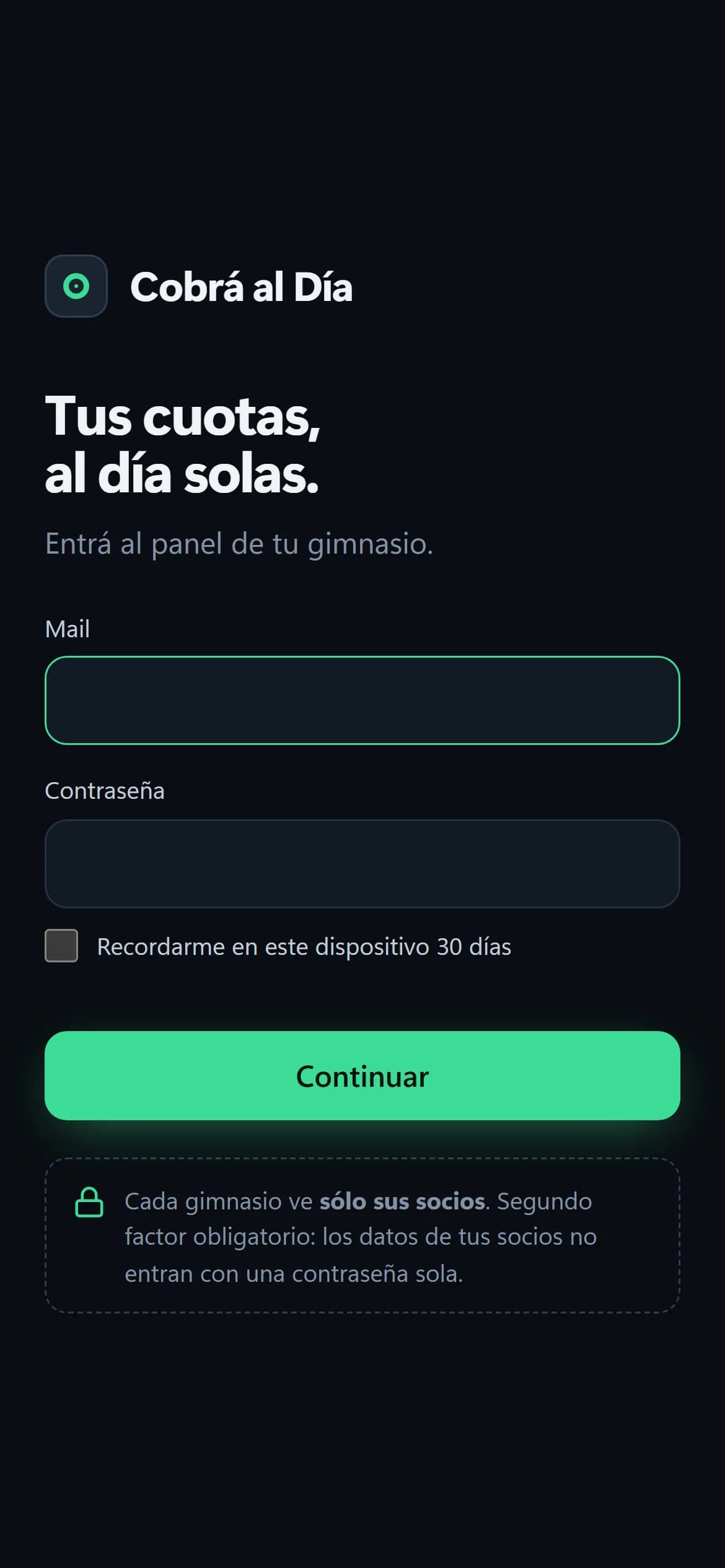
And the public site, on a phone too

Behind it

Many gyms, and none can see another's data

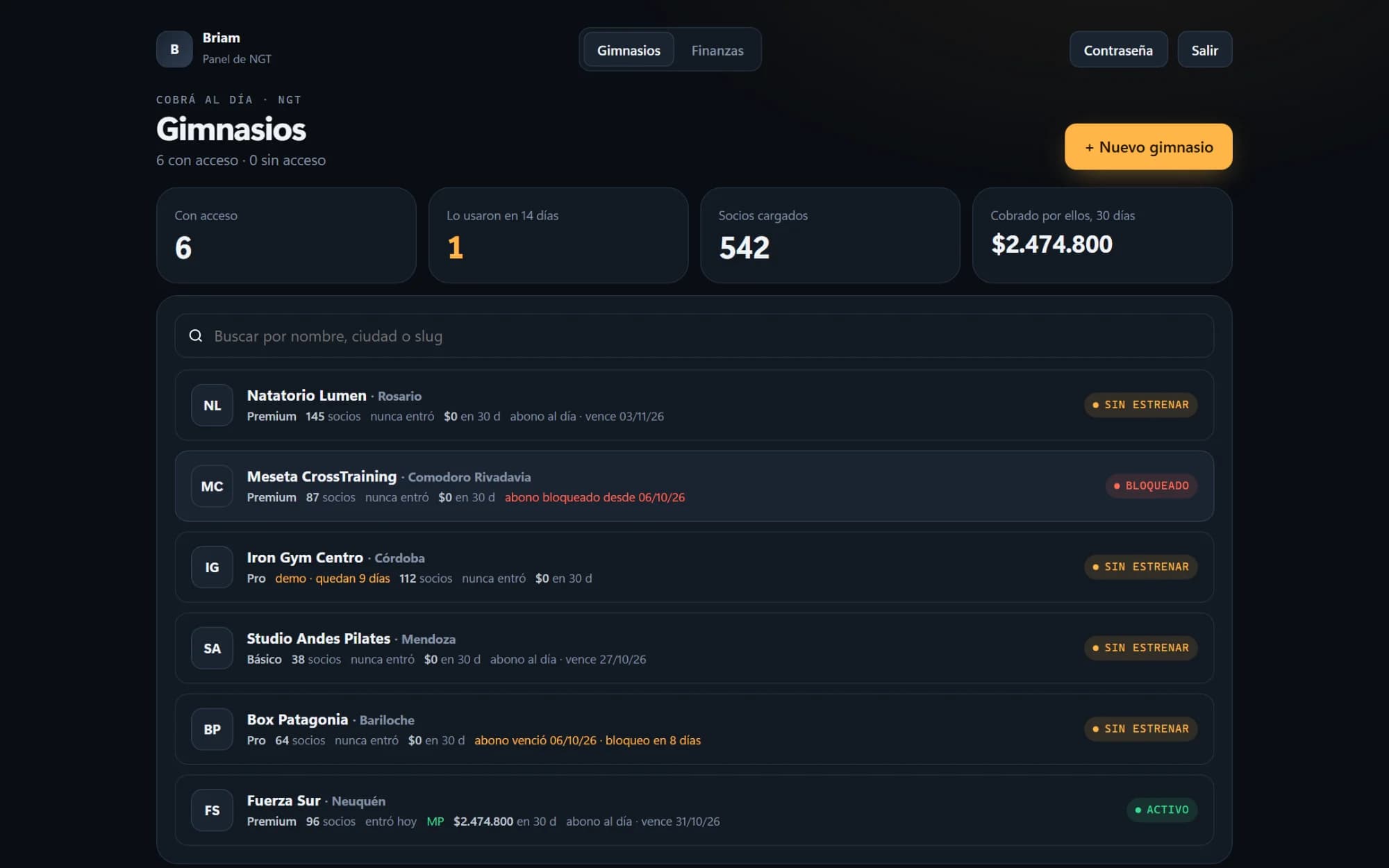
Cobrá al Día is a subscription service: each gym signs into its own space and only sees what's theirs. That doesn't rely on the code never slipping: the database itself filters by gym on every query, so a bug on some screen can't show another gym's members. NGT manages the gyms from its own panel — sign-ups, demos, plans, subscription status — with its own access and its own second factor. The system runs on NGT's server, with daily backups and monitoring.

NGT's panel: six invented gyms with their plan, members, demo or subscription, and status
The showcase's other five gyms are there to show the possible subscription states.

The website

What a gym is told, without over-promising

The public site explains the product with its own screens and says exactly what the system does: emails go out on their own and WhatsApp messages wait for a tap.

cobraaldia.com section explaining why email and WhatsApp work differently, with the five-step sequence

Want something like this for yours?

None of these sites was built from a template. Tell me what you sell and what you're fighting with today, and we'll see what can be done.