A Pilates studio that used to sell through scattered messages. Today the site charges for and delivers the manual on its own, answers the usual questions, tells the owner when something fails and shows her what's working. What follows are the screens of the live site and of the admin panel, as they stand today.
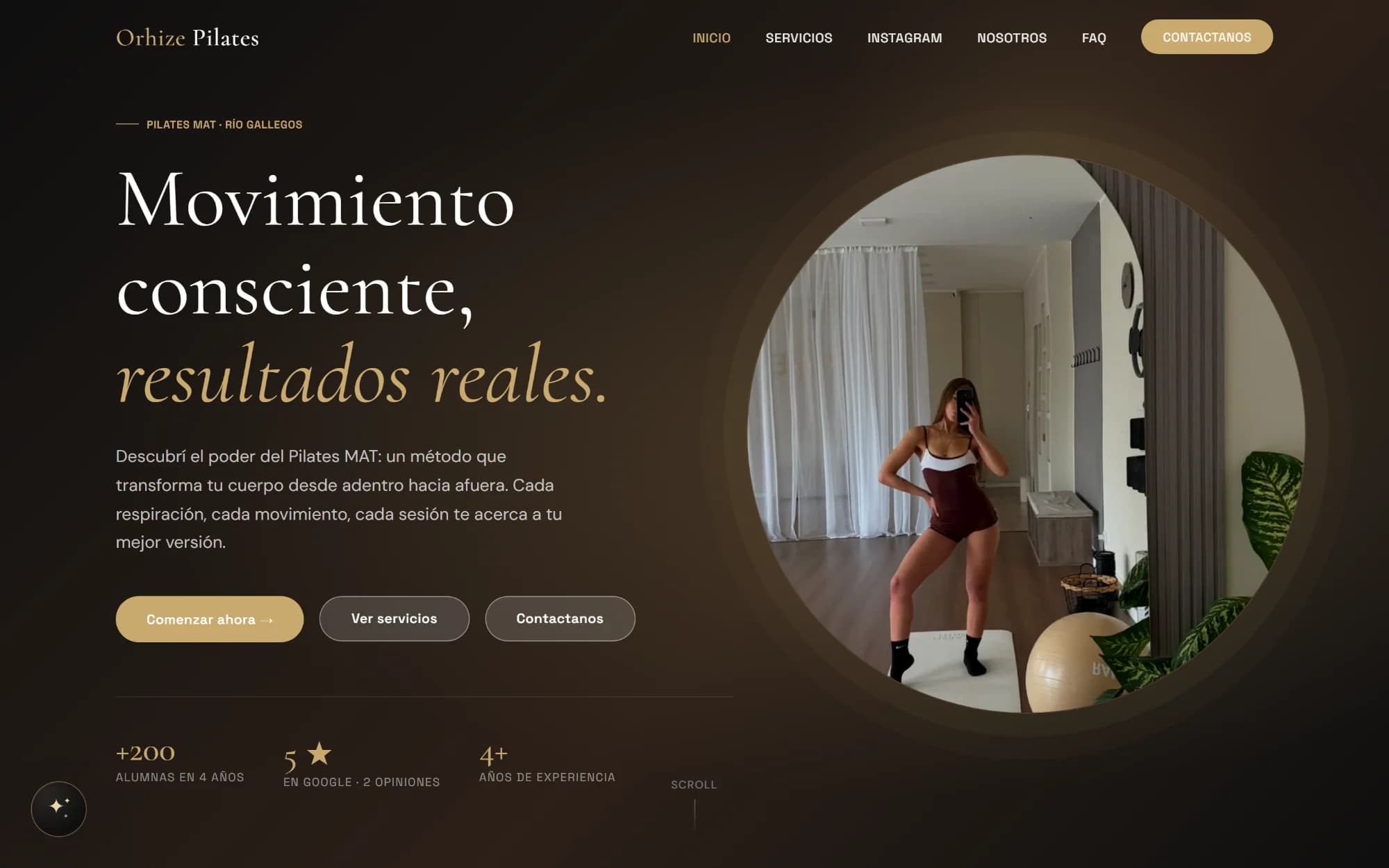
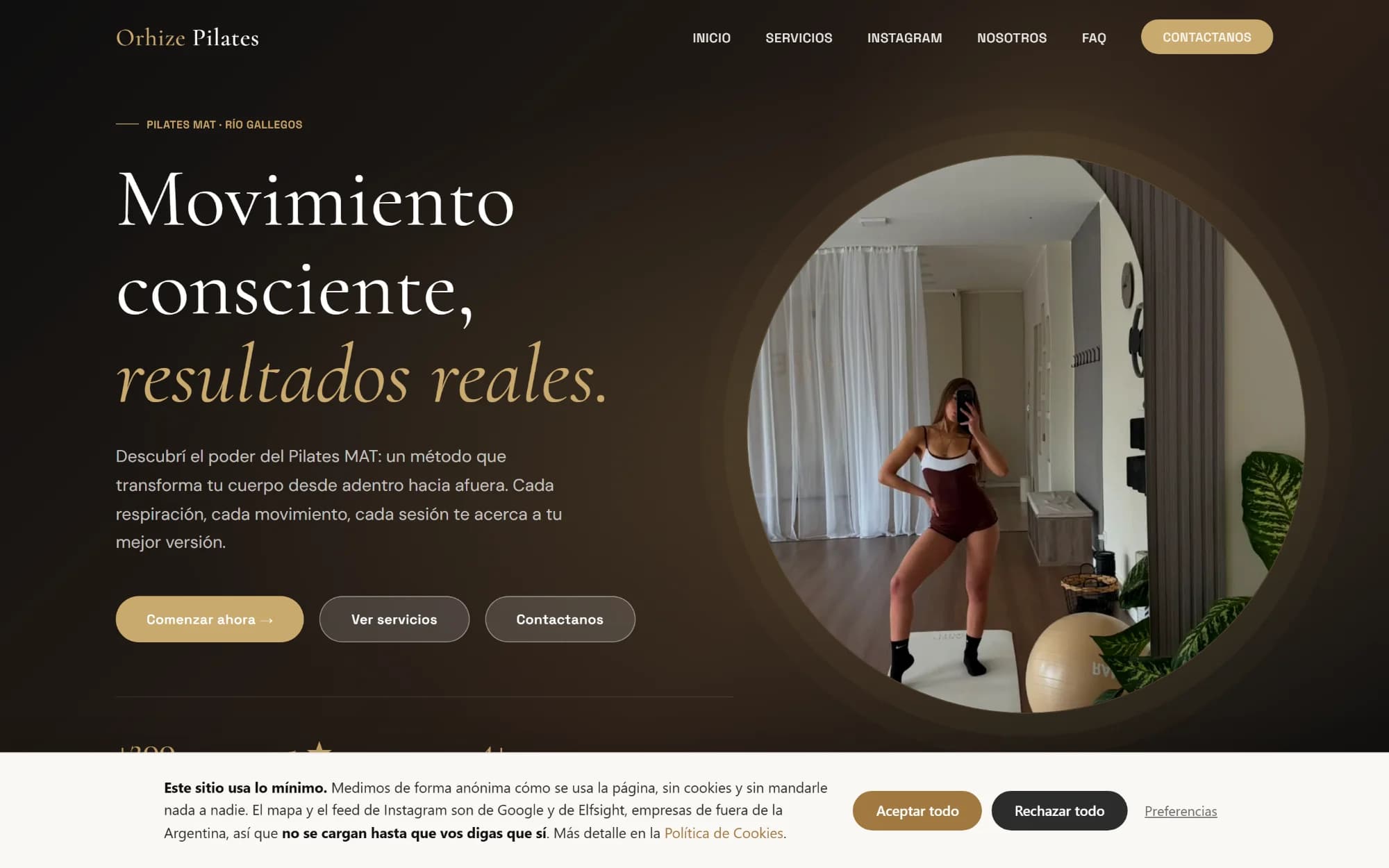
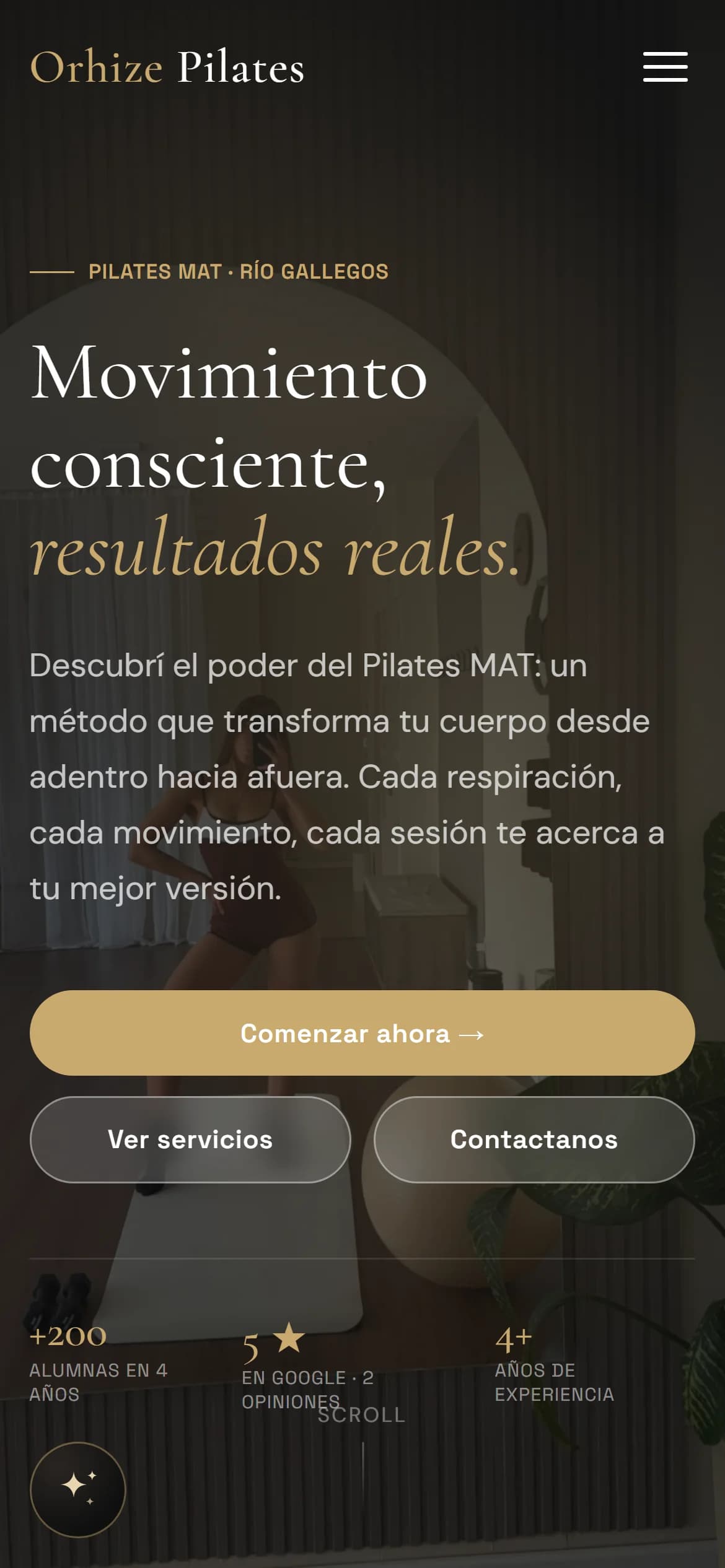
The figures at the bottom can be checked: the 5 stars say how many reviews they come from and link to the studio's Google profile. They used to just say “rating” and “active students”; they were corrected to what is true.
Catalogue
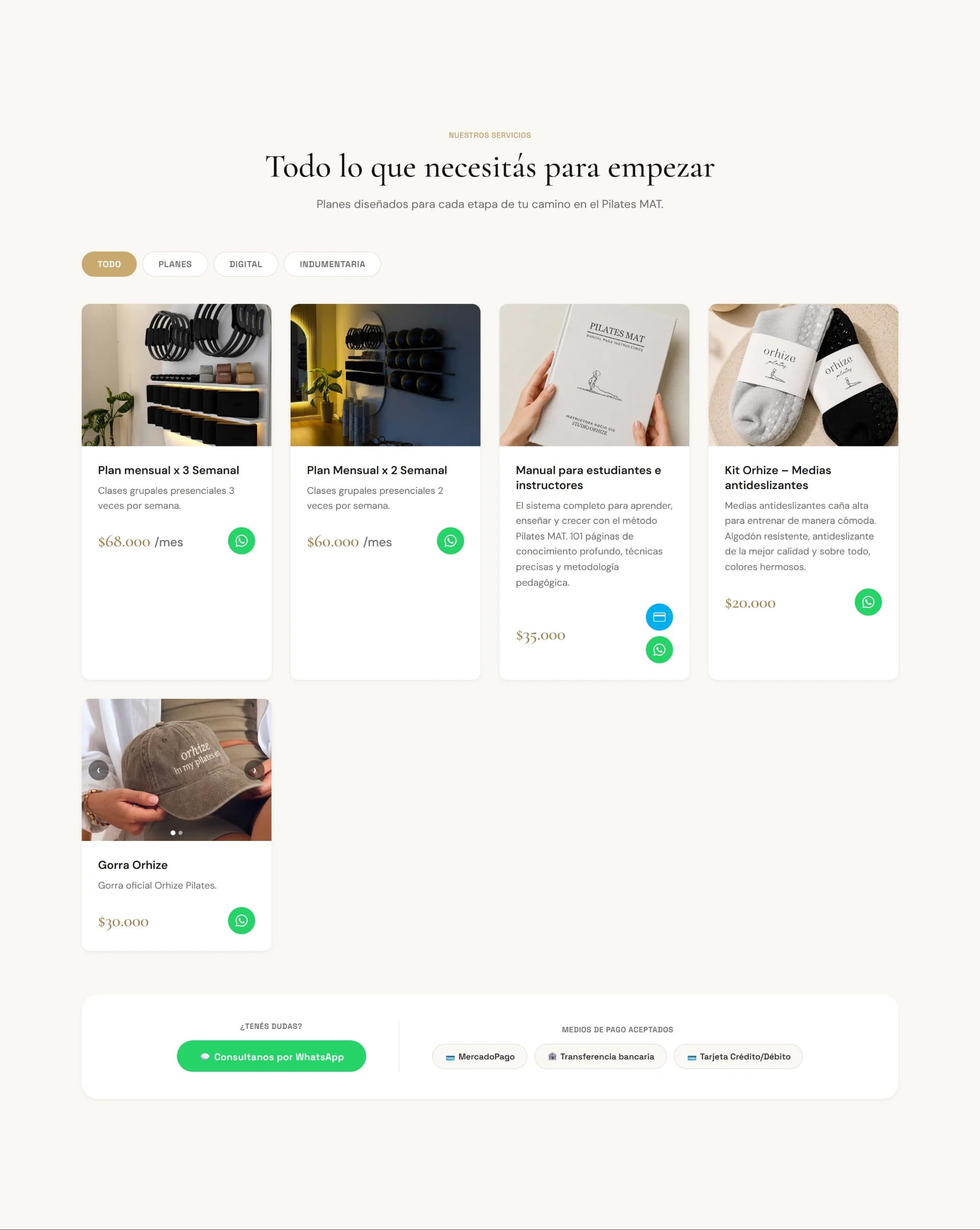
Each product is bought the way it's really bought
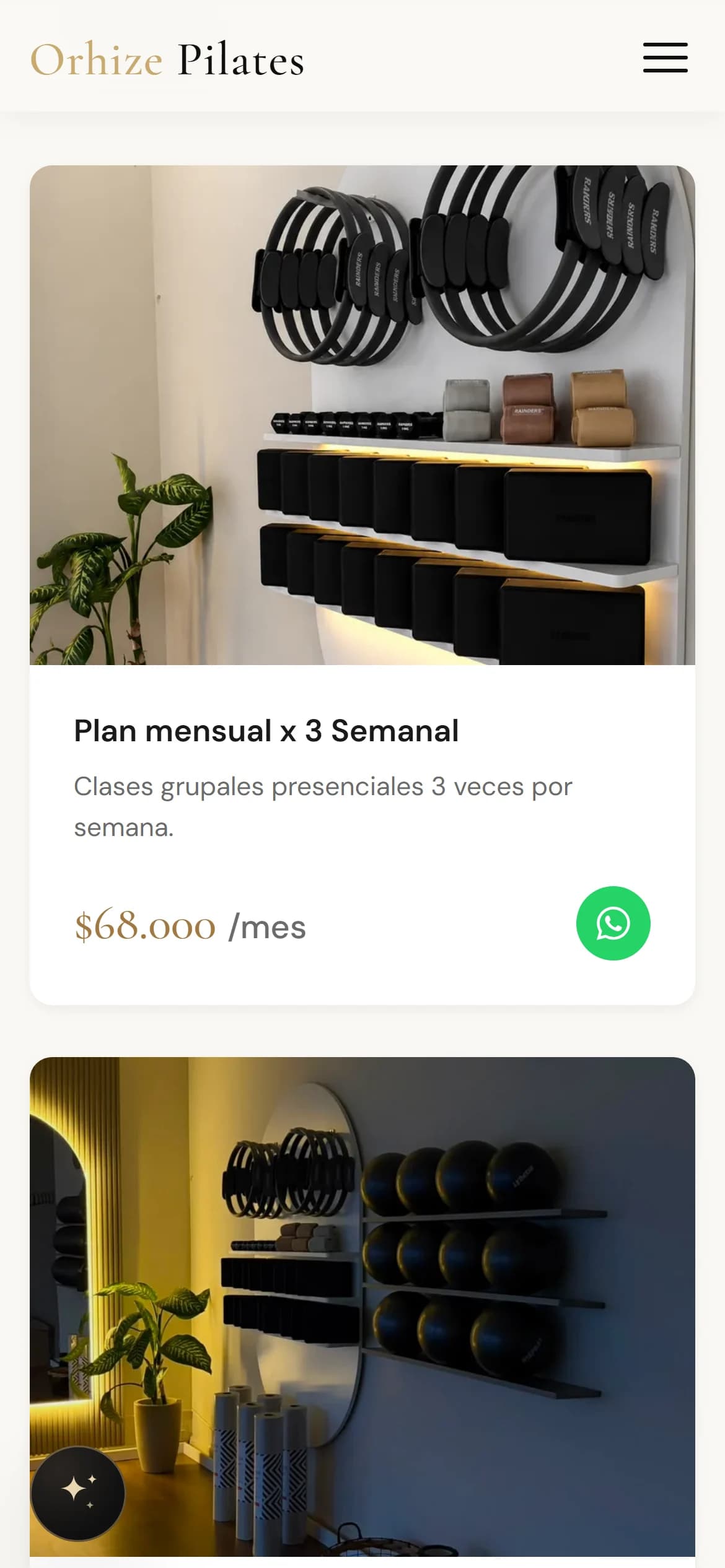
The plans, the socks and the cap are closed in person, so their button opens WhatsApp with the product already named. The PDF manual is the only thing paid for on the site, through Mercado Pago, and it's the only one with that button. The tabs on top come from the products themselves: if the studio adds a category tomorrow, it shows up on its own.
The manual has two buttons — pay or ask — and the rest just one. Below, the payment methods, which is the first thing people ask before buying.
Admin panel
The panel warns before anyone complains
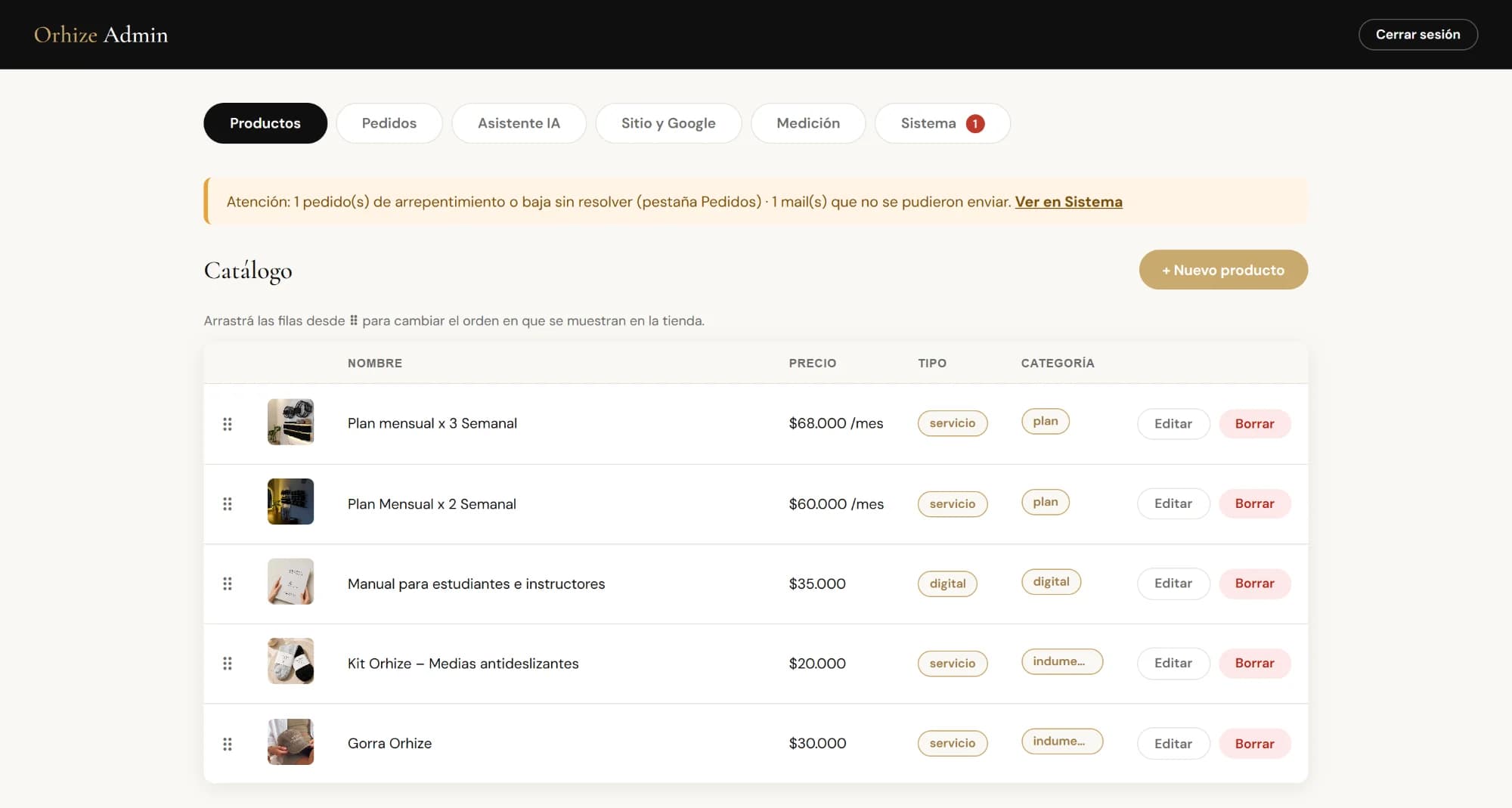
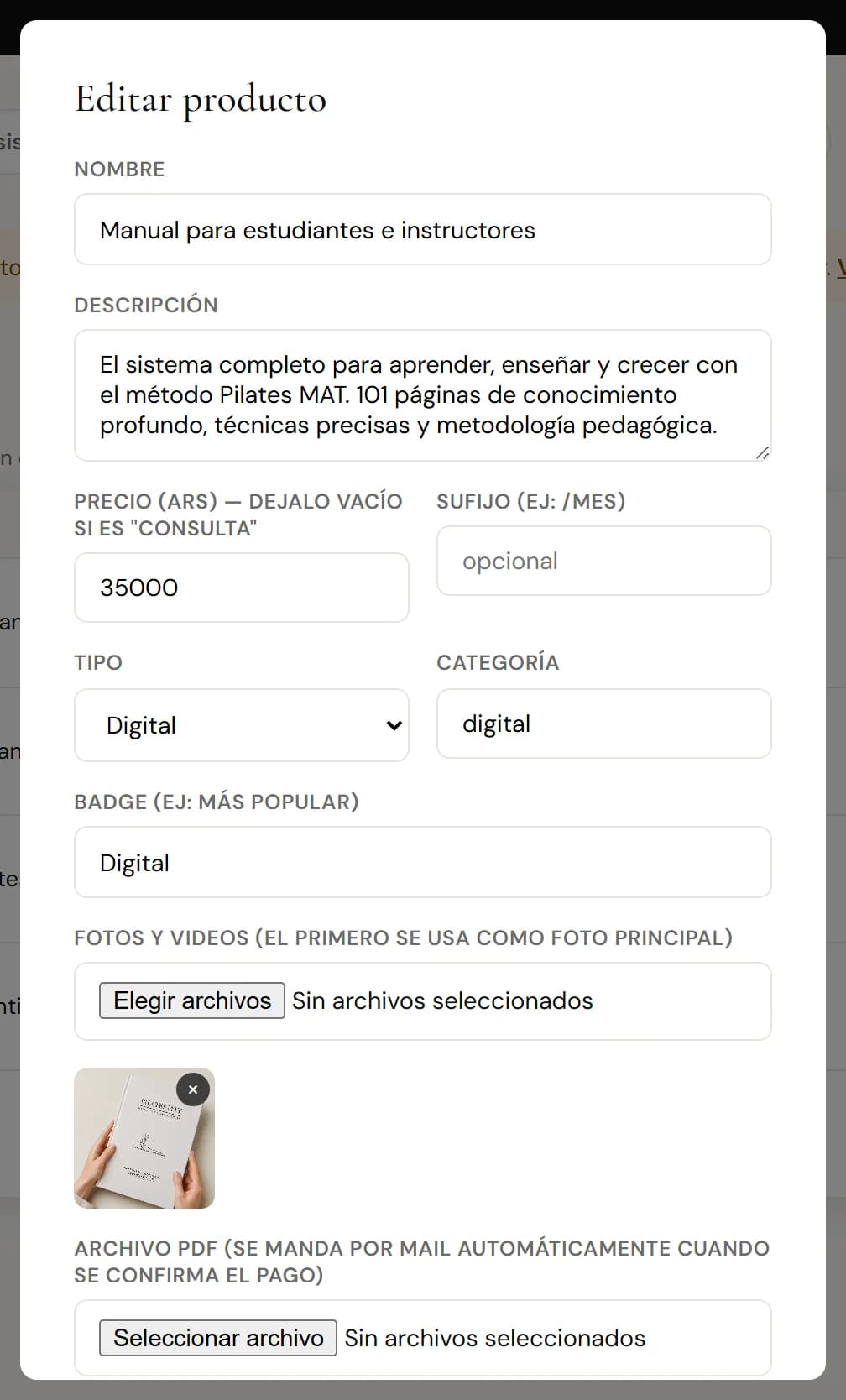
It started with three tabs and now has six: products, orders, assistant, what Google sees, measurement and system status. What changed most isn't the number: the panel now tells the owner what's pending as soon as she logs in, in one line at the very top, with a link to where to fix it. The catalogue is still reordered by dragging rows, and price, type and category are edited right there.
With test data. The red number on “System” and the yellow line are the first thing you see when you log in.
Delivery
The manual charges and sends itself
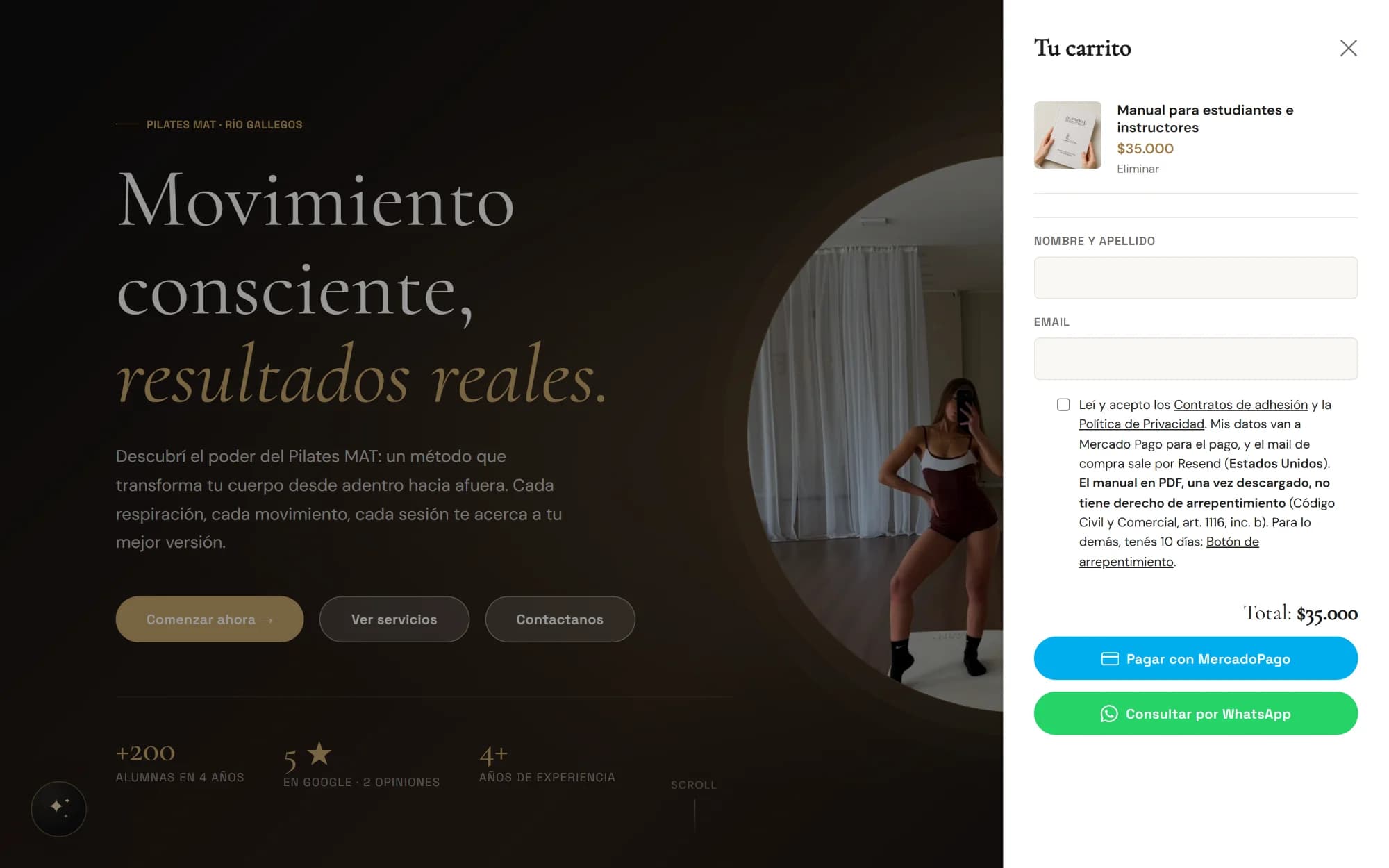
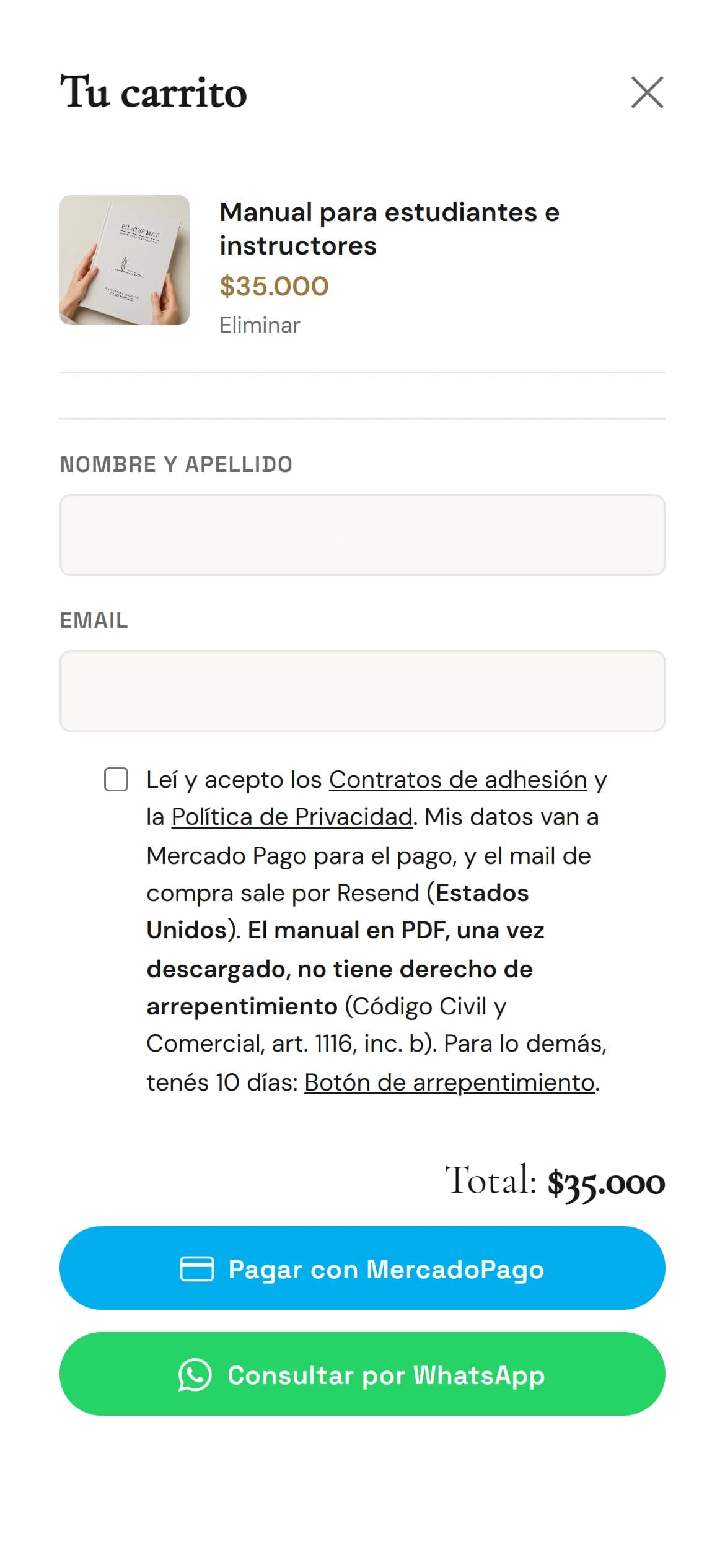
When someone buys the manual, nobody at the studio has to do anything, whether it's a Tuesday afternoon or a Sunday at three in the morning. The cart asks for a name and an email, and before paying it states plainly that the PDF, once downloaded, can't be returned, with a box that has to be ticked. If the email doesn't go out on the first try, the system retries on its own.
01
The payment is confirmed
Mercado Pago notifies the server. What the buyer's browser says is not trusted.
02
The email goes out, and retries if it fails
With a link signed for that purchase and that product. If the mail service doesn't answer, it tries again after a minute, 5, 15, an hour and 4 hours.
03
The order moves to “delivered”
On its own, once the email went out. The owner doesn't have to go mark it, and it's written down in the log.
04
It downloads
The server checks the signature and the payment again before handing over the file. The link expires after 30 days.
The notice sits right before paying, as Argentina's Civil and Commercial Code requires (arts. 1111 and 1116, sub. b). It also says where the data goes: Mercado Pago for the payment and Resend, in the United States, for the email.
“Sent by email automatically when the payment is confirmed”: uploading the PDF is the only thing to do, and only once.
Orders and system
If an email fails, the sale isn't lost
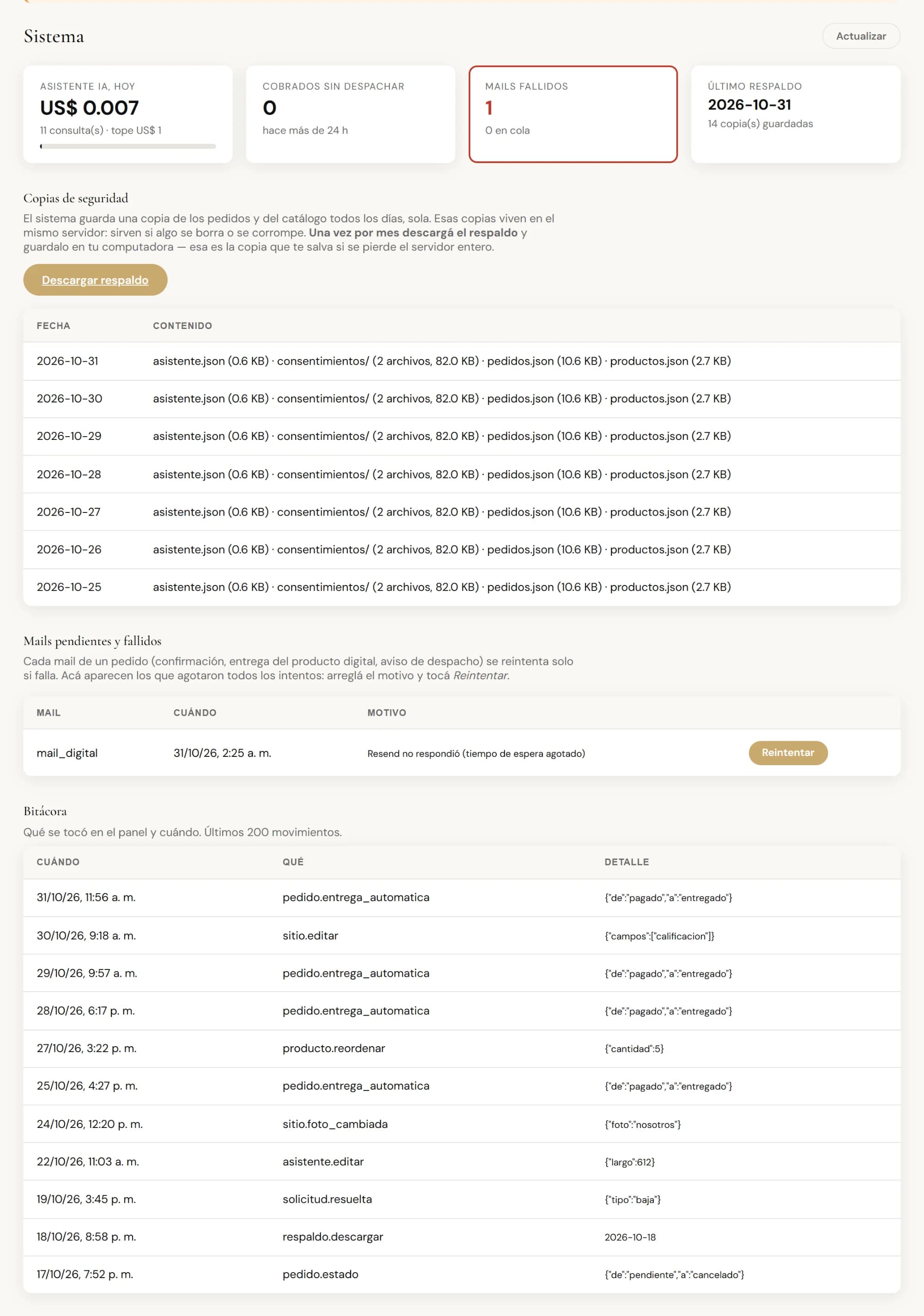
Before, if the manual's email failed, the customer paid and got nothing, and nobody found out. Today anything that runs out of retries shows up in the panel with the reason and a button to send it again. The same tab holds the backup: the system saves one a day, keeps the last 14, and with one button the owner downloads one to her computer. It also shows what the assistant spent today against its daily cap, and a log of what was touched in the panel and when.
With test data. The failed email is a manual order's PDF: until someone presses “Retry”, that order stays “paid”, not “delivered”.
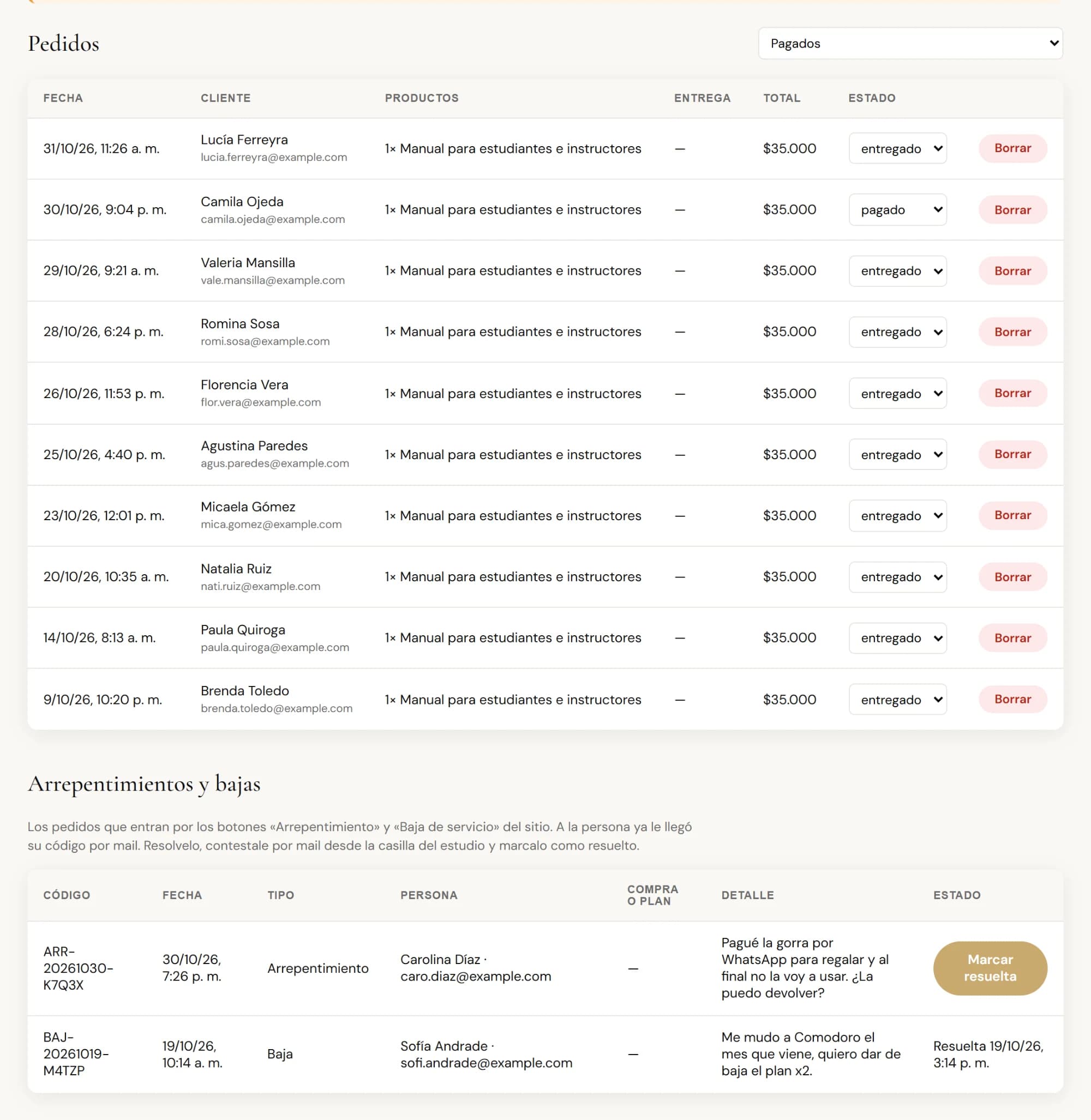
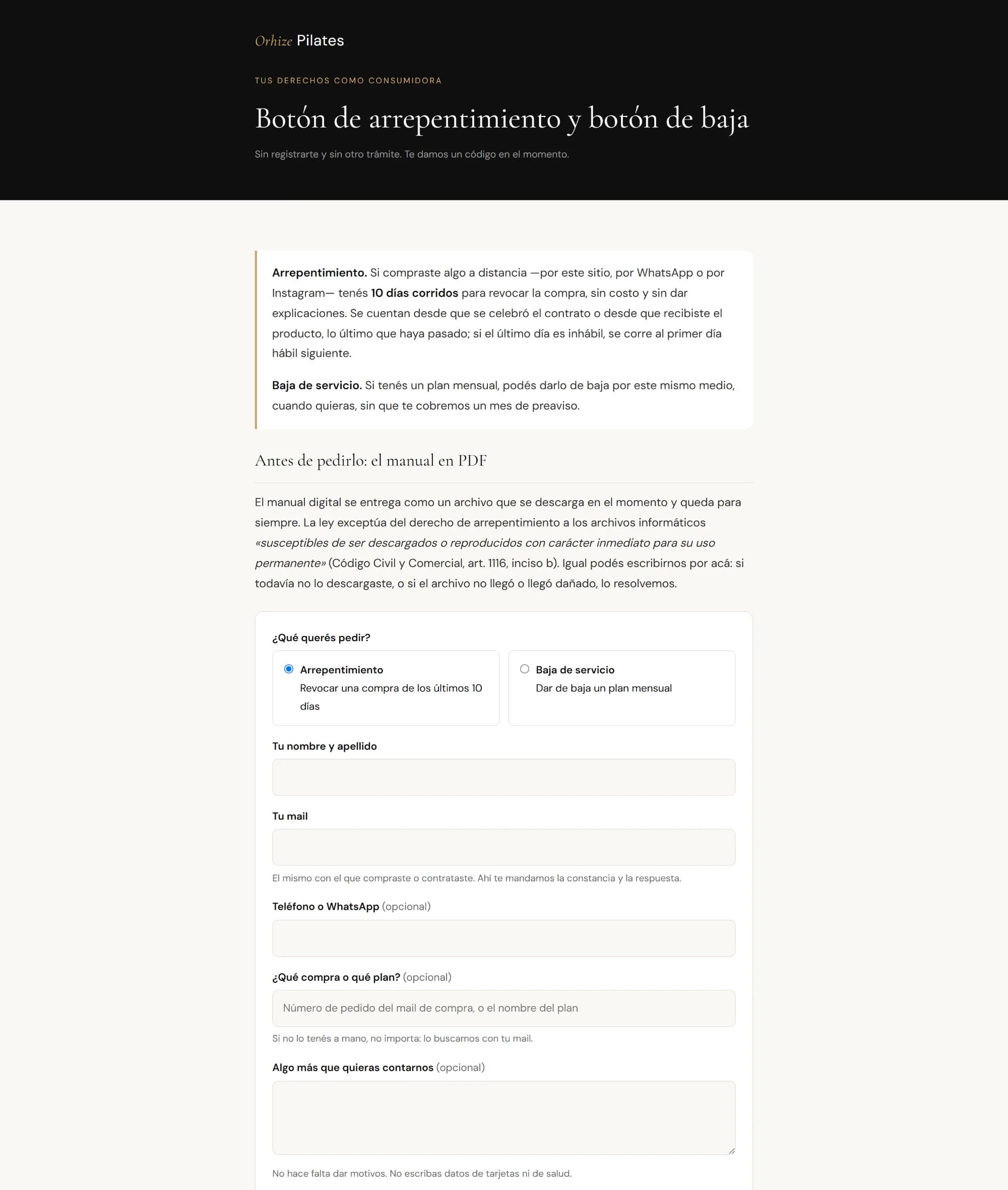
With test data, all made up. Withdrawal and cancellation requests come in through the site's buttons and land here, with the code the person has already received.
Measurement
Knowing what works, without spying on anyone
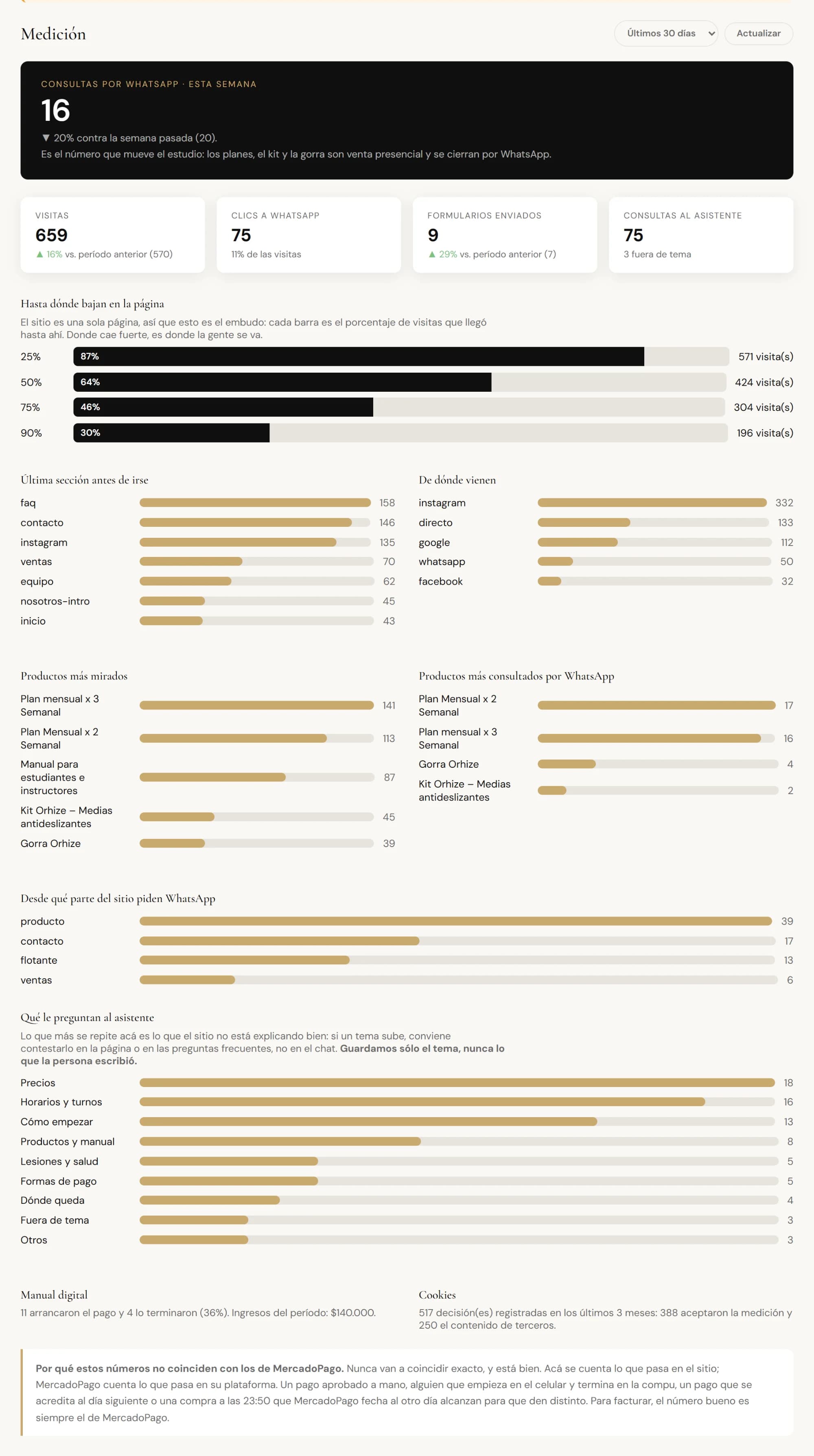
The number that drives the studio isn't visits: it's WhatsApp inquiries, because plans are closed there. So the measurement starts with that number, against the previous week. Below, how far people scroll, where they come from, which products they look at and what topics they ask the assistant about — the topic, never what they typed. It's measured on the site's own server, with no cookies, no Google Analytics and nothing sent to third parties. The map and the Instagram feed, which do come from outside, don't load until the visitor says yes.
With 60 days of made-up visits: the figures are test data, the screen is the real one. At the bottom, why these numbers will never match Mercado Pago's, written for the owner.
“Reject all” is as big as “Accept all”. The fonts are served from the site itself, so loading the page doesn't request anything from anyone.
Assistant
It answers what gets asked at eleven at night
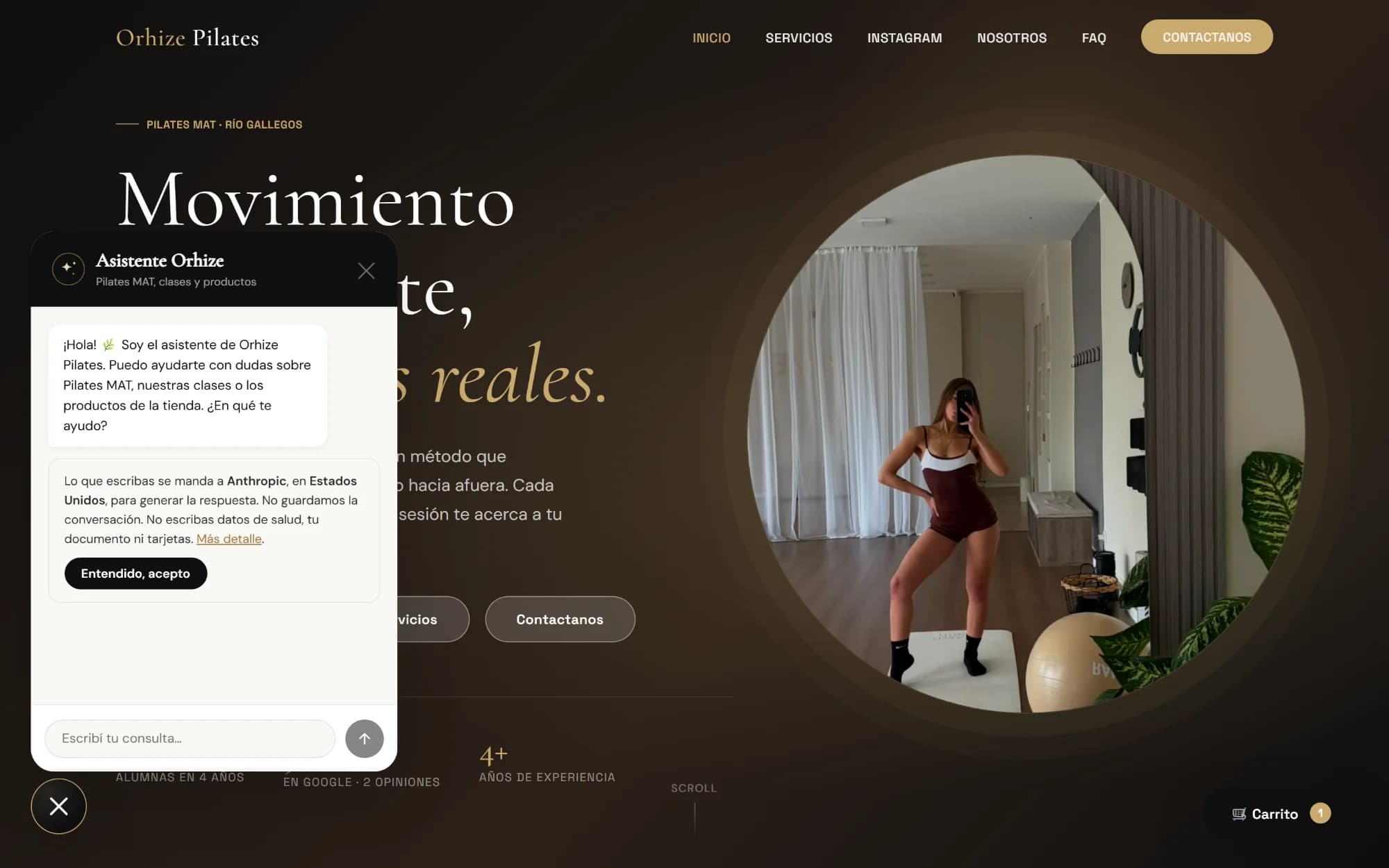
An assistant that answers about the method, the classes and the catalogue's products. It takes the repeated questions — schedules, prices, how to start — so the ones arriving over WhatsApp are those that really deserve a hand-written answer. Before the first message it says the question is processed in the United States and asks for an “OK”. And it has a daily spending cap: if one night someone overuses it, it stops on its own and the owner doesn't get a surprise bill.
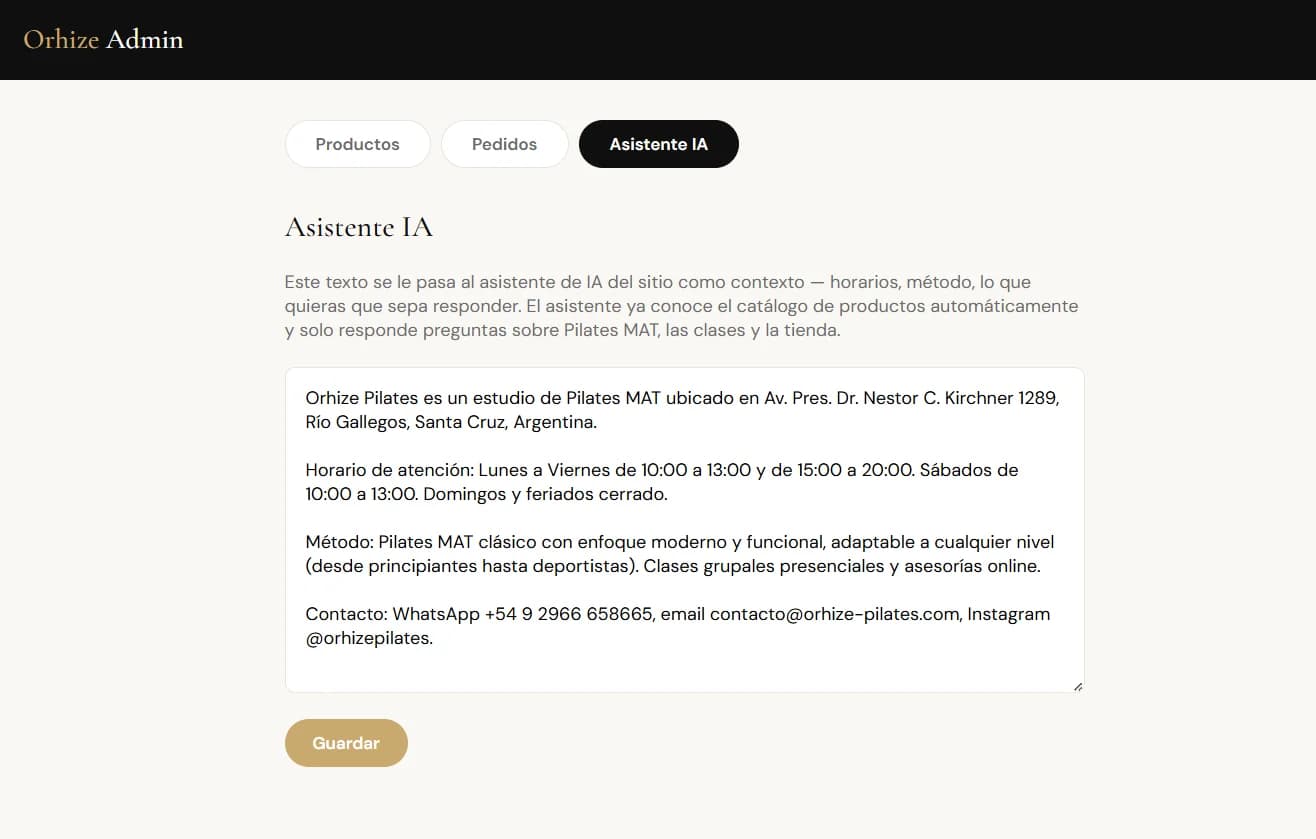
It is configured by writing plain Spanish, not by programming: address, hours, method, contact. It knows the catalogue on its own, so its prices never go stale.
Google
What Google shows, she changes
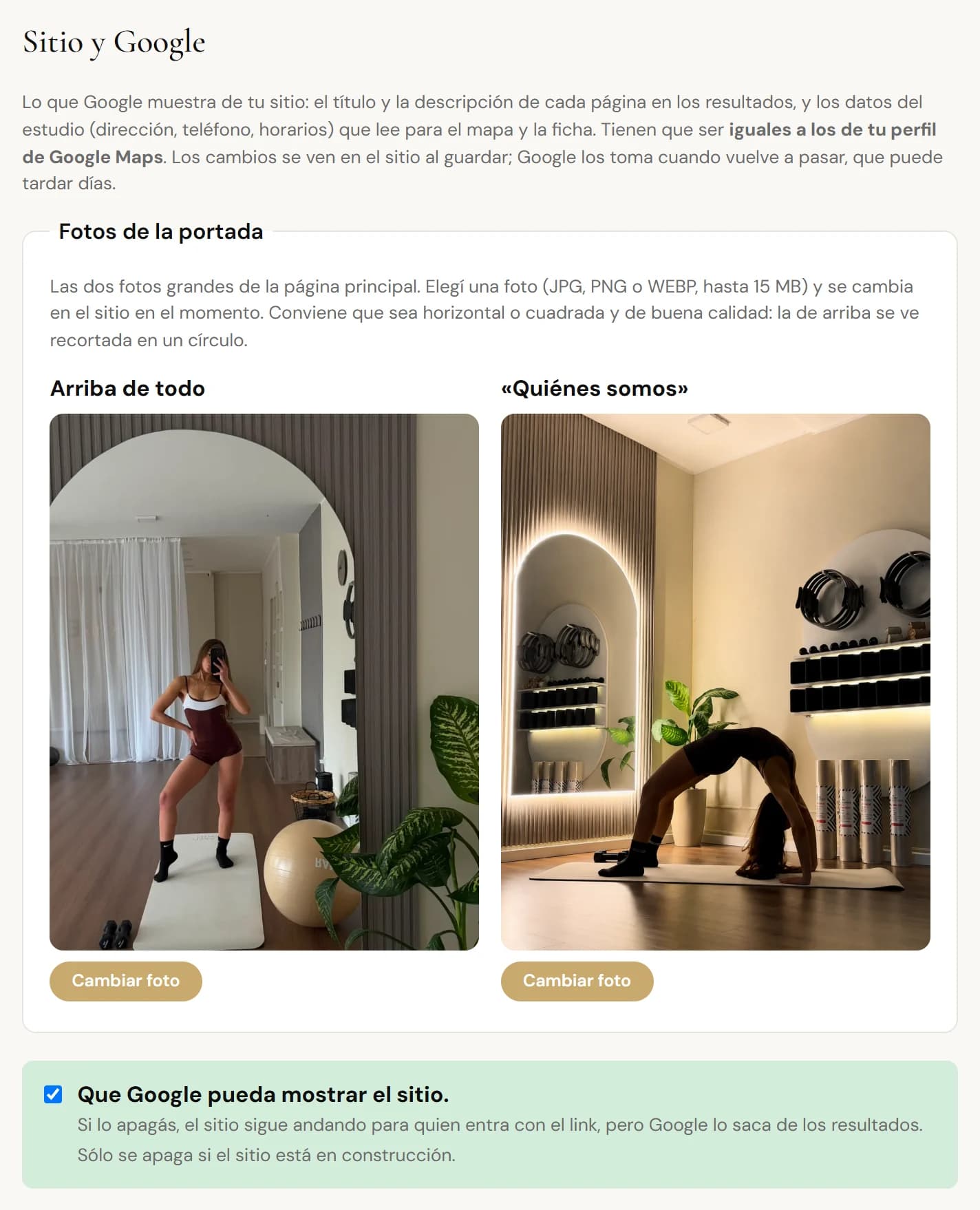
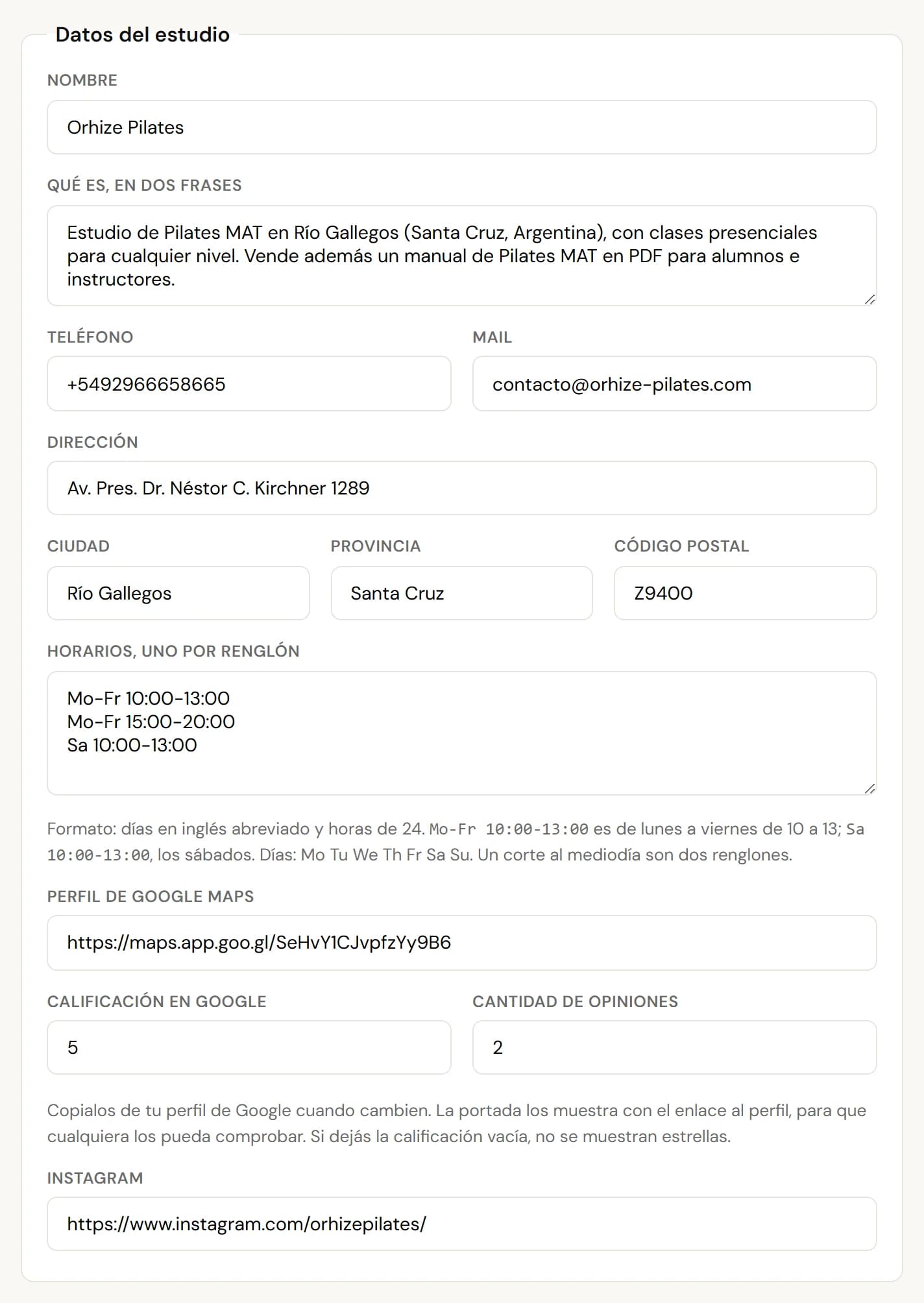
The address, phone and opening hours Google reads from the site come from a panel tab, and they have to match the Google Maps profile: the panel says so right next to them. From there she also changes the two big photos on the home page, the Google rating shown at the top, and the switch that lets Google show the site or not. The site builds the rest by itself: the sitemap for search engines, the studio's listing in the format Google and AI assistants read, and the redirect from the “www” address to the usual one.
“Copy them from your Google profile when they change”: the home page rating comes from here, with a link to the profile so anyone can check it.
Buyer's rights
Withdrawing or cancelling, without asking permission
At the bottom of every page sit the withdrawal button and the service cancellation button required by Argentina's Disp. SSDCyLC 954/2025. They work without signing up: the person picks what they want, leaves a name and email, and gets a code on the spot. The request lands in the owner's panel to be resolved. The same page explains, quoting the law, why the downloaded PDF is the exception.
The legal texts went live before the lawyer's review, at the studio's decision, and remain subject to what he advises.
The rest of the site
Everything that used to be asked by message, written down once
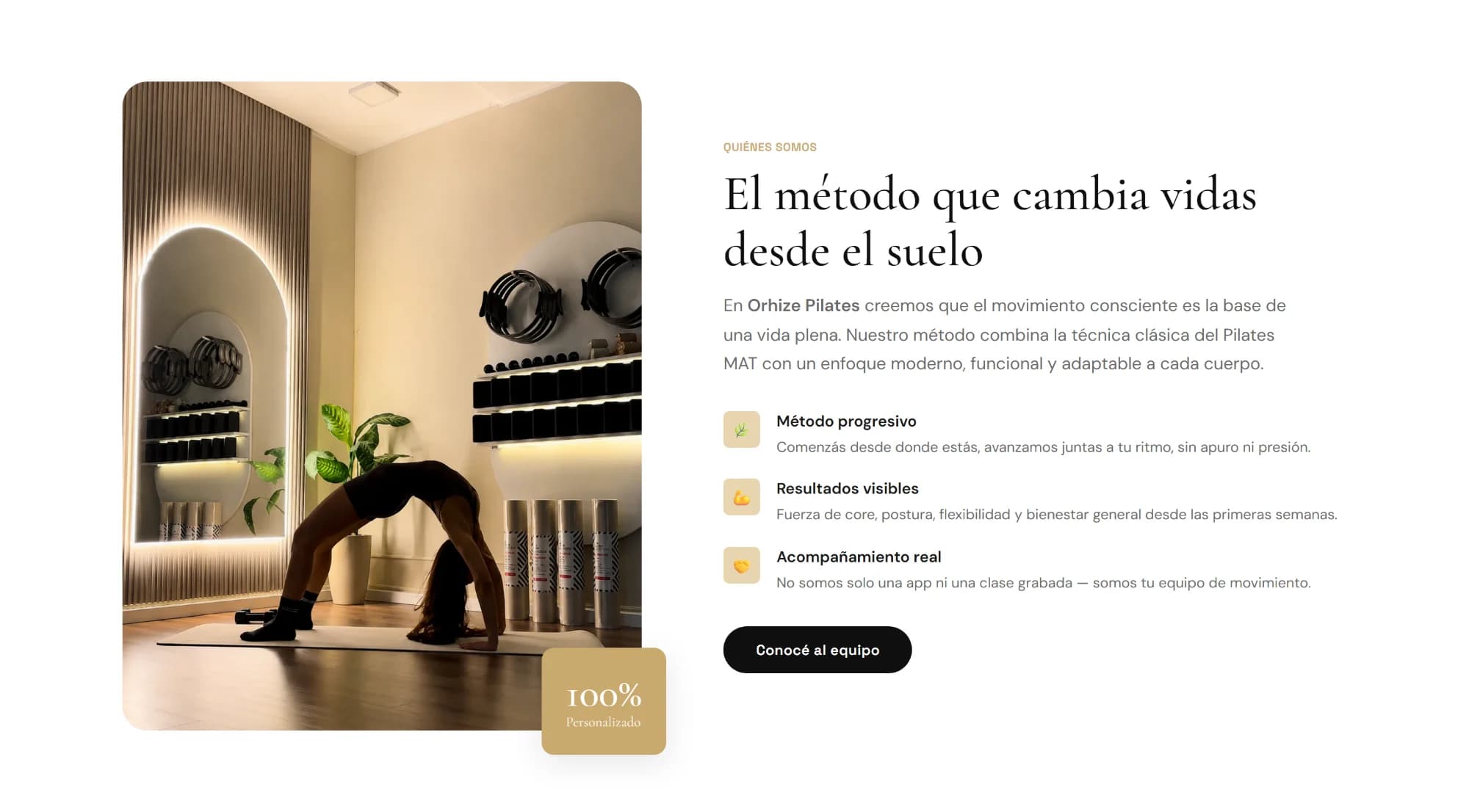
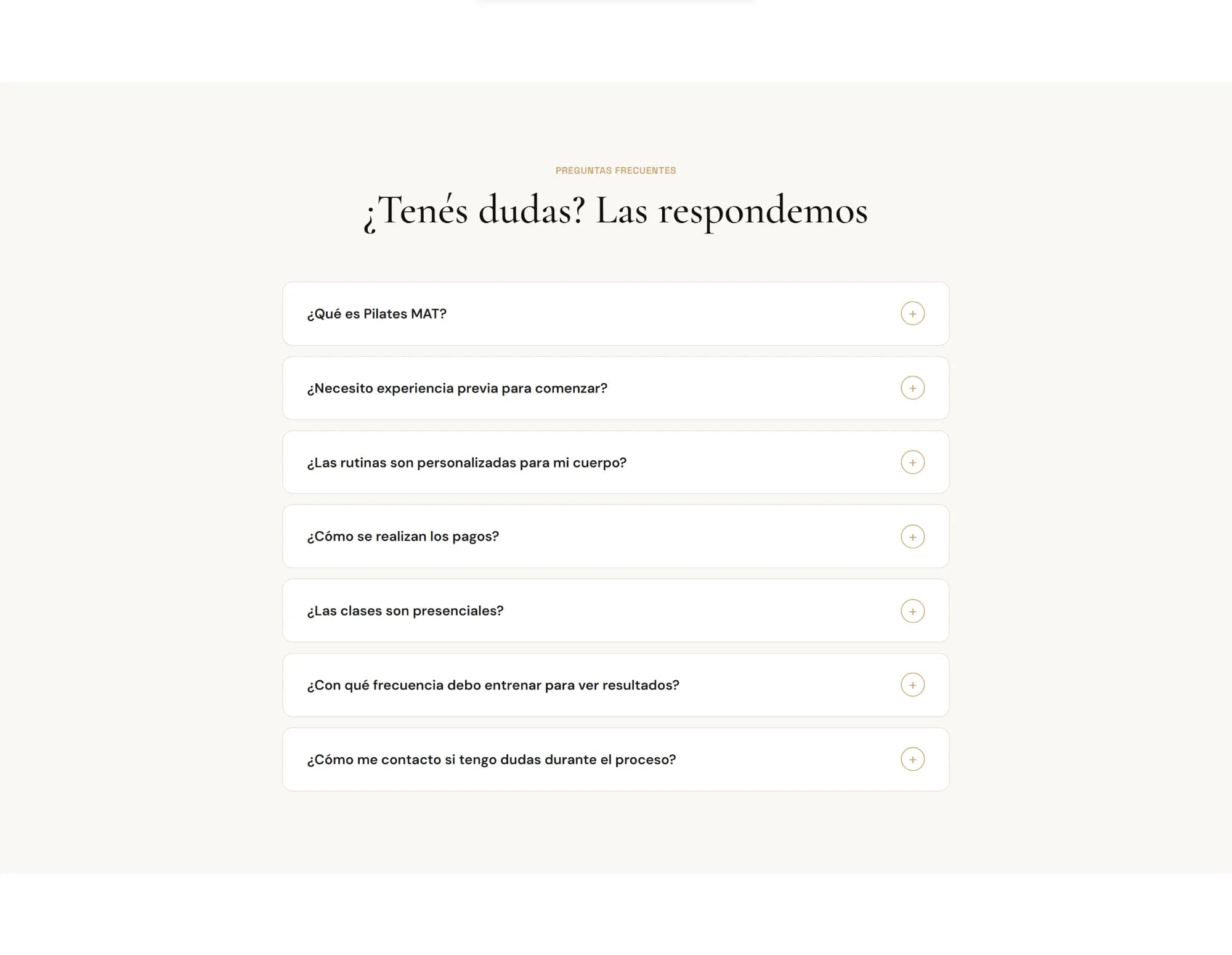
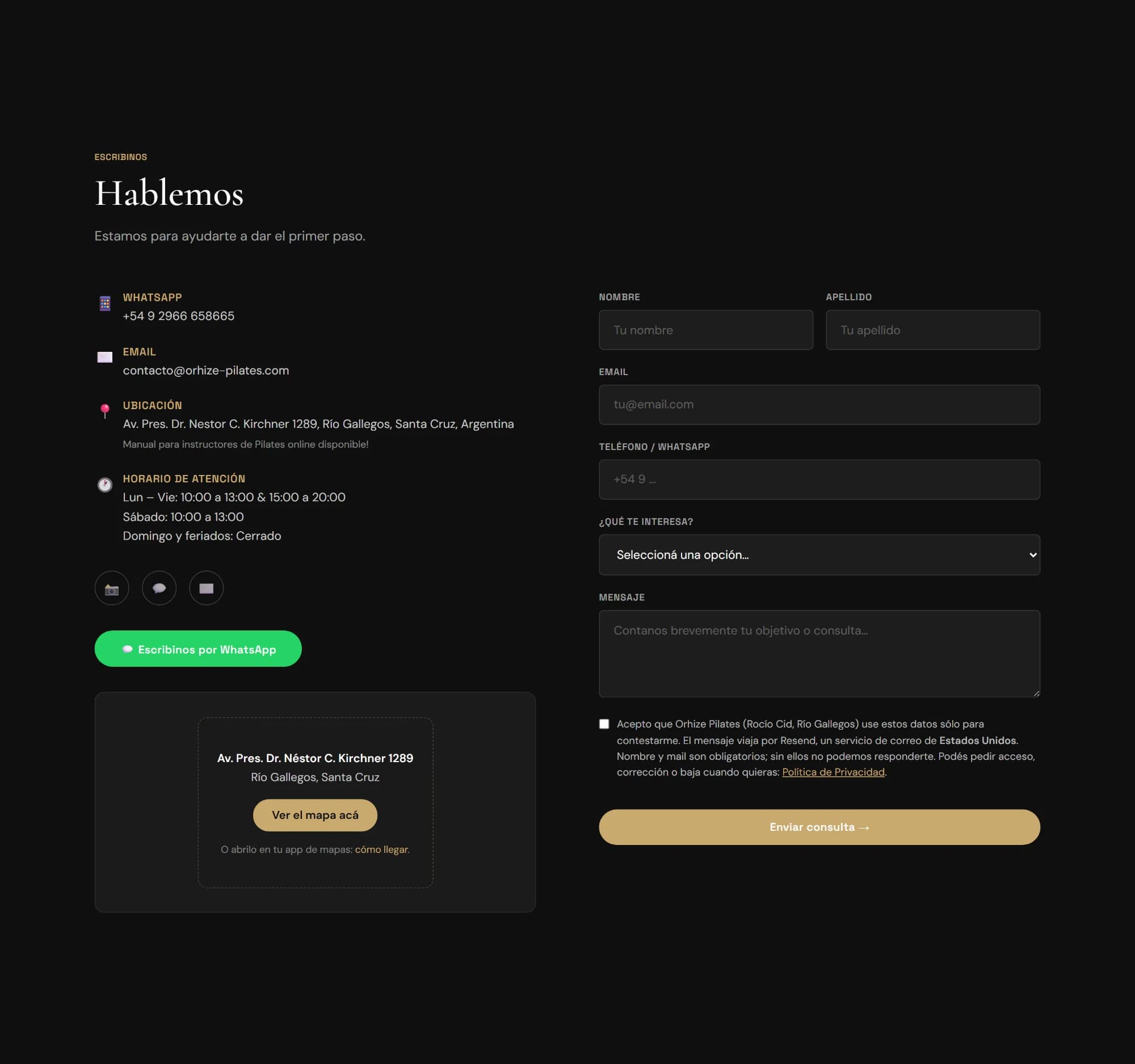
Who they are, the frequent questions, and contact details with opening hours and a form. Every one of those sections is a conversation the studio no longer has to repeat. Before sending, the form says who uses the data and where it goes, and the map stays off until the visitor asks for it.
On a phone
Where the buying actually happens
On a phone the catalogue drops to a single column, the buttons can be tapped with a thumb without missing, and the cart takes the whole screen, with the same notice before paying.
Want something like this for yours?
None of these sites was built from a template. Tell me what you sell and what you're fighting with today, and we'll see what can be done.