NGT
Back to the case study

Full walkthrough · NGT · producto propio · 2026

Taller a Punto

A system for workshops and machining shops that installs on the shop's own PC and works offline: what comes in is signed for, quotes add themselves up, stock is drawn down on its own, and every morning the dashboard says who needs a message. What follows is the whole system, screen by screen.

taller-a-punto.com
  • Node.js
  • SQLite (node:sqlite)
  • Cero dependencias
  • Windows
  • ARCA · WSAA y WSFE
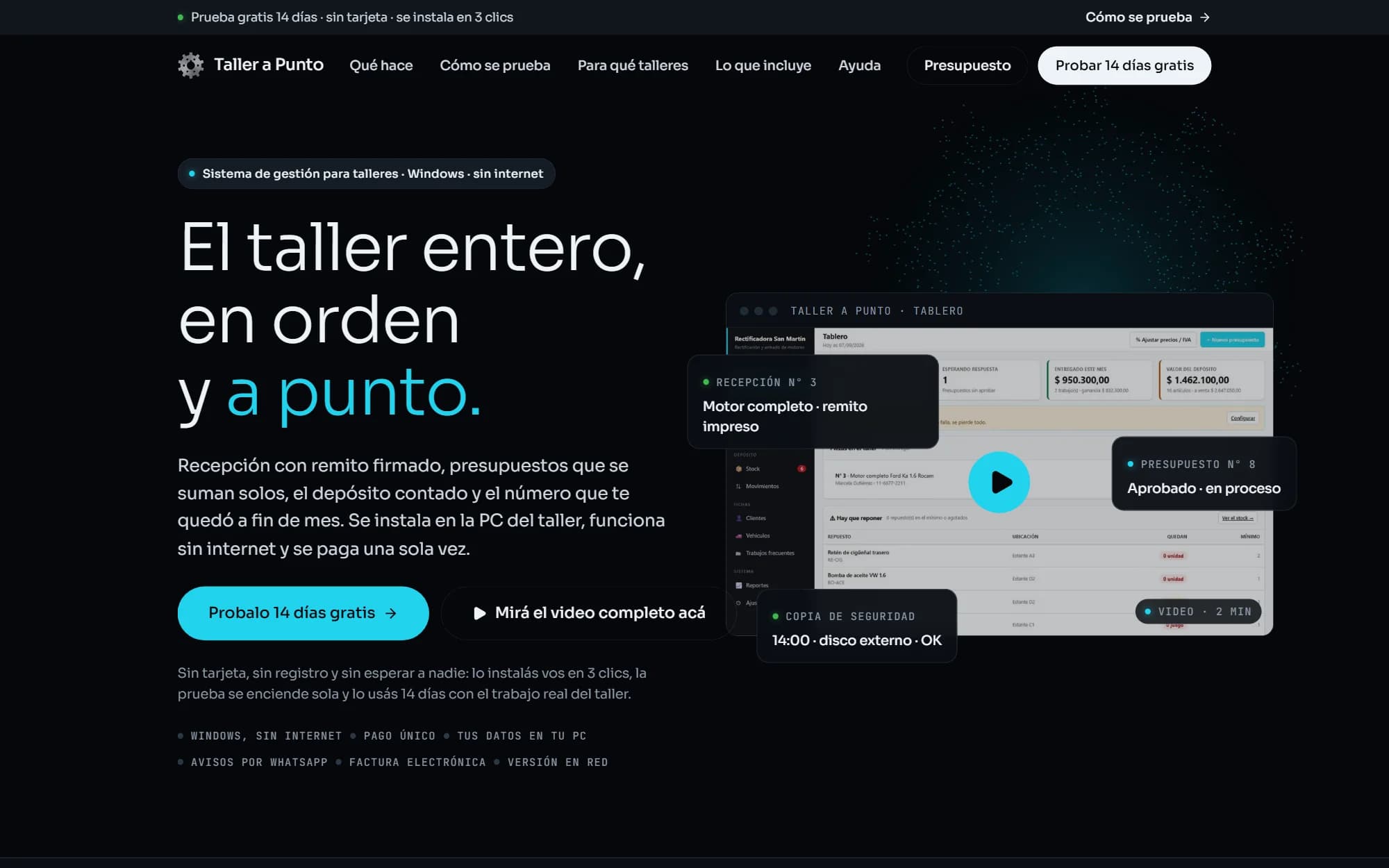
taller-a-punto.com home page: “The whole shop, in order and on point”, with the system's dashboard and the button to try it for 14 days
The site is the live one. Everything else comes from the real system — the same code the installer downloads — running on a test database with an invented shop, “Rectificadora Ferrán”: twelve customers, fourteen jobs in every state, stock, payments and three invoices. A real shop's data is not shown in anyone's portfolio. The invoices were issued against a test ARCA: the system marks them as such and they have no tax value.

Dashboard

In the morning, the system says who to message

The first thing on screen isn't a menu: it's a list called “To message today”. It gathers what gets forgotten in a workshop: the part that's ready and nobody told the customer, the date that was promised and has passed, the quote that was sent and got no answer, the one about to expire, and the customer who took their part and still owes. Each row says why it's there and how much is still to collect. Below it, the parts in the shop with their status, and four figures: how many there are, how many quotes await an answer, what was delivered this month and what the parts room is worth.
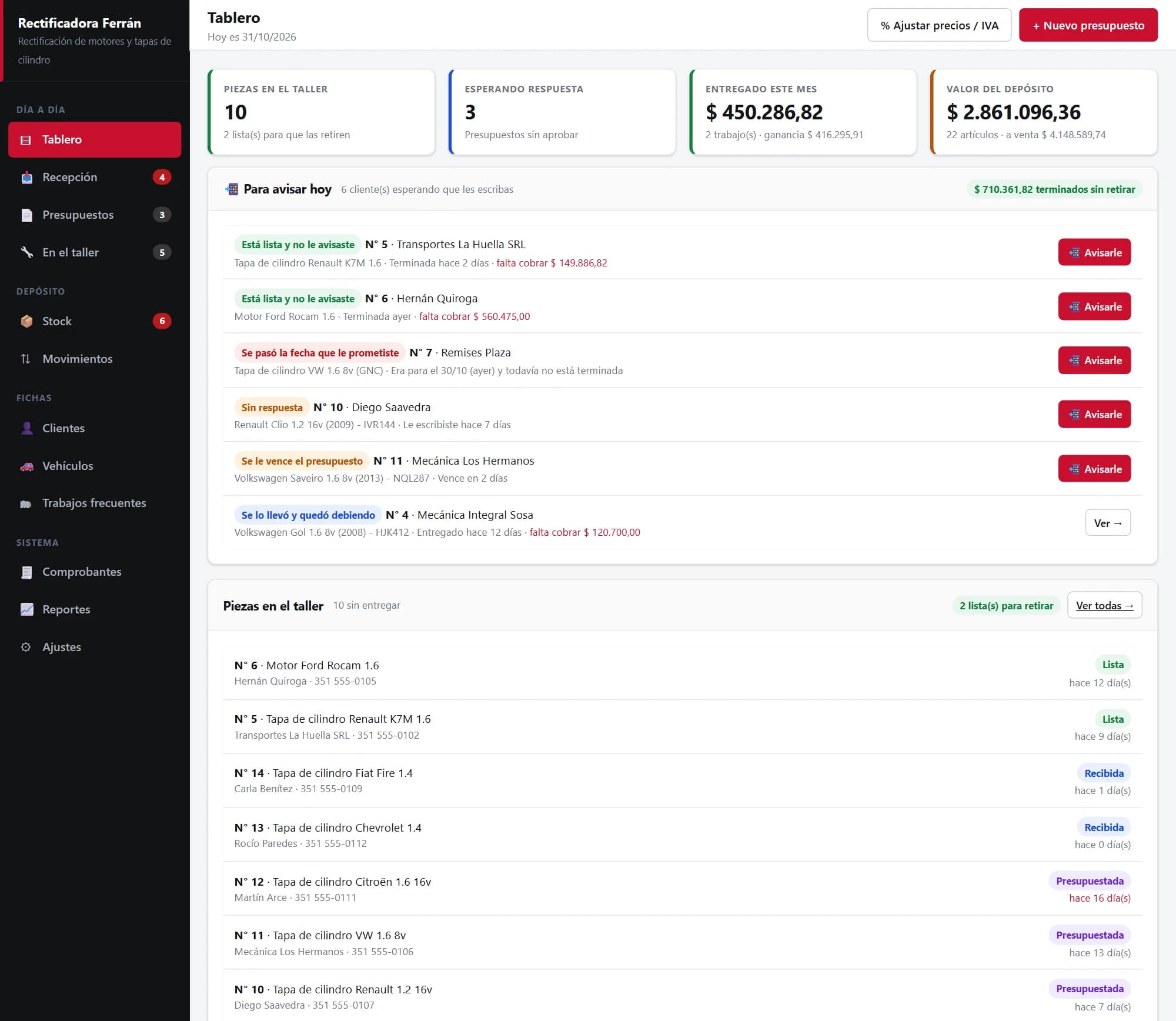
Taller a Punto dashboard: four totals, the “To message today” list with six customers and the reason for each, and the parts in the shop with their status
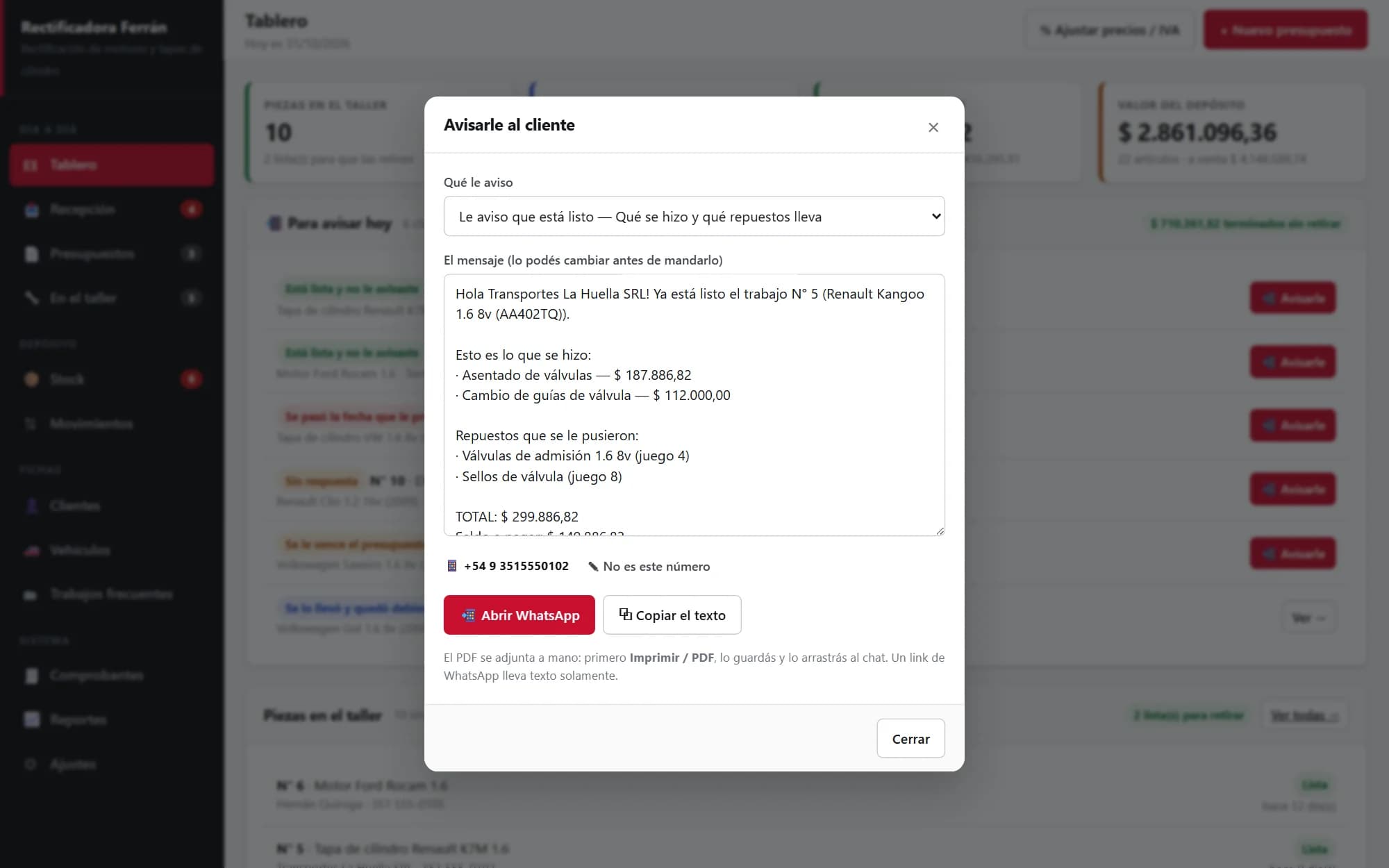
“Message the customer” window with the WhatsApp message already written: the work done, the parts used, the total and the balance
“Message” builds the text and opens the shop's WhatsApp with it ready. The owner presses “Send”, from their own number; the system logs that it went out.

Intake

What came in, signed for the day it came in

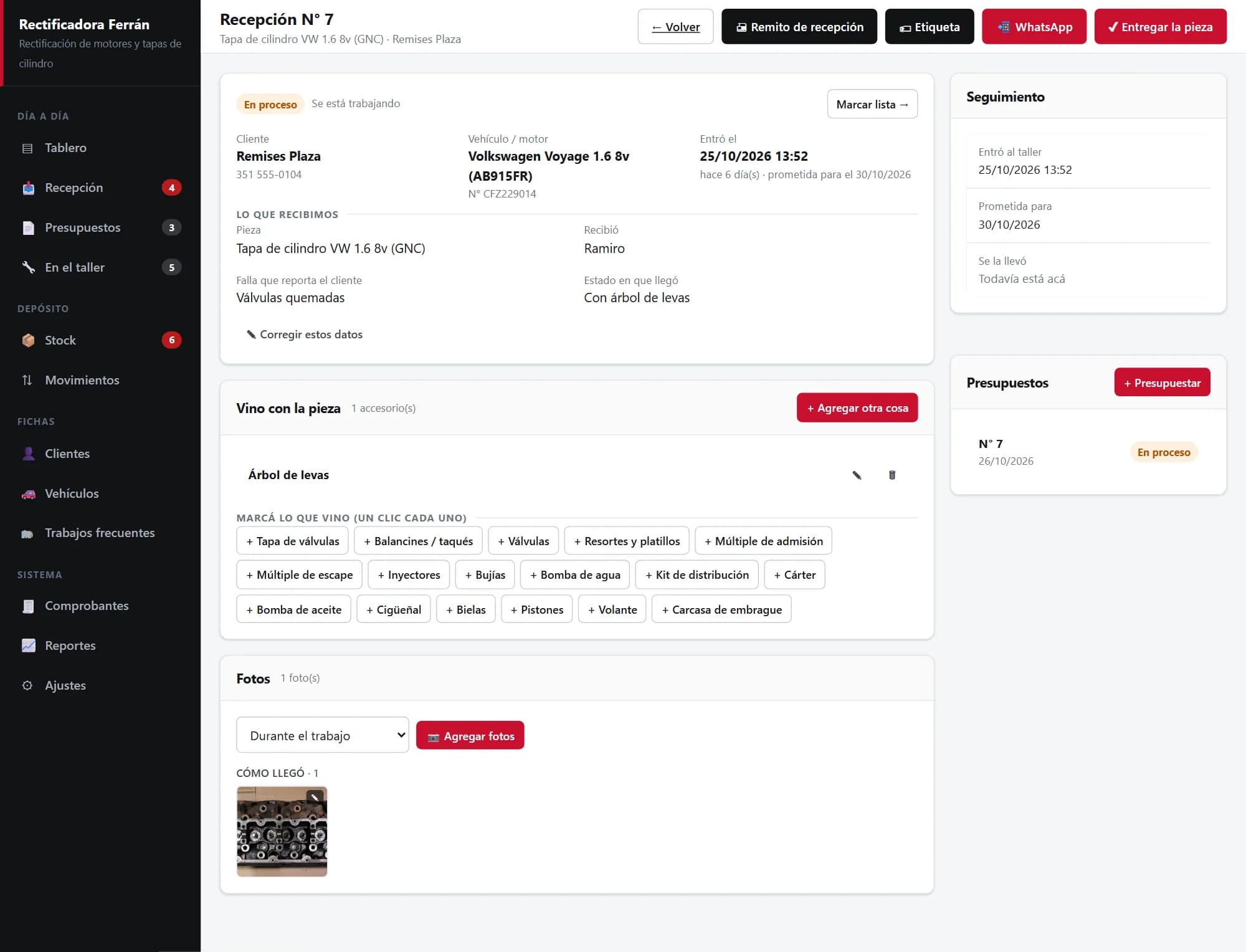
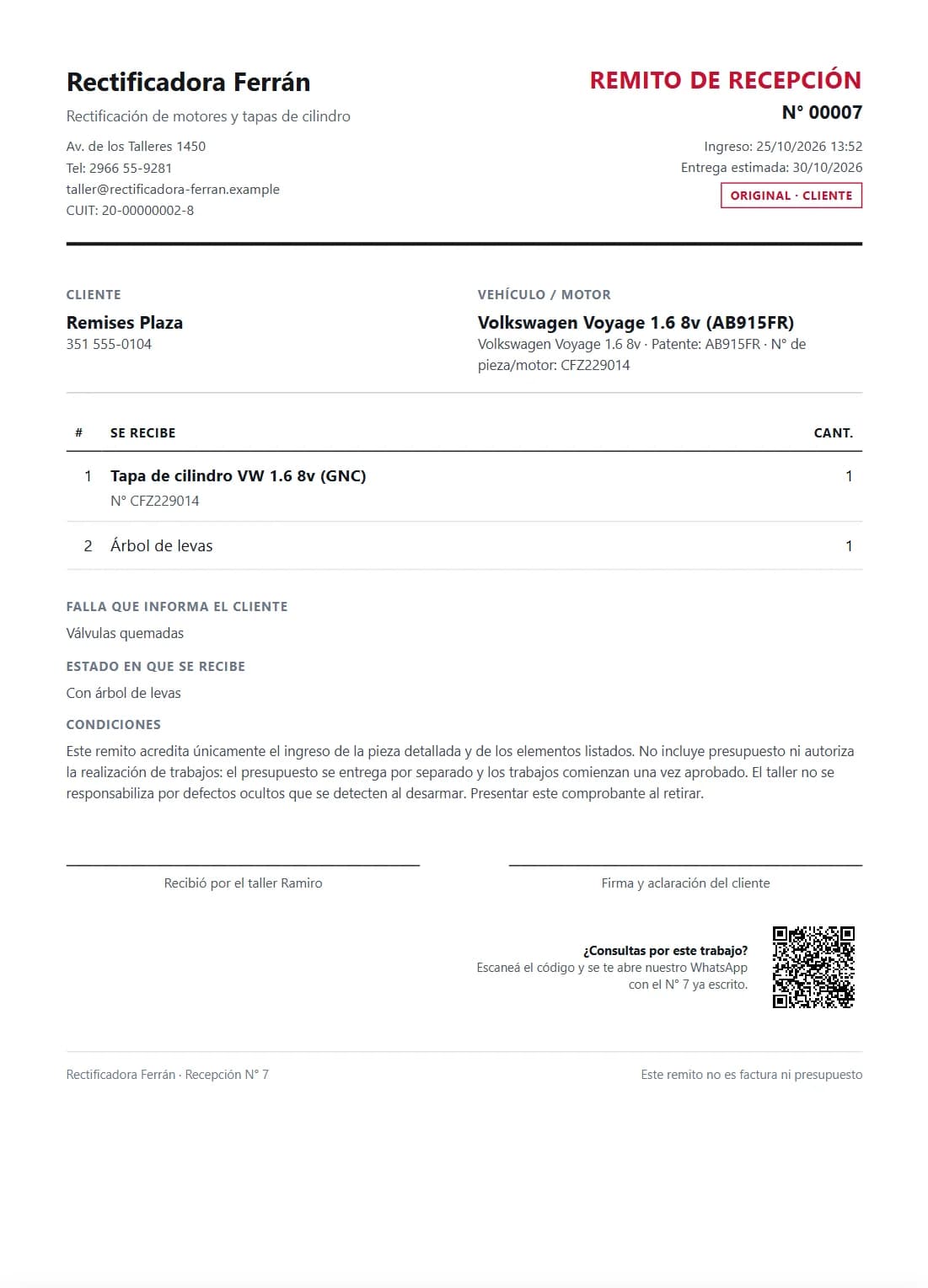
The “I left it with you with the camshaft” argument ends at intake. Each part is recorded with the customer, the vehicle, the fault they described, the condition it arrived in, what came with it — one click per accessory from a list — and the date promised. Photos of how it arrived stay attached to the record. The intake receipt prints in duplicate: the customer takes one signed copy, the other stays in the shop. And the label goes on the part, with the job number in large type and a QR code that opens the shop's WhatsApp for the customer.

Intake No. 7: a cylinder head in progress, with customer, vehicle, fault, arrival condition, the camshaft that came with it and a photo of how it arrived
The photo is of a real cylinder head, from Wikimedia Commons (CC0).
Printed intake receipt, with the part's details, what came with it and a space for the customer's signature
Part label: job No. 00007, customer, vehicle and part, and a QR code to ask on WhatsApp
Enlarged so it can be read: printed, it's a strip cut from a regular A4 sheet.

Quote

The quote adds itself up, and says what you keep

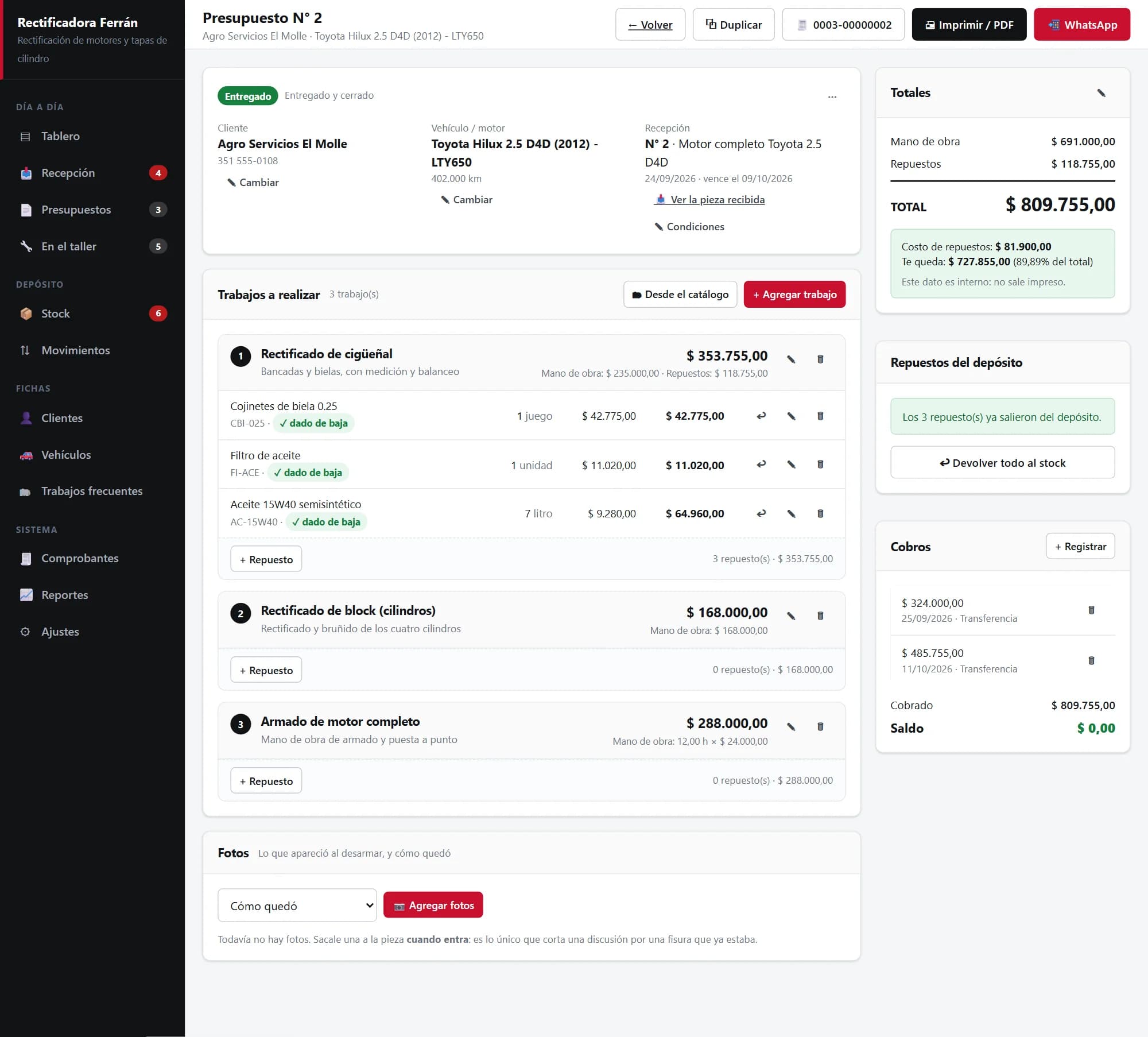
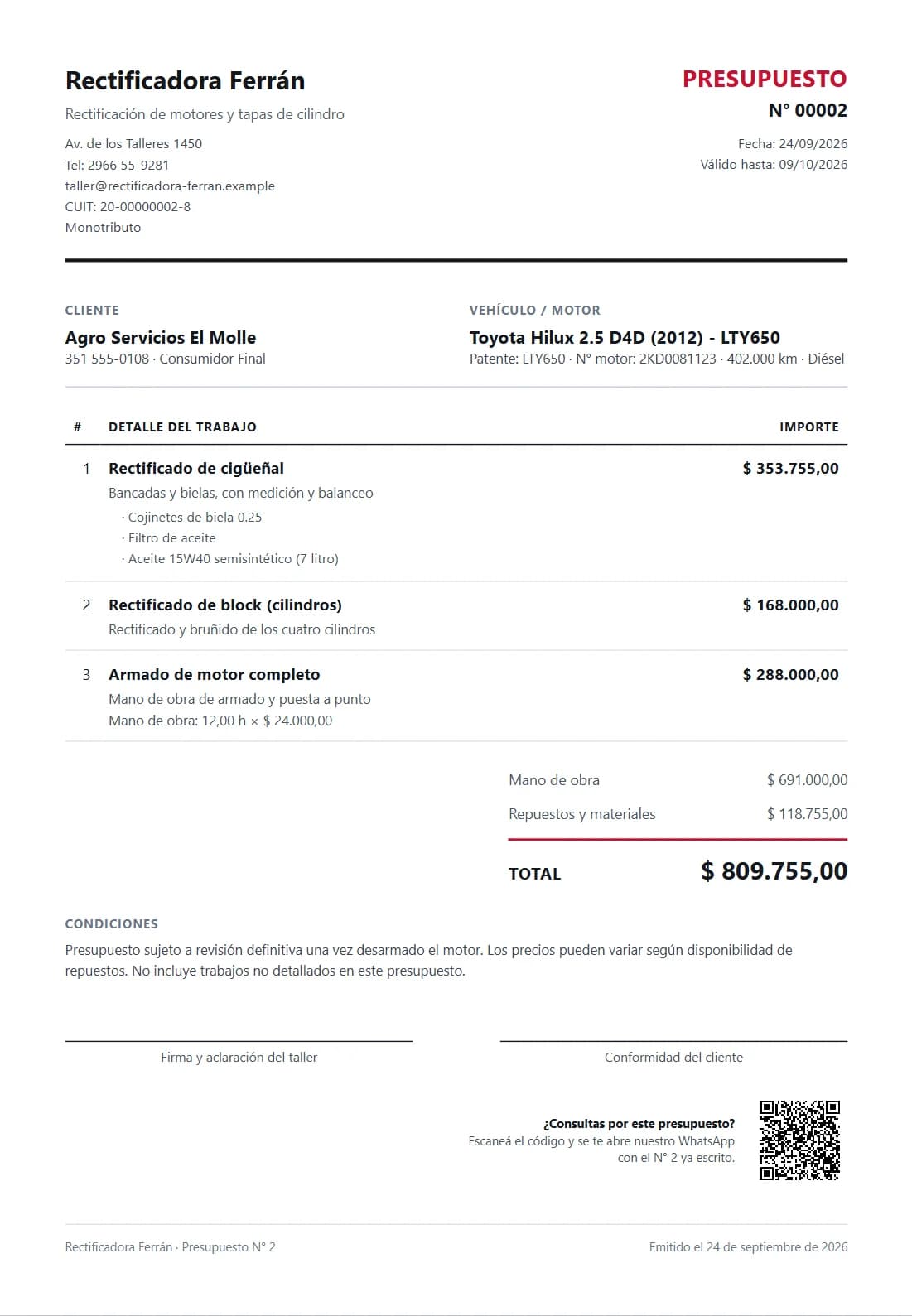
A quote is a list of jobs, and each job carries its labour — a fixed price or hours at a rate — and its parts. Recurring jobs come from the catalogue with one click. Parts come from stock and, once the work starts, are drawn down on their own; if it has to be undone, one button puts them back in stock. To the side, the total and what doesn't get printed: what the parts cost and what the shop keeps. Below, the payments — deposit, transfer, whatever it was — and the balance. The customer gets a clean sheet, on paper or as a PDF.

Quote No. 2, delivered: three jobs with their labour and parts drawn from stock, totals with the internal margin, and two payments with a zero balance
The same quote printed, as the customer receives it

In the shop

What's being worked on and what's ready

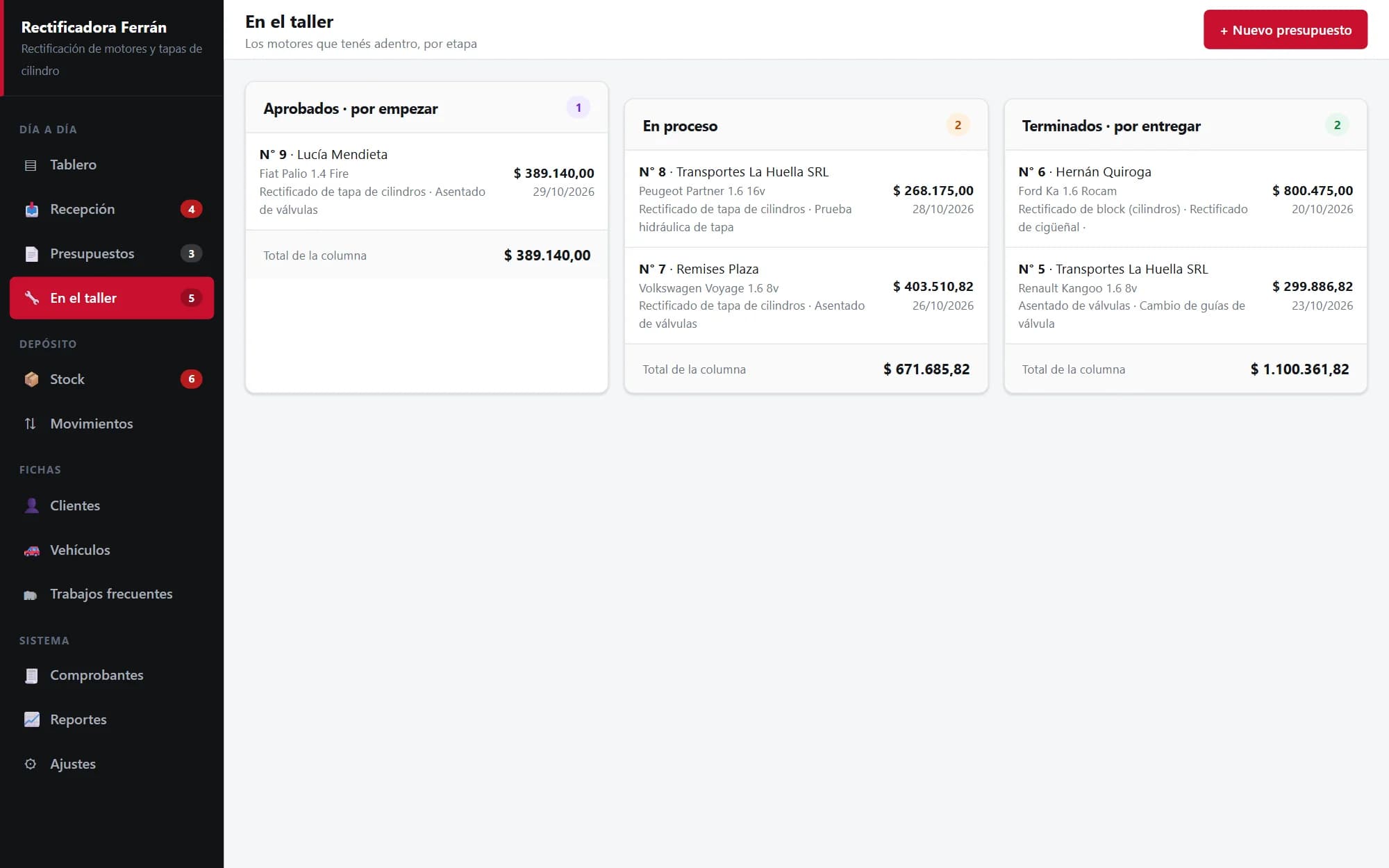
What is inside the shop, in three columns: approved and not started, in progress, and finished and awaiting pickup. Each card shows whose it is, which vehicle, what work it carries and what it adds up to, and each column has its total: finished and not collected is money already earned that hasn't come in yet. Marking a part as ready is what makes it show up in the dashboard's “To message today”.

“In the shop” screen with approved, in-progress and finished parts, in three columns with their totals

Stock

You know the parts room without going to look

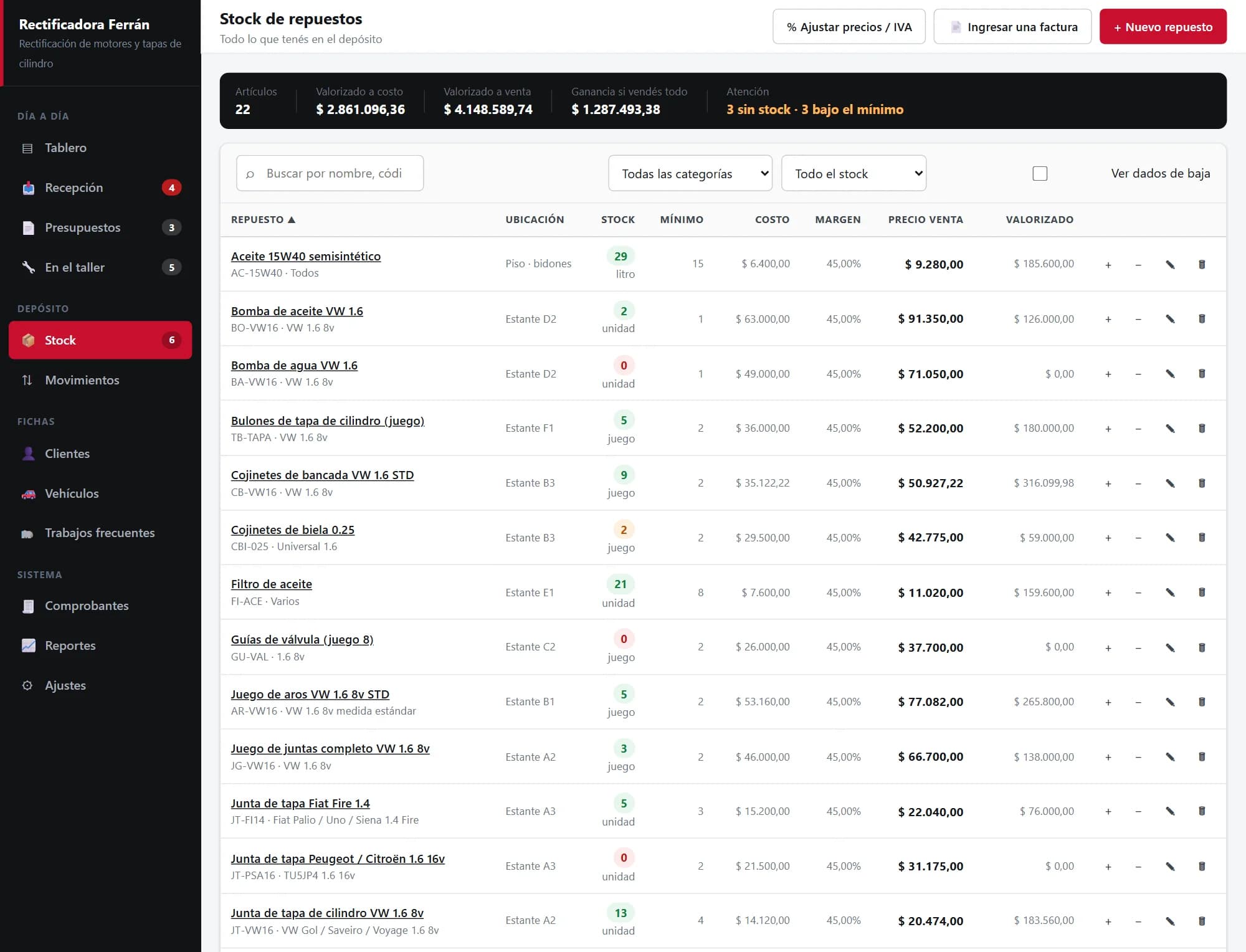
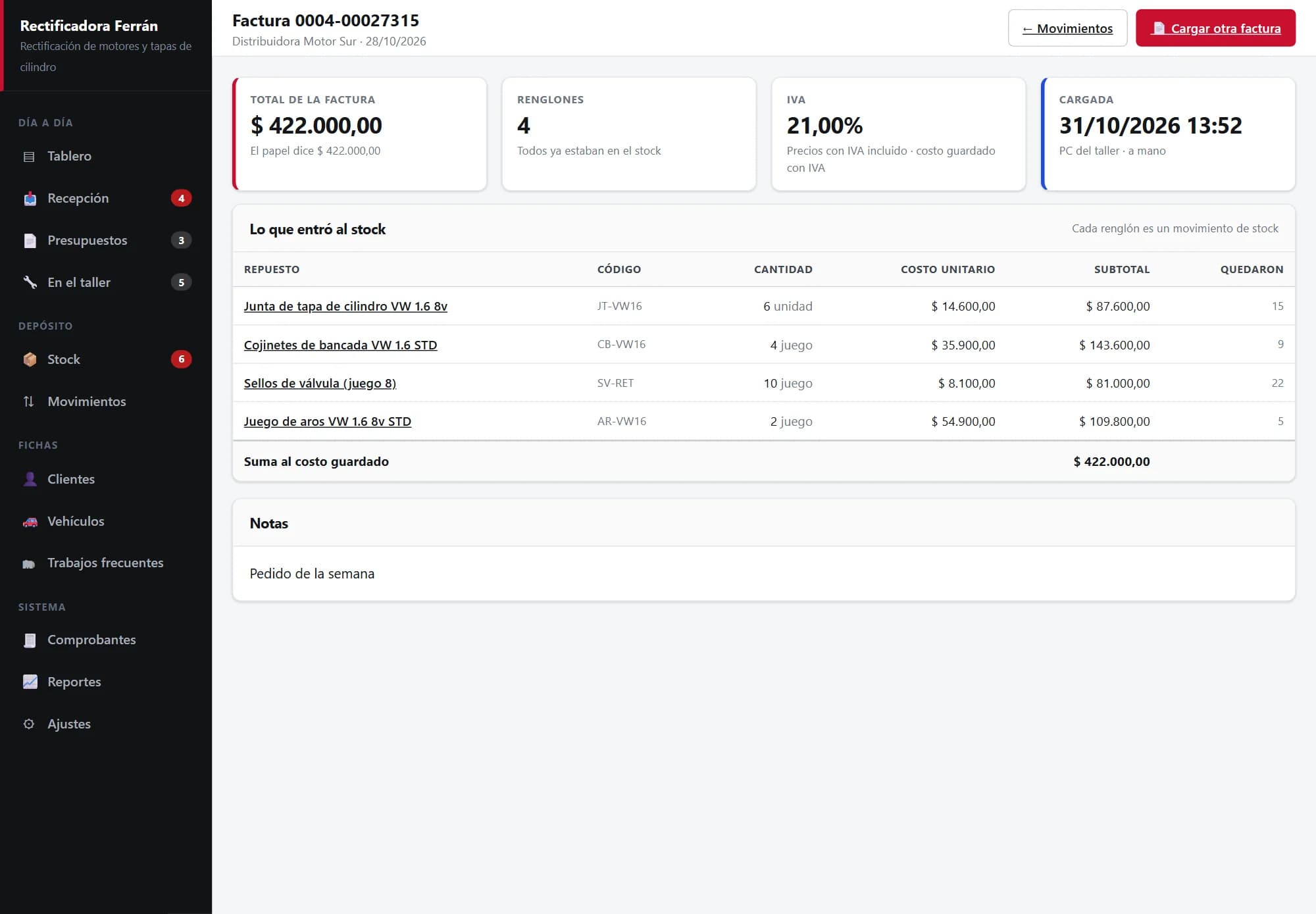
Every part has a quantity, location, cost, price and minimum; whatever has hit its minimum shows up at the top, ready to reorder. The supplier's invoice is entered in one go: the system suggests which part each line belongs to, and on saving, everything enters stock with the average cost and the selling price recalculated. Every movement in and out is logged with its reason.

The shop's stock: parts with location, quantity, minimum, cost and price, with the ones to reorder flagged
A supplier invoice already entered: four lines that went into stock, with each one's cost and how many are left

Invoicing

The invoice comes from the quote itself

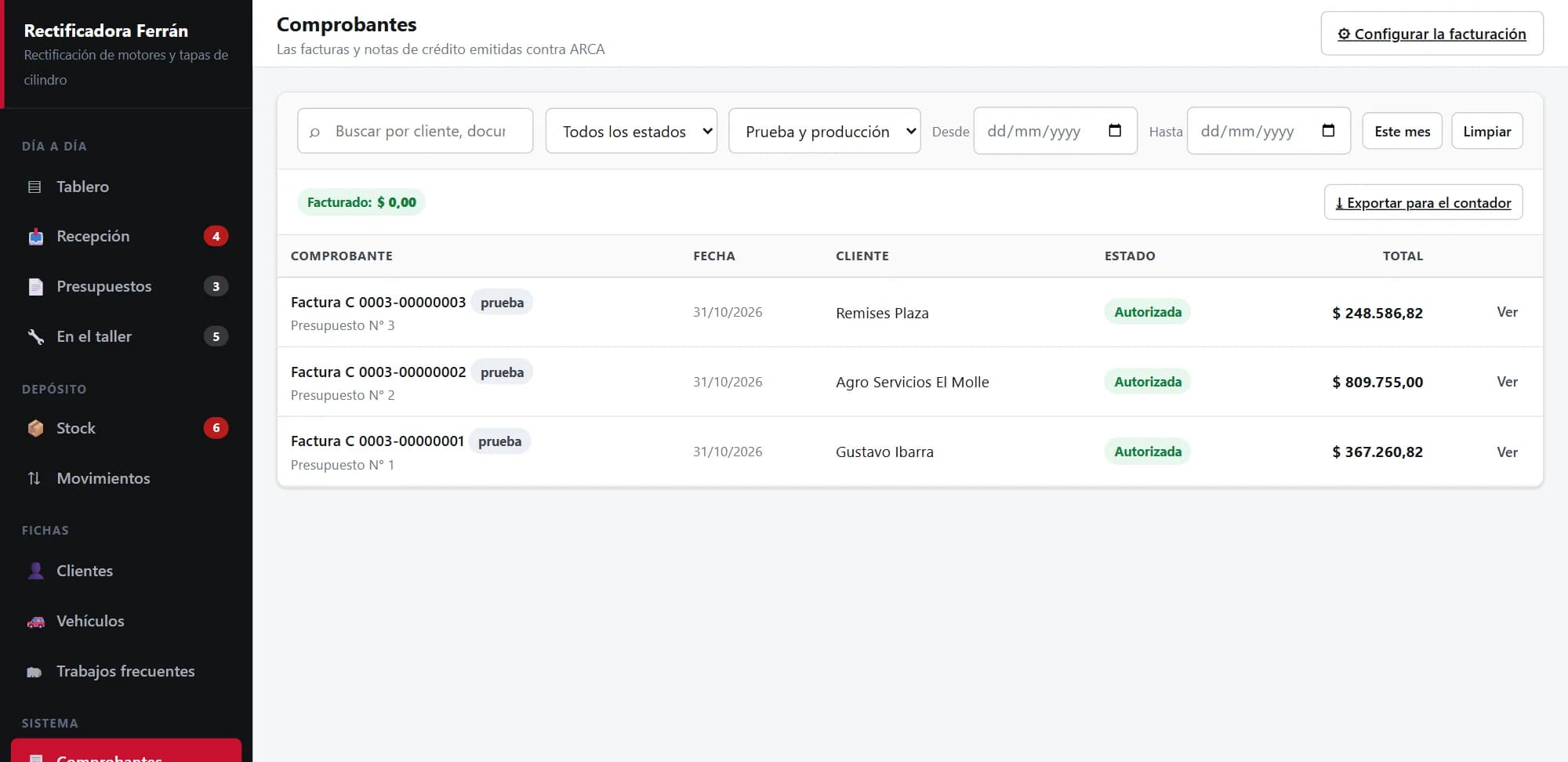
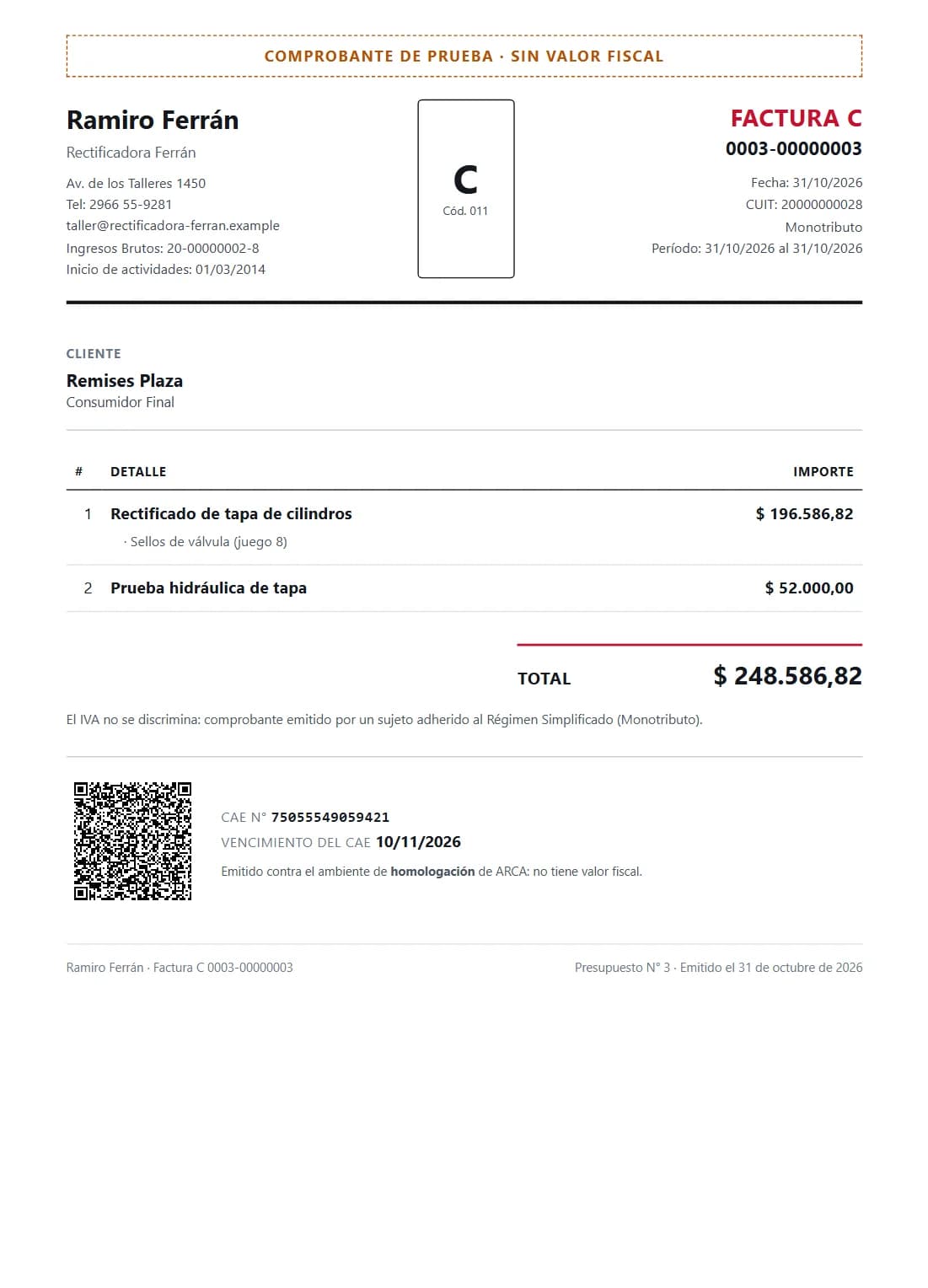
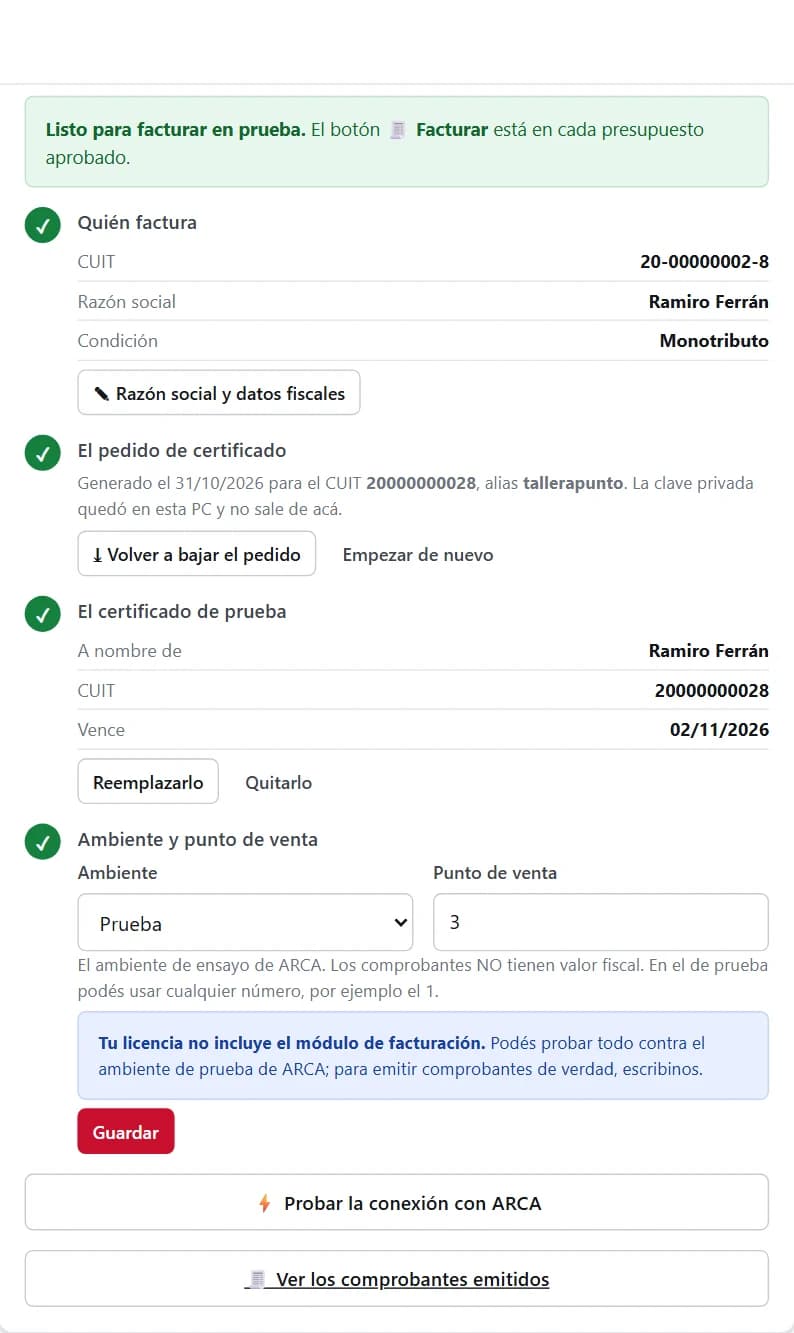
With an approved quote, “Invoice” requests the document from ARCA and stores it with its authorisation code (CAE) and QR code, ready to print or send as a PDF. The system issues type C invoices and credit notes, which is what a small taxpayer (monotributista) workshop uses; the ones for VAT-registered businesses are calculated but not offered yet. Settings walks through the setup step by step — who invoices, the certificate request, the certificate, the environment and the point of sale — and the certificate's private key never leaves the shop's PC. During the trial everything is rehearsed against ARCA's test environment; to issue real documents, the licence has to include the invoicing module.

List of issued documents: three type C invoices marked as test
Printed type C invoice from the invented machining shop, with the details, the total, the CAE, the QR code and the test-document, no-tax-value notice
Issued against the test ARCA the system's own test suite uses. That's why it says “no tax value”: a real shop's invoice is not shown.
Invoicing settings with all four steps checked: who invoices, the certificate request, the test certificate and the environment with its point of sale

Backups

The data belongs to the shop, and it doesn't get lost

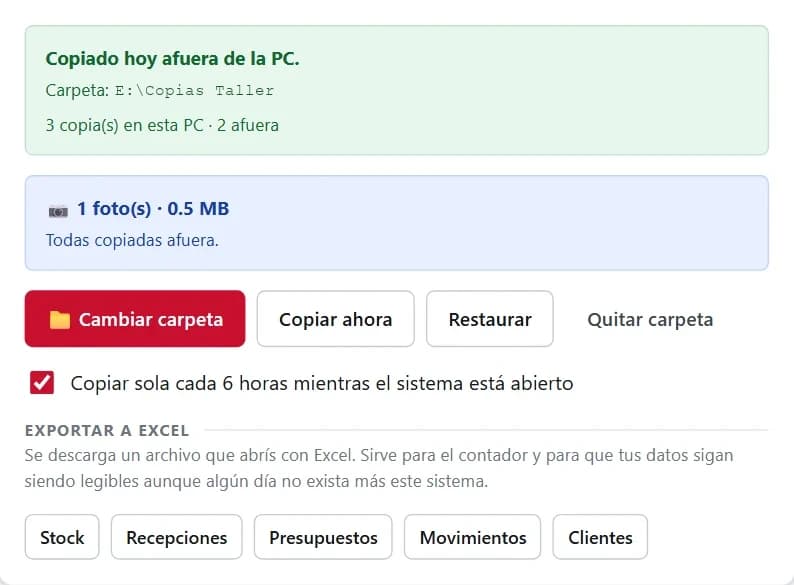
The system keeps one copy a day on the PC itself and, if an outside folder is chosen — a USB stick, an external drive — it copies there too, on its own every six hours while it's open or when “Copy now” is pressed. Photos are copied out as well. Restoring is one button. And everything exports to Excel — stock, intakes, quotes, movements, customers — for the accountant, or so the data stays readable even if this system someday no longer exists. If the licence expires the system goes read-only, but copying and exporting are never blocked.

Backup panel: copied outside the PC today, photos included, buttons to copy and restore, and the Excel export
The folder is an example: in a workshop it's the drive letter of a USB stick or an external disk, picked with “Cambiar carpeta”.

Reports

At month end, what was actually made

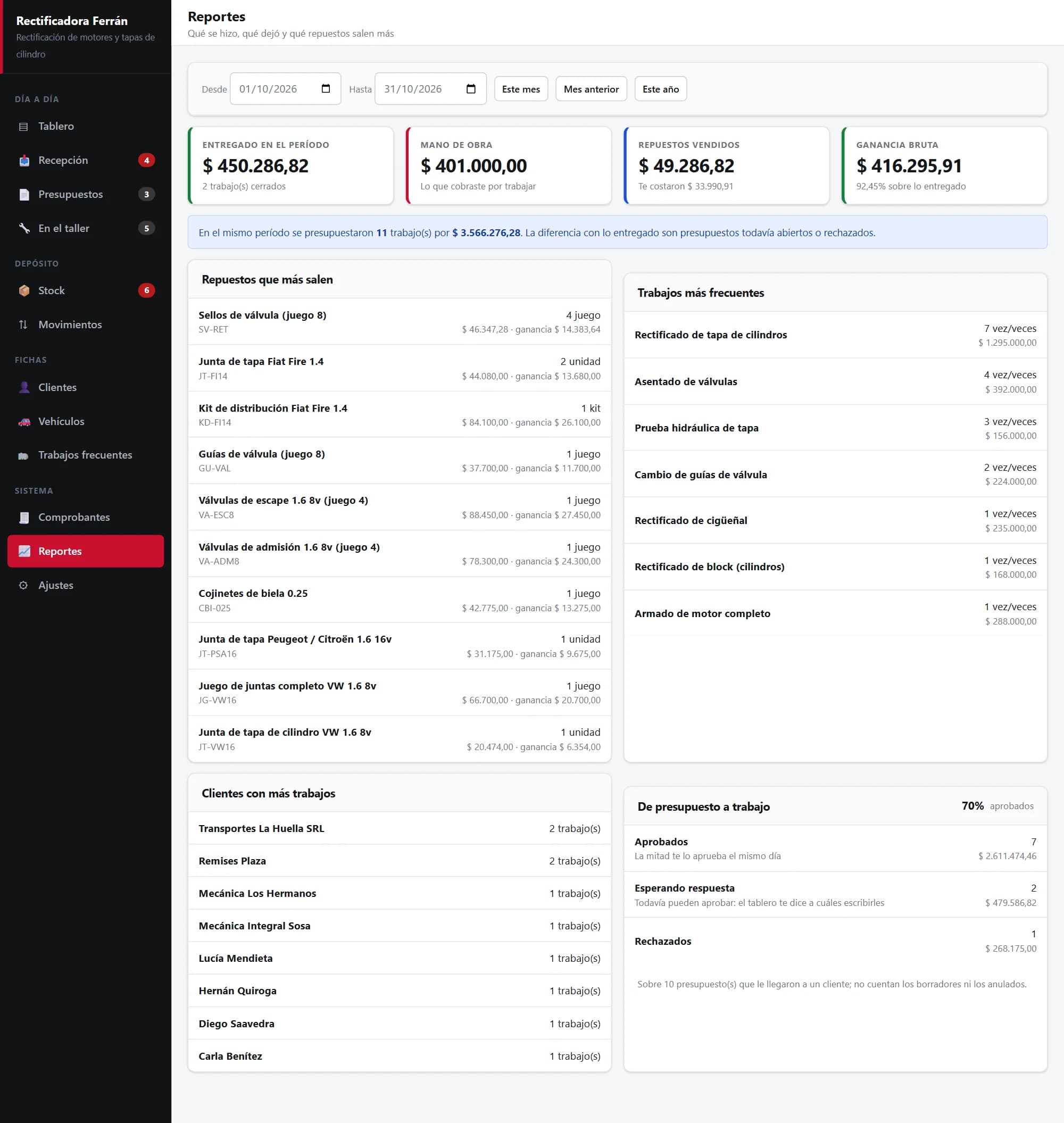
The report splits labour from parts, which is the only way to know where the money is made, and shows the margin on what was delivered. Below, the parts that sell most, the most frequent jobs, the customers with the most jobs, and how many quotes turn into work: approved, still awaiting an answer, and rejected. Each customer also has a record with the history of everything done to each vehicle.

Monthly reports: delivered, labour, parts and margin; top parts and jobs, customers with the most jobs, and quote-to-job conversion
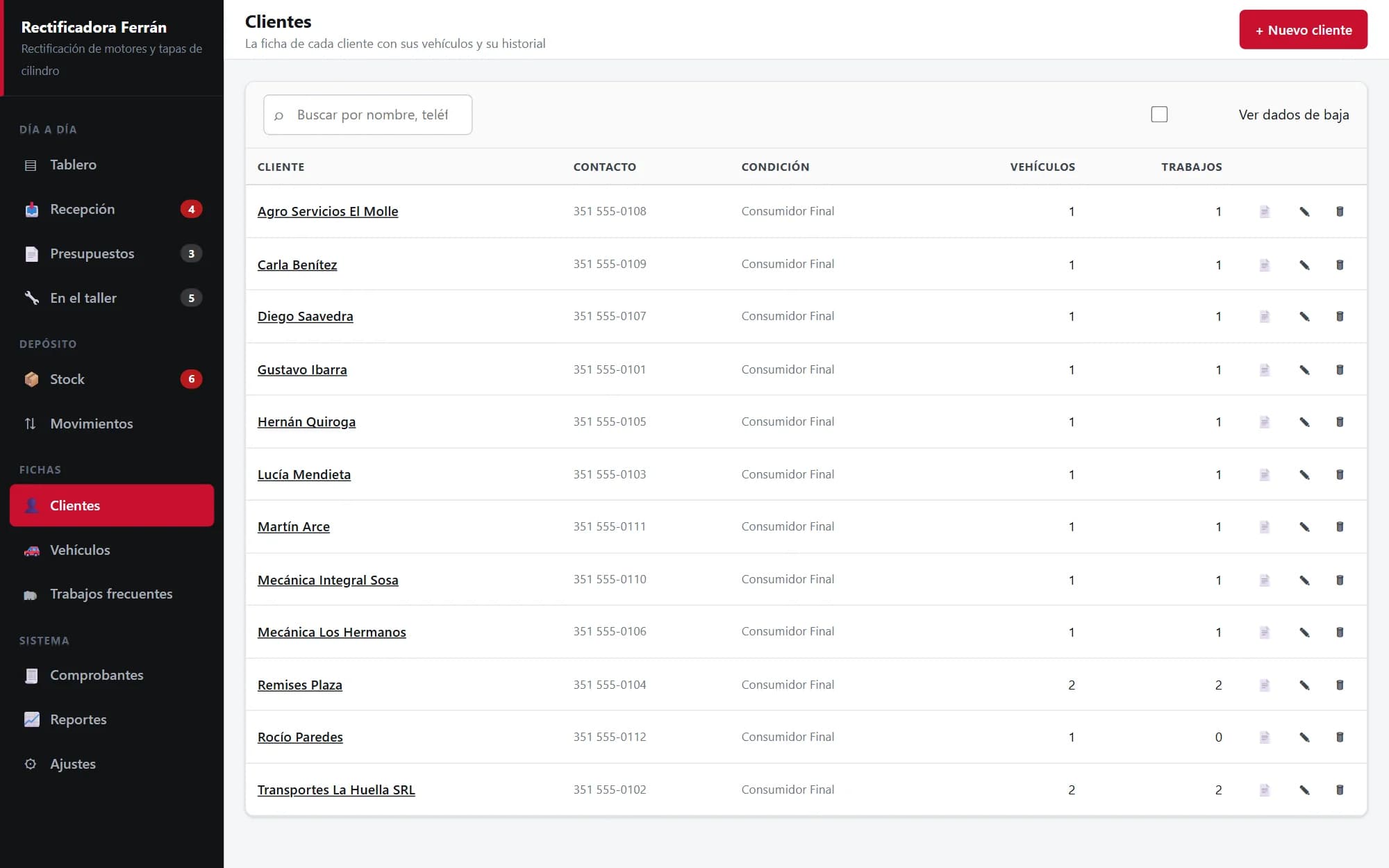
The shop's customer list with their vehicles and jobs

The site

Download it, try it for 14 days, then decide

Taller a Punto is sold from its own site, and the site does one thing: get the shop to try it with real work. It downloads with no sign-up or card, installs in three clicks, and the 14-day trial starts on its own with the full system. If it works for them, the licence goes on top of what's already been entered; if not, the data is still the shop's and can be exported. What the system doesn't do is written down too, up front: it isn't a phone app, it doesn't send WhatsApp messages on its own, and it doesn't update itself.

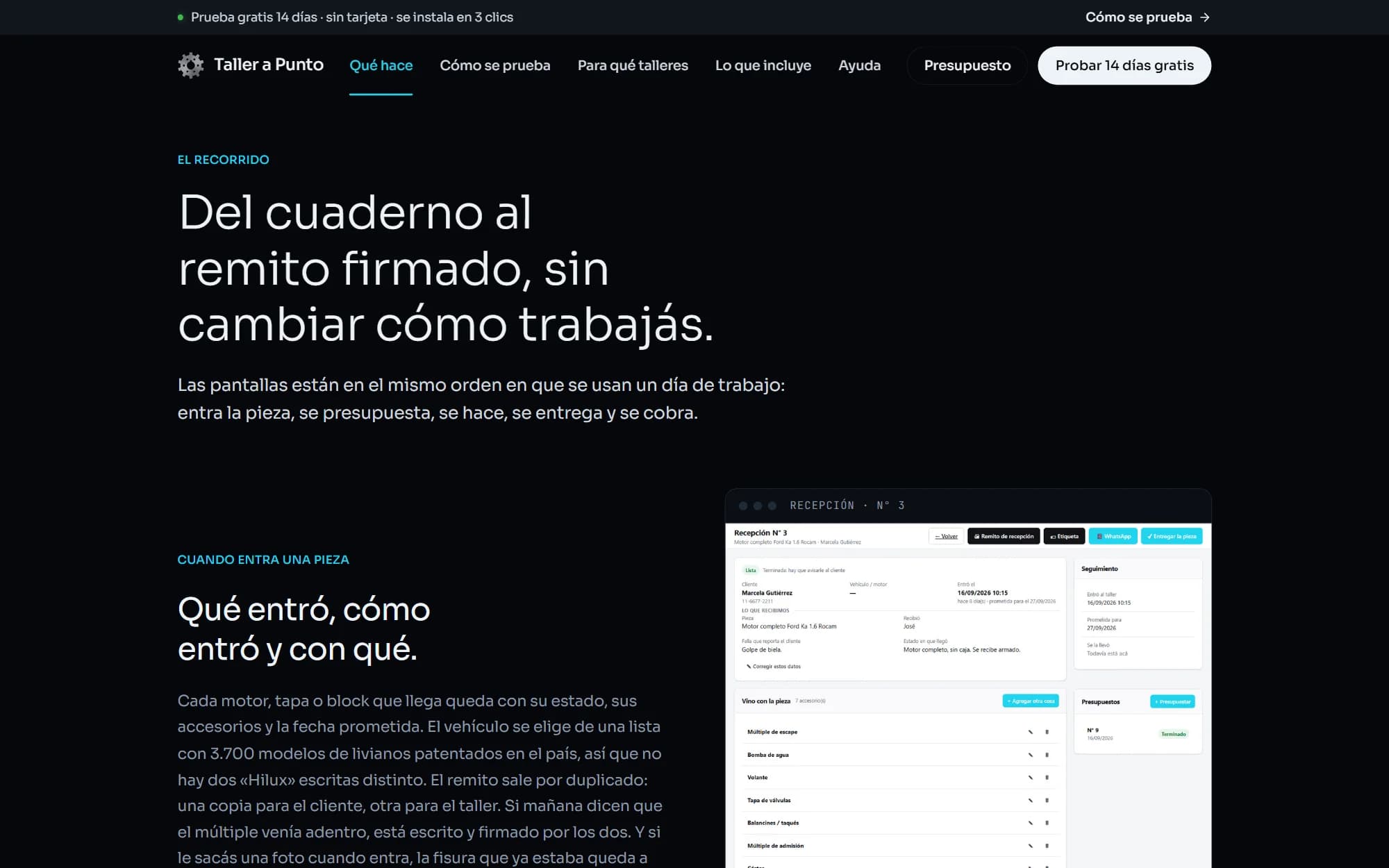
taller-a-punto.com “What it does” page
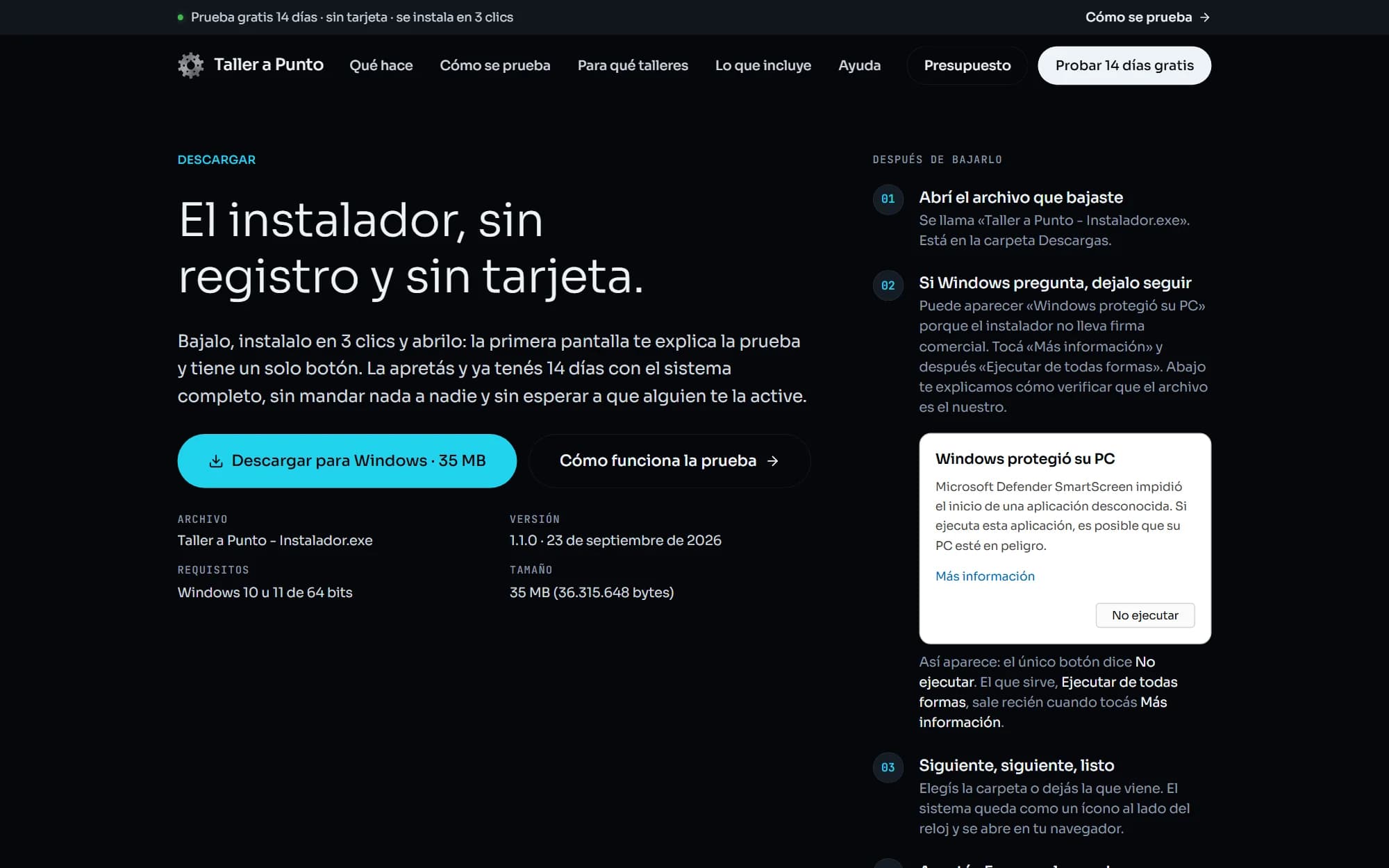
Download page for the free 14-day trial on taller-a-punto.com
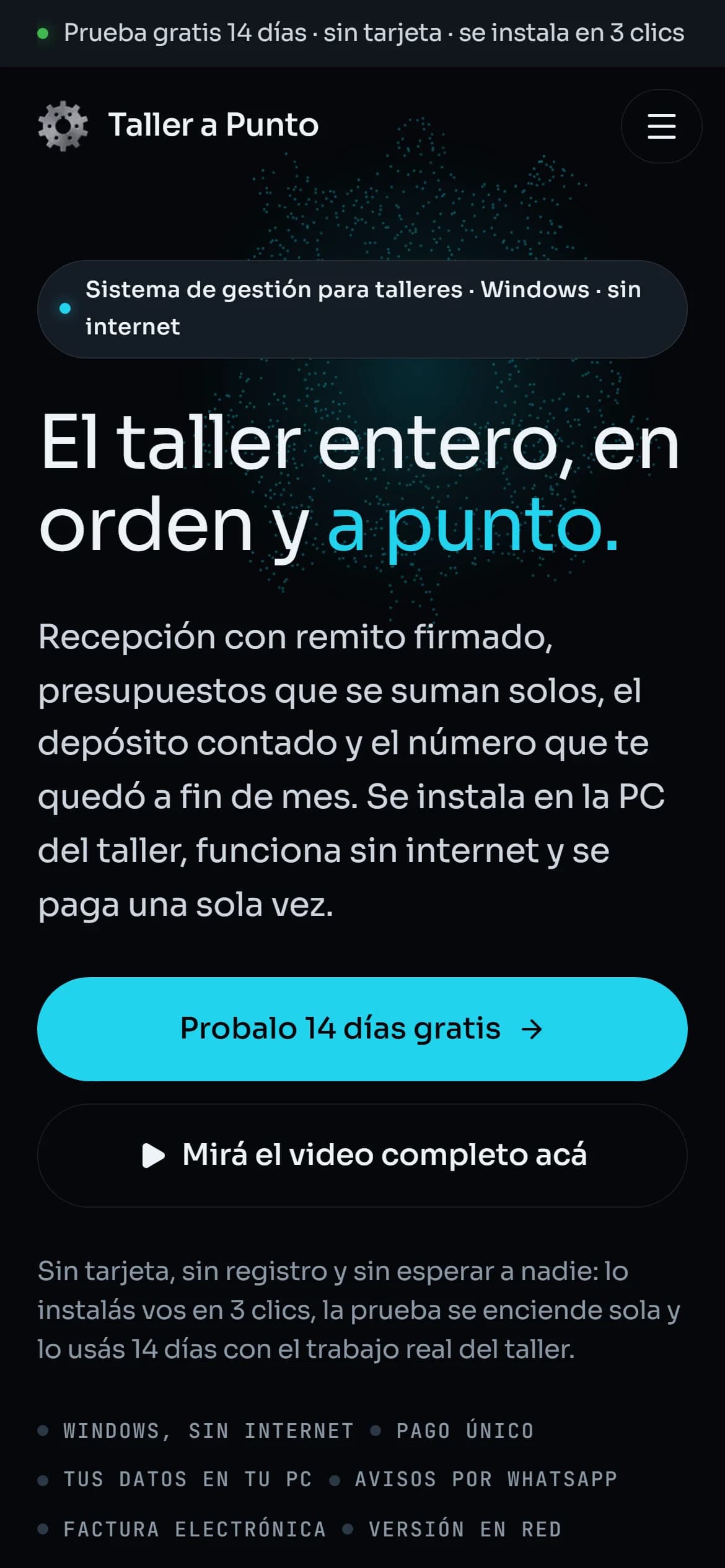
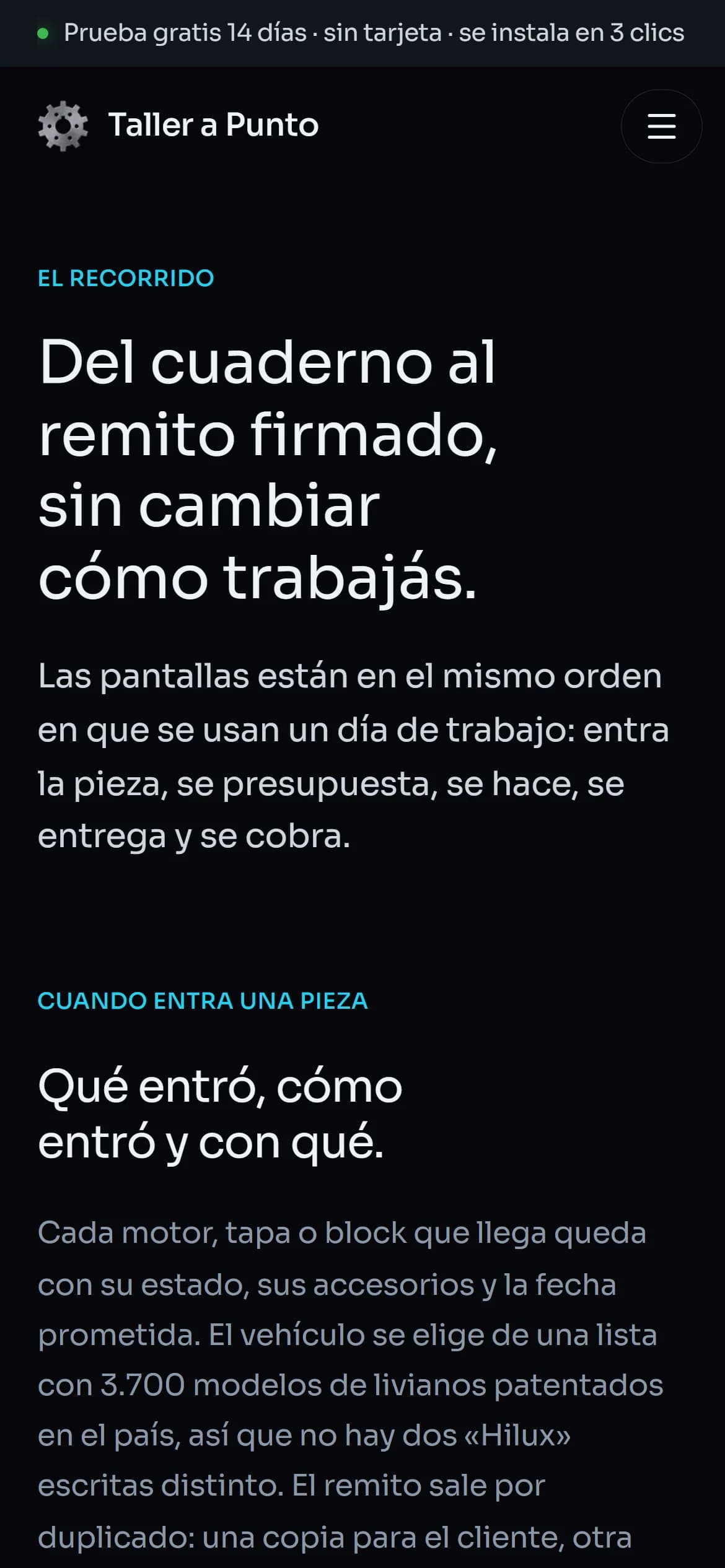
taller-a-punto.com home page on a phone
taller-a-punto.com “What it does” page on a phone

Want something like this for yours?

None of these sites was built from a template. Tell me what you sell and what you're fighting with today, and we'll see what can be done.